12 AI Powered Learning Tools to Slay Your 2026 Semester
Feb 19, 2026
Let’s be real, student life is a mess. You’re drowning in lecture recordings, have 50 tabs open, a mountain of PDFs, and a group chat that’s literally always on fire. Just keeping up feels like a full-time job, and the pressure to get good grades is intense. Trying to cram for an exam with notes that look like a toddler’s diary and textbook chapters that put you to sleep is a whole new level of stress. It feels less like learning and more like just surviving the semester.
This is where AI swoops in—not to help you cheat, but to be your new study BFF. The right ai powered learning tools can handle all the boring stuff for you, like turning lectures into text, summarizing long articles, and making flashcards from your notes. Instead of wasting hours on grunt work, you can actually focus on what matters: understanding the hard stuff and acing your exams. Think of it as a massive glow-up for your study game, helping you get organized, save time, and kill that pre-midterm anxiety.
This guide skips the fluff and shows you which platforms are actually worth your time. We’ve tested the top AI study tools made for students like you. For each one, you’ll get the lowdown on what it’s best for, its key features, the vibe, pros, cons, and how much it costs. We've also included screenshots and links so you can jump right in. Our goal is to give you a clear roadmap to finding the perfect AI tool for your needs, so you can finally study smarter, not harder.
1. Vivora
Vivora is basically the ultimate study hub that turns your messy class materials into a clean, personalized study guide. Its biggest flex is taking all your random content—lecture PDFs, slides, audio files, and even YouTube or TikTok videos—and pulling it all into one smart guide. It completely automates the soul-crushing task of organizing notes, so you can just focus on actually learning the material. If you’re juggling multiple classes with resources scattered everywhere, this tool is a total lifesaver.
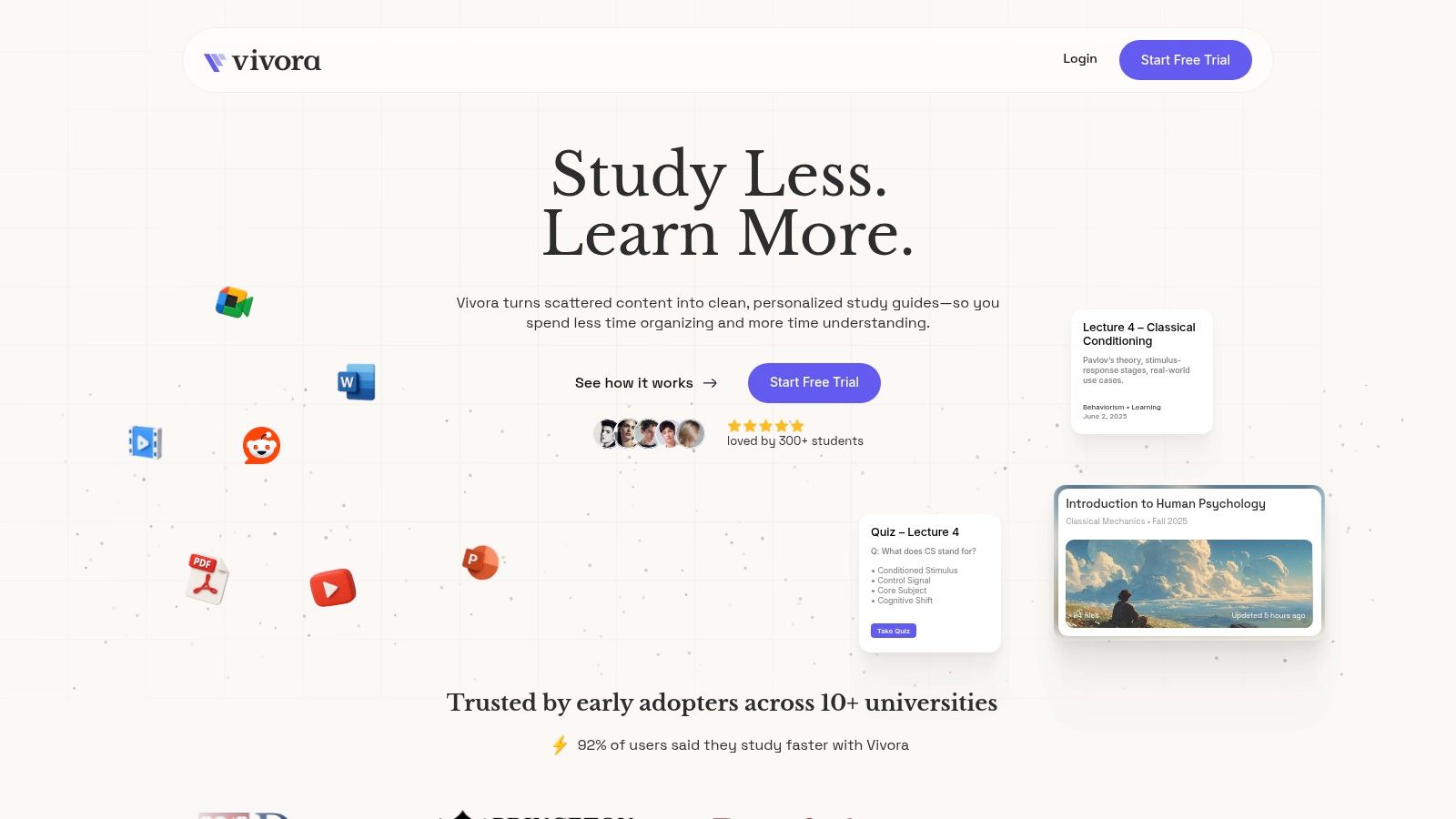
Built by students for students, Vivora just gets it. Once you upload your stuff, it automatically generates organized notes, flashcards, and practice quizzes based on your exact course content. The best part? An AI chatbot that’s actually helpful and can explain confusing concepts from your lectures right away. With a bunch of students already using it and 92% saying they study faster, Vivora is a top-tier pick among AI powered learning tools for being super practical and easy to set up.
Key Details & Takeaways
Best For: Students drowning in scattered class materials (videos, slides, PDFs) who need to create clutch study guides for exams.
Standout Feature: Pulling everything together. The ability to grab info from a YouTube link, an audio file, and a PDF to create one unified study guide is honestly a game-changer.
Pricing: There’s a 7-day free trial (no credit card needed). You have to check the website for current subscription plans.
Pros: Saves you hours of organizing, automatically creates different study tools, and has an AI chatbot for instant help.
Cons: It's a newer platform, so it might not link up with your school's official systems. Pricing isn't public, and you should probably skim the privacy policy before uploading top-secret notes.
Website: https://vivora.ai
2. Khan Academy – Khanmigo
You already know Khan Academy is the OG for free, high-quality school videos. Now, with Khanmigo, they’ve added a personal AI tutor to their platform, making it one of the most legit ai powered learning tools out there. It’s designed to guide you through problems with hints instead of just giving you the answers, which is perfect for homework help in subjects like math, science, and even coding.
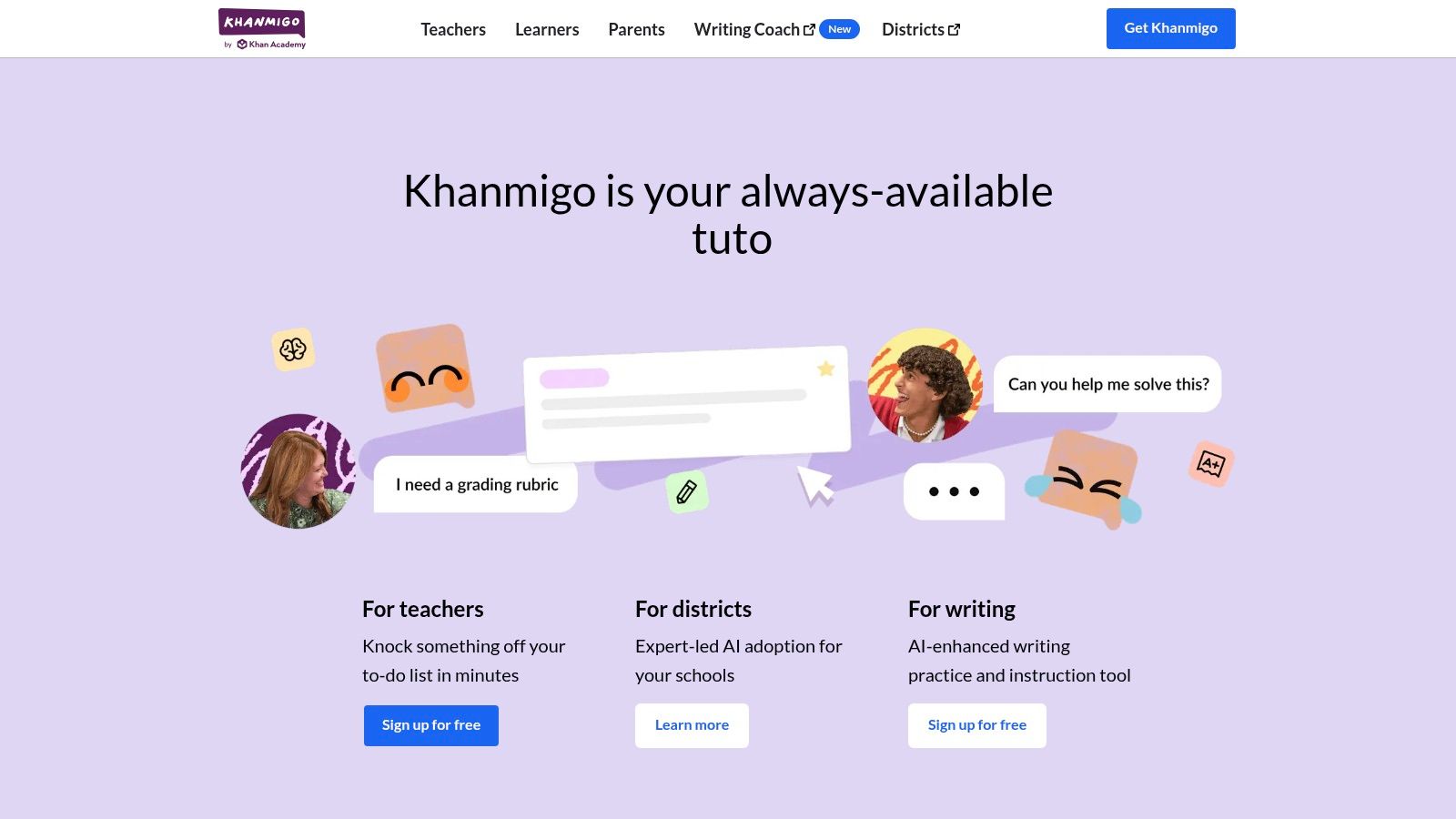
What makes Khanmigo a vibe is that it’s directly linked to the K-12 and SAT prep content you’re already using. It can be a debate partner for history, a writing coach for your English essay, or a coding assistant for your CS class. This deep integration shows how AI study tools are changing the game by giving you help that’s actually relevant to what you’re learning, right when you need it.
Key Features & Use Cases
Interactive Tutoring: Get step-by-step help on math and science problems without getting the answer spoiled.
Writing Feedback: Submit drafts and get instant feedback on whether your essay makes sense, is structured well, and has good grammar.
Standardized Test Prep: Use it with Khan Academy’s official SAT prep for targeted help.
Teacher & School Integration: It's super safe and school-approved, so it's a trusted choice for teachers.
Pricing & Access
Khanmigo is available for a donation of $4/month or $44/year. U.S. teachers can get it for free.
Pros: Super affordable, connected to a platform you already trust, and great for U.S. curriculum and SAT prep.
Cons: Not as great for niche, high-level college topics compared to other specialized tools.
Website: https://www.khanmigo.ai
3. Quizlet (Plus / Plus Unlimited)
Quizlet has been the GOAT for digital flashcards forever, but its new AI features make it a legit study partner. With AI, Quizlet can take your chaotic class notes and instantly whip them into flashcards, practice tests, and outlines. This makes it one of the fastest ai powered learning tools for going from a hot mess of info to actual study mode, perfect for that pre-exam cram session.
What makes Quizlet still hit different is its massive library of user-made study sets combined with AI smarts. You can find a deck for pretty much any topic ever, and then use the AI-powered "Learn" mode to drill the stuff you suck at. This combo of community content and smart tech means you’re not just memorizing, you’re actually getting it. If you want to make your own quizzes from scratch, an AI quiz generator can be a great way to build custom practice sessions.
Key Features & Use Cases
Magic Notes: Just paste or upload your notes, and Quizlet’s AI will auto-magically create flashcards, practice questions, and summaries.
Personalized Study Modes: "Learn" and "Test" modes use smart tech to focus on your weak spots so you stop wasting time.
Massive Content Library: Access millions of pre-made study sets for any high school or college subject you can think of.
Gamified Learning: Classic modes like "Match" and "Gravity" make memorizing feel less like a chore.
Pricing & Access
The free version has ads. Quizlet Plus gets you the AI features and offline access for $7.99/month or $35.99/year.
Pros: Huge library of existing content, great mobile app for studying on the go, and super quick for turning notes into study materials.
Cons: The best AI features are locked behind a paywall, and some old AI tools like Q-Chat have been removed.
Website: https://quizlet.com
4. Duolingo Max
Duolingo basically gamified language learning, and with Duolingo Max, it adds a powerful AI conversation partner right into the app. This premium feature is for students who need to get past vocabulary lists and actually practice speaking. Max uses GPT-4 to create conversations, giving you a safe space to practice talking without the anxiety of messing up in front of a native speaker.
What makes Duolingo Max a key player among ai powered learning tools is its focus on interactive feedback. After a role-play chat, the AI explains your mistakes and gives corrections, helping you understand grammar and phrasing. It’s a great add-on for a language class, giving you on-demand practice to build confidence for your next oral exam or study abroad trip.
Key Features & Use Cases
AI Roleplay & Conversation: Have simulated text and video chats with an AI to practice real-world scenarios.
Instant Feedback: Get immediate, detailed explanations for your spoken and written mistakes.
Major Language Support: Practice popular languages like Spanish, French, German, Italian, and Portuguese.
Gamified Learning: It’s built on Duolingo's super engaging and motivational system that you already know and love.
Pricing & Access
Duolingo Max is a premium tier inside the app. Pricing can vary depending on your location and whether you're on iOS or Android.
Pros: Amazing for building speaking confidence, gives targeted feedback, and it's on a fun platform you're probably already using.
Cons: Max features are only available for a few of Duolingo's languages, and it's pretty pricey for a mobile app.
Website: https://www.duolingo.com
5. Photomath
Stuck on a nasty math problem late at night? Photomath is the classic app that uses your phone’s camera to scan and solve equations instantly. It can read both printed text and your messy handwriting, from basic math to advanced calculus, making it a must-have tool for checking your homework or getting unstuck when your brain just isn't working. It's one of the most straightforward ai powered learning tools for math.
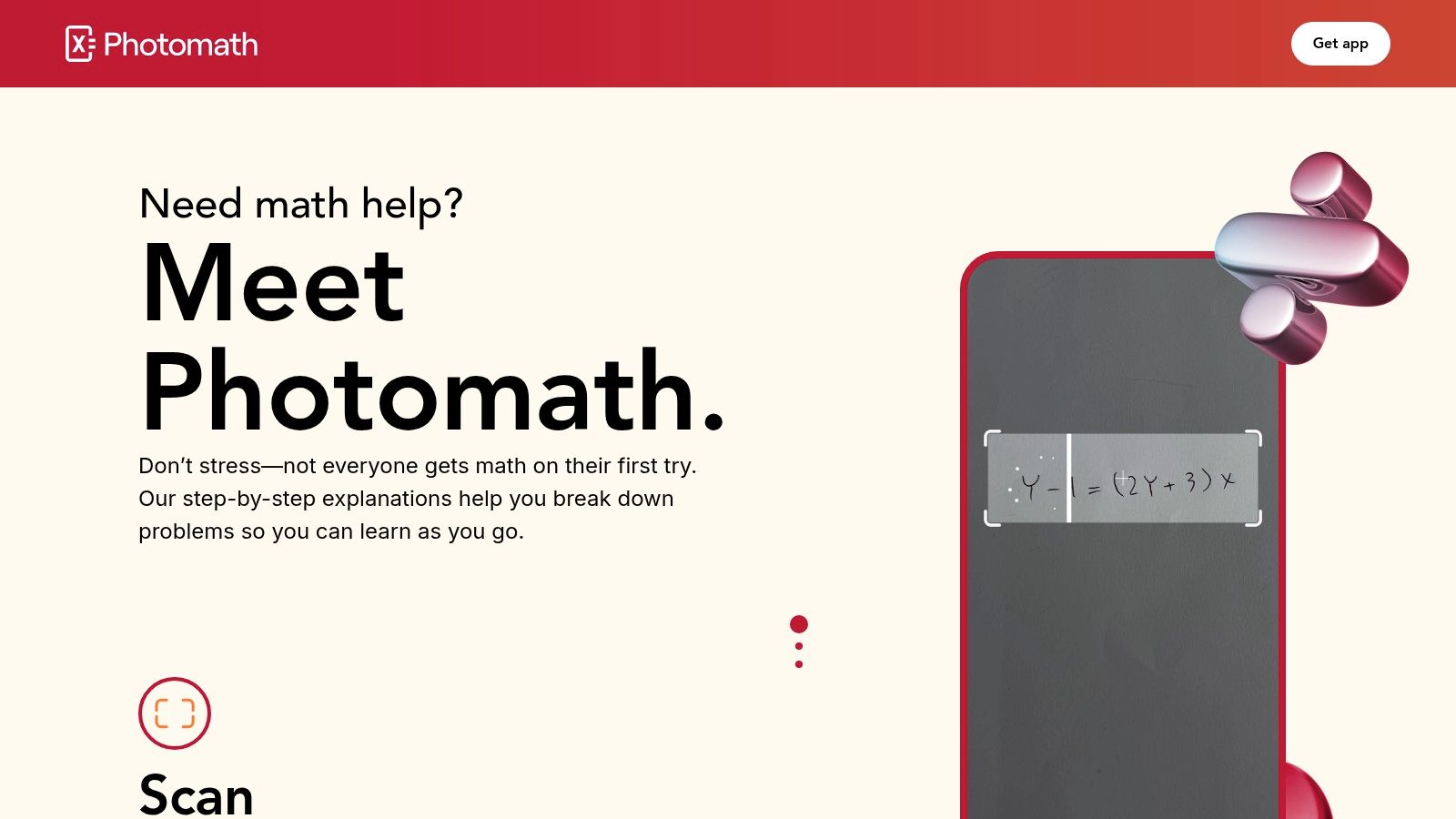
What makes Photomath so good is that it's fast and simple. The app doesn't just give you the answer; it shows you detailed, step-by-step instructions on how it got there, often with a few different methods. While it’s great for procedural problems, you have to actually use it to understand the process, not just copy the solution. For more complex problems, an ai homework helper can give you bigger-picture explanations too.
Key Features & Use Cases
Instant Problem Scanning: Use your camera to scan handwritten or printed math problems for quick answers.
Step-by-Step Explanations: Actually understand the logic with detailed, easy-to-follow steps.
Multiple Solving Methods: See different ways to solve a problem, which can help you understand it better.
Word Problem Support: The paid version, Photomath Plus, gives better explanations for word problems.
Pricing & Access
The basic scanning and step-by-step solutions are free. Photomath Plus, with better explanations and word problem support, is a subscription.
Pros: Super fast and easy to use, great for getting the hang of solving steps, and covers a ton of math topics.
Cons: It's tempting to just use it for answers, and the explanations can be a bit thin for really complex stuff.
Website: https://www.photomath.net
6. Socratic by Google
Socratic by Google is the perfect tool for when you're stuck on a concept and need a quick, solid explanation. Instead of just giving an answer, it uses AI to find the best online resources, visuals, and videos to help you understand the why behind the problem. You can snap a pic of a worksheet, type a question, or say it out loud, making it a super-fast way to get unstuck on homework.
What makes Socratic a go-to is that it’s like a smart search engine for school. It’s great at sending you to high-quality content from trusted places like Khan Academy. While some ai powered learning tools create new content, Socratic is your expert guide to the best info already out there. It’s also being built into the main Google app with Google Lens, so you might already have it on your phone.
Key Features & Use Cases
Multi-Input Support: Ask questions by taking a photo, using your voice, or typing. Perfect for weird math equations or science diagrams.
Curated Explainers: Get focused explanations, step-by-step guides, and helpful videos from legit sources.
Visual Learning: The Google Lens integration helps identify problems from images and find visual aids to explain abstract topics.
Broad Subject Coverage: Instantly find resources for math, science, literature, history, and more.
Pricing & Access
Socratic is totally free. You can use its features through the Google app (via Google Lens) on iOS and Android.
Pros: 100% free, amazing for finding top-tier explainers and videos, and covers a wide range of high school and early college subjects.
Cons: It’s more of a quick-help tool than a full study platform. The standalone app is gone, so you have to use it through Google Lens.
Website: https://www.socratic.com
7. Chegg (Chegg Study / Study Pack; CheggMate AI)
Chegg has been the homework-help plug for years, famous for its massive library of textbook solutions and expert Q&A. Now, with CheggMate, it's adding a conversational AI on top of its database, making it a beast for students who need step-by-step help. Instead of just seeing a final answer, you can ask for more details or a breakdown of a specific step.
What makes Chegg one of the top ai powered learning tools is its huge archive of human-verified answers. The AI doesn't just guess; it pulls from over 6 million textbook solutions already in its system. This makes it clutch for checking your homework in STEM classes or figuring out a problem at 2 AM.
Key Features & Use Cases
Expert Q&A: Search a huge archive of answered questions or ask a new one and get a detailed explanation from an expert.
Textbook Solutions: Find step-by-step solutions for problems in thousands of textbooks, perfect for checking your work.
Math Solver & Writing Tools: The Study Pack includes a math problem solver and tools for grammar checks and plagiarism scans.
CheggMate AI: Use the AI to get interactive help and explanations based on Chegg’s massive content library.
Pricing & Access
Chegg Study Pack, which includes the AI features, starts at $19.95/month. Pricing can change based on what's in the bundle.
Pros: A deep archive of worked-out examples and textbook solutions, and it bundles study, math, and writing help into one subscription.
Cons: Some people complain about billing issues, and the quality of user-submitted answers can be hit or miss.
Website: https://www.chegg.com
8. Perplexity
Perplexity is less of a chatbot and more of an AI-powered answer engine, which makes it an amazing research assistant for students. Instead of just spitting out a wall of text, it gives you direct answers with sources cited right there, so you can quickly check where it got its info. This is a game-changer for writing research papers, building bibliographies, or just getting a quick, legit overview of a new topic for class.
What makes Perplexity a standout among ai powered learning tools is its focus on accuracy and transparency. While other AIs can "hallucinate" and make stuff up, Perplexity’s cited sources help you trust the answers. For students, this means less time fact-checking and more time actually analyzing information. Its "Deep Research" reports are super useful for diving into complex subjects, creating a structured overview from multiple sources.
Key Features & Use Cases
Answers with Inline Citations: Get direct answers to questions with clickable sources so you can verify the info.
Deep Research Reports: Generate full reports on a topic, perfect for starting a literature review or planning a project.
Multiple AI Models: Pro users can switch between different models like GPT-4o and Claude 3 Opus to find the best one for their question.
Comet AI Browser: A built-in browser assistant that helps you research and browse with AI support.
Pricing & Access
Perplexity has a solid free tier with a limited number of Pro searches. The Pro plan is $20/month or $200/year and unlocks better AI models, unlimited file uploads, and more Pro searches.
Pros: Fast, sourced answers that help you avoid AI lies; great for initial research.
Cons: The pro plan details can change, so read them carefully before you subscribe; it's pricey for one person.
Website: https://www.perplexity.ai
9. Superhuman (formerly Grammarly)
You probably know Grammarly as the ultimate spell-check for your essays and emails. The company has rebranded to Superhuman and expanded its OG writing assistant with a broader AI tool called Superhuman Go, document features, and mail integration. It's still a must-have tool for students who need to make their writing sound smart, check for clarity, and avoid accidentally plagiarizing. This makes it one of the most practical ai powered learning tools for school.
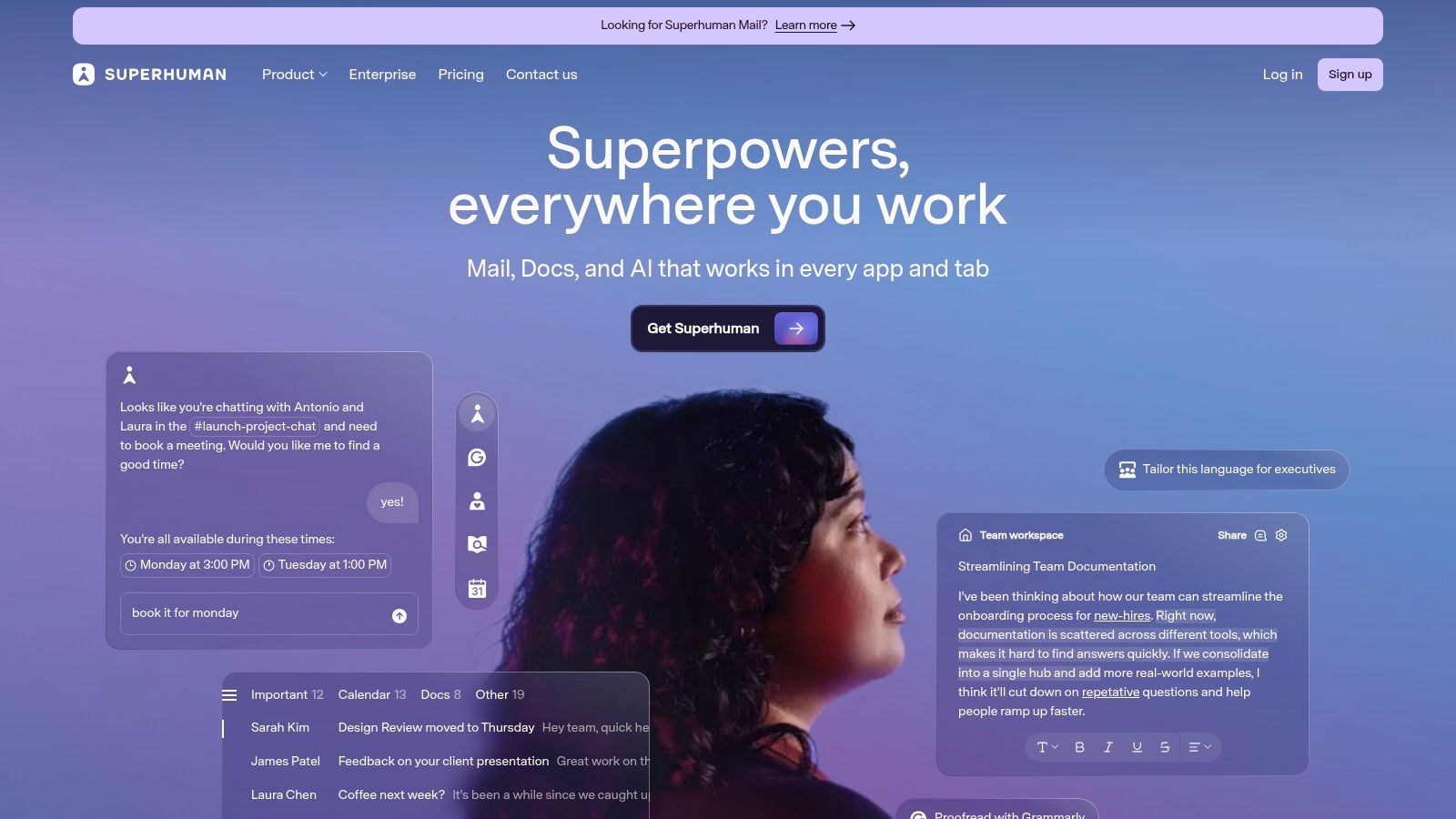
What keeps Superhuman on the list is its super accurate writing feedback that works everywhere—in Google Docs, your email, and your school's website. The new Superhuman Go features are meant to help you with more than just grammar, like with productivity tasks across different apps. This shift from a simple grammar checker to a bigger AI assistant shows how these tools are becoming central to a student's daily grind.
Key Features & Use Cases
Advanced Writing Checks: Get real-time feedback on grammar, clarity, conciseness, and tone to make your writing sound professional.
Plagiarism Checker: The Pro version has a plagiarism detector to make sure your work is original before you hand it in.
Superhuman Go AI Assistant: Use the AI assistant for productivity tasks and help across different apps.
Seamless Integration: It works as a browser extension and desktop app, giving you suggestions right where you're writing.
Pricing & Access
Superhuman has a free version for basic grammar and spelling. The Pro plan, which has the plagiarism checker and advanced style tips, is what you'll need for serious schoolwork.
Pros: Highly accurate writing feedback, works everywhere you write, and now includes broader AI agent features.
Cons: The rebrand is a bit confusing, and the full suite might be overkill if you just need a grammar check.
Website: https://www.superhuman.com
10. Wolfram|Alpha Pro
While a lot of AI tools are all about words, Wolfram|Alpha Pro is the undisputed king of numbers and data. It’s less like a chatbot and more like a super-calculator that can solve anything from insane calculus problems to advanced stats. It gives you precise, step-by-step solutions for STEM, economics, and data-heavy classes where getting the exact right answer is everything. It's one of the most trusted ai powered learning tools for checking your math.
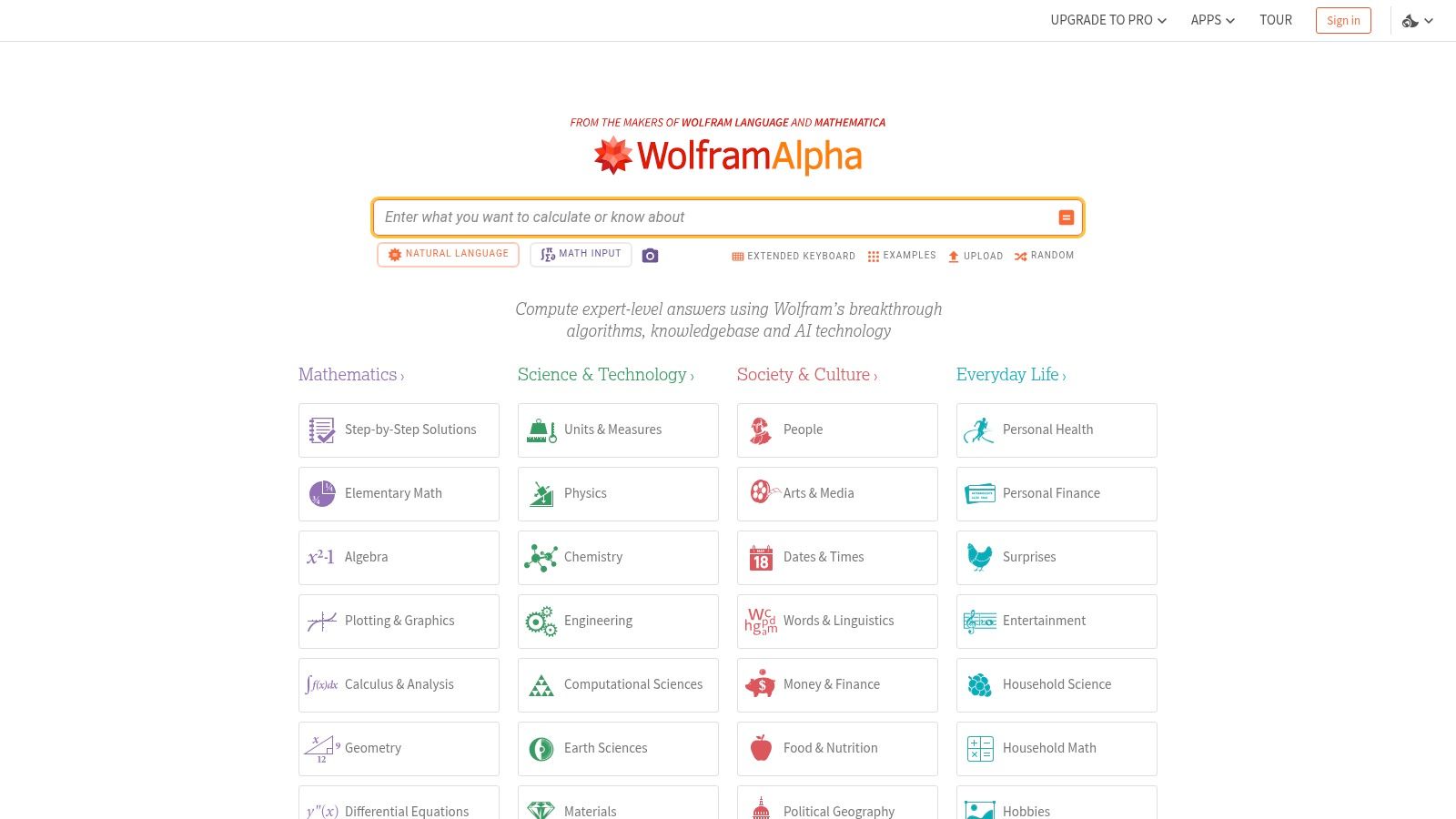
What makes Wolfram|Alpha Pro so essential is its accuracy. While other AIs might make up a fake math proof, this platform is built on solid data and algorithms designed to be correct. For engineering, physics, or finance students, it's the perfect tool to check homework, understand the logic behind a formula, or explore data without worrying about getting a wrong answer. This makes it a powerful sidekick to more creative AI study tools.
Key Features & Use Cases
Step‑by‑Step Solutions: Get detailed, easy-to-follow breakdowns for complex algebra, calculus, and chemistry problems.
Photo Input: Use the mobile app to snap a picture of a handwritten problem and get an instant solution.
Guided Calculators: Access special tools for everything from physics and engineering to stats and finance.
Data Analysis: Upload your own data to run calculations, generate graphs, and get detailed reports.
Pricing & Access
Wolfram|Alpha Pro starts at $5/month for students, with a more powerful Pro Premium plan also available. There’s a free version with limited features too.
Pros: The gold standard for accurate math and computational problems; great for getting verifiable answers in STEM.
Cons: Not great for essay-style explanations; it’s all about the numbers.
Website: https://www.wolframalpha.com
11. Elicit
For college students drowning in research papers for a big project, Elicit is a lifesaver. It’s an AI research assistant made to help you find, understand, and organize info from millions of academic articles. Instead of manually digging through databases, you can ask a research question, and Elicit will find relevant papers and summarize their key findings in a super easy-to-read table.
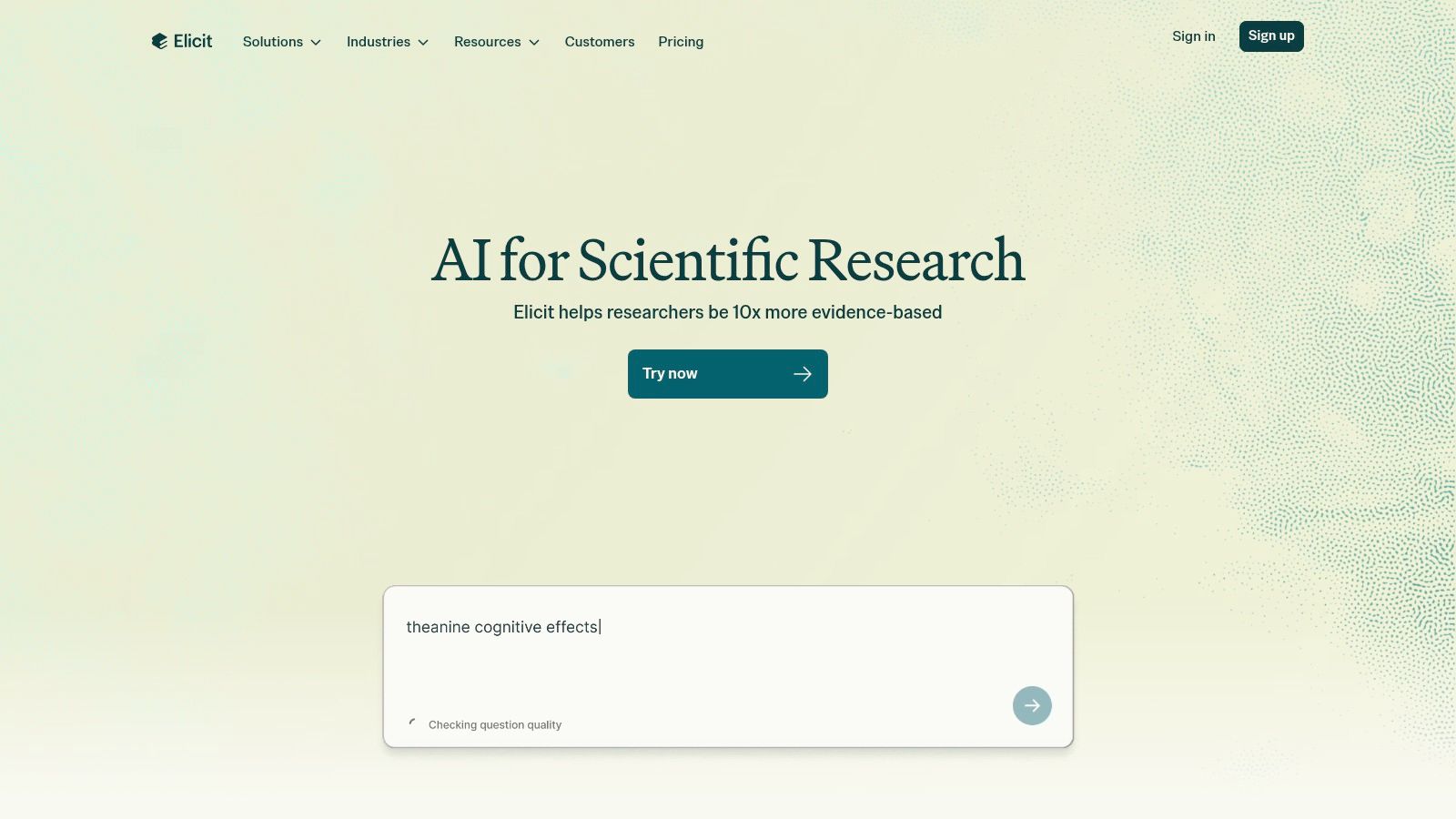
What makes Elicit a key player among ai powered learning tools is its focus on the academic grind. It’s not just a search engine; it pulls out specific data points, finds themes, and helps you build out your research, which seriously cuts down the time it takes to get from a question to an outline. You can even "chat with" a paper to ask follow-up questions about its methods or conclusions.
Key Features & Use Cases
Automated Literature Reviews: Ask a question to find relevant papers from a database of over 138 million.
Information Extraction: Automatically pulls key info like population, methods, and outcomes into a neat table.
Chat with Papers: Upload a PDF and ask specific questions about it to understand it better.
Easy Exporting: Export your findings and citations to formats like CSV, RIS, and DOCX for your reference manager and papers.
Pricing & Access
Elicit has a free tier with limited credits. Paid plans start at $12/month ($120/year) for more credits and advanced features.
Pros: Made specifically for academic research, seriously speeds up screening and data gathering, and has easy export options for citations.
Cons: The most powerful features require a paid plan, and if you do a lot of research, you’ll blow through the free credits fast.
Website: https://elicit.com
12. Scholarcy
For anyone drowning in academic papers, Scholarcy is a total lifesaver. This AI article summarizer is designed to handle dense academic texts, turning long papers, reports, and book chapters into easy-to-scan "flashcards." It's a must-have tool for grad students, researchers, or anyone writing a lit review who needs to get through a reading list fast without missing the main points.
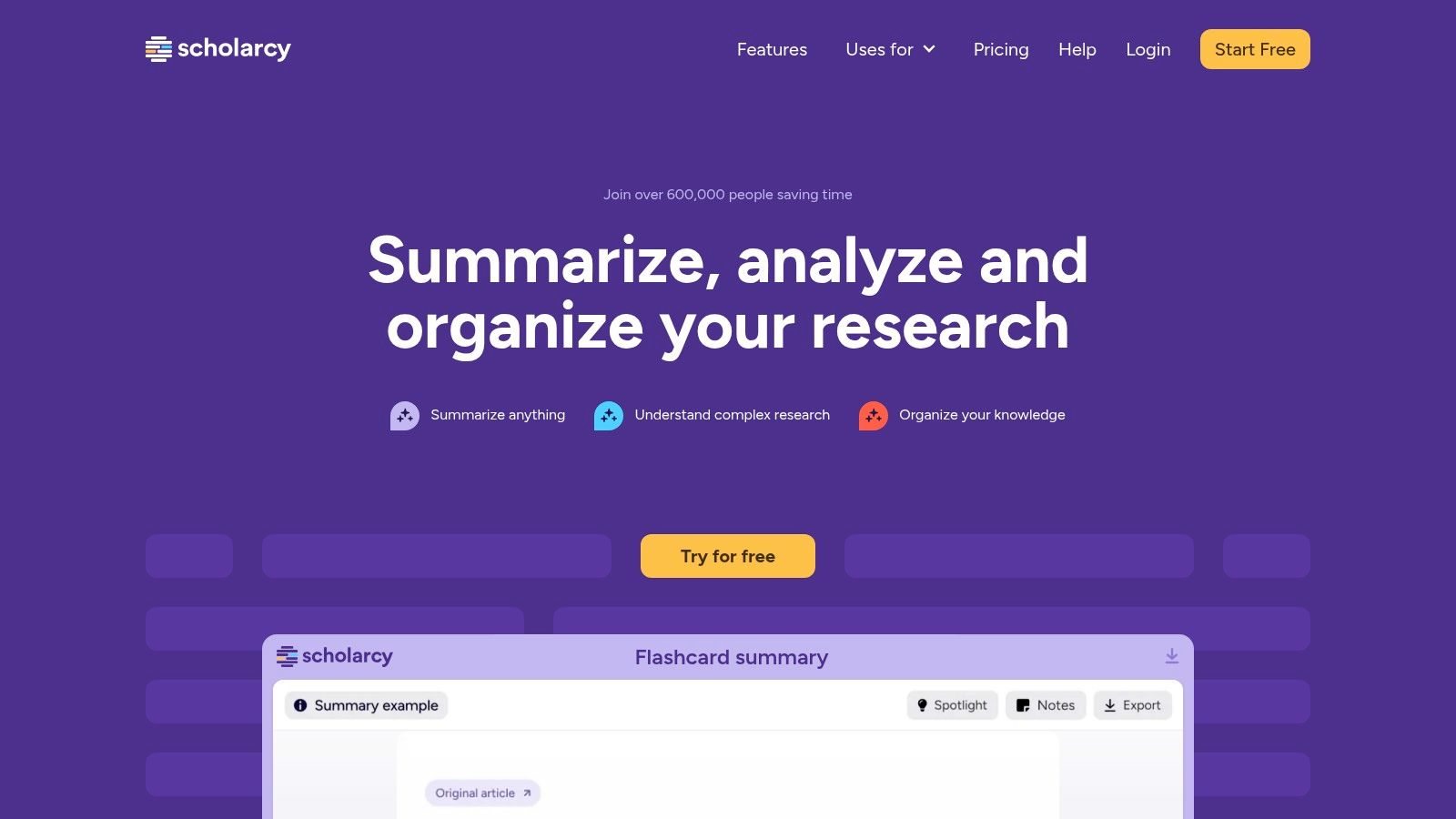
What makes Scholarcy a standout among ai powered learning tools is its focus on the research workflow. It doesn't just shorten the text; it intelligently pulls out key info like the study's main findings, methods, participants, and limitations. It also creates a one-click bibliography and links to the cited sources, making it way easier to track down references.
Key Features & Use Cases
Article Summarizer: Creates structured summaries that highlight the key parts of any research paper.
Browser Extension: Lets you summarize articles right in your browser as you find them on sites like Google Scholar or JSTOR.
Reference Management: Creates one-click bibliographies and exports to Zotero, EndNote, and other citation managers.
Bulk Processing: The paid plans let you upload and process whole folders of PDFs at once, which is perfect for big projects.
Pricing & Access
Scholarcy offers a limited free browser extension and online summarizer. The full feature set, including unlimited articles and bulk exports, requires a subscription starting at $9.99/month.
Pros: Amazing for speeding up literature reviews; works great with citation software like Zotero; the browser extension is clutch for quickly screening papers.
Cons: The free version is super limited; key features like bulk processing are behind a paywall.
Website: https://www.scholarcy.com
12 AI-Powered Learning Tools — Feature Comparison
Product | Core features | UX / Quality | Value & Pricing | Target audience | Unique selling point |
|---|---|---|---|---|---|
Vivora 🏆 | Auto notes, flashcards, quizzes; multimodal upload (PDF/audio/video/links) | ★★★★☆ (92% report faster study) | 7‑day free trial; plans TBA 💰 | 👥 Community college → grad & AP/high‑school | ✨ Centralizes all course media + context‑aware AI chatbot; fast time‑to‑value 🏆 |
Khan Academy – Khanmigo | GPT tutor layered on Khan Academy exercises; writing & coding help | ★★★★ | Very low cost / free teacher tier 💰 | 👥 K‑12, SAT, teachers/districts | ✨ Curriculum‑aligned AI tutor; teacher/admin tools |
Quizlet (Plus) | Flashcards, Magic Notes, AI practice tests, Learn mode | ★★★★ | Freemium; best features in paid tiers 💰 | 👥 HS, college, test‑prep | ✨ Huge user library + gamified recall |
Duolingo Max | AI Roleplay, Video Call conversation practice, instant feedback | ★★★★ | Premium in‑app purchase; region varies 💰 | 👥 Language learners | ✨ On‑demand conversational practice with feedback |
Photomath | Camera OCR of problems; step‑by‑step solutions & multiple methods | ★★★★ | Free core; Plus for richer explanations 💰 | 👥 HS & college math students | ✨ Fast scan→solution loop for procedural fluency |
Socratic (Google) | Photo/text/speech input; curated explainers; Google Lens integration | ★★★★ | Free / integrated into Google Lens 💰 | 👥 Quick concept lookups across subjects | ✨ Strong resource discovery & visual help |
Chegg (CheggMate) | Textbook solutions, expert Q&A, math solver, CheggMate AI | ★★★★ | Subscription (Study Pack); variable billing 💰 | 👥 College students, homework help | ✨ Massive archive of worked examples |
Perplexity | Answer engine with inline citations; Deep Research reports | ★★★★ | Free + Pro/enterprise tiers (enterprise costly) 💰 | 👥 Research, study planning, verification | ✨ Source‑rich answers and model options |
Superhuman (Grammarly) | Writing/grammar checks, plagiarism, Superhuman Go assistant | ★★★★ | Freemium → Pro bundles for full suite 💰 | 👥 Students needing writing polish | ✨ Mature writing feedback across apps |
Wolfram | Alpha Pro | Step‑by‑step computation, symbolic algebra, guided calculators | ★★★★★ | Pro subscription for advanced compute 💰 | 👥 STEM, engineering, quantitative test‑prep |
Elicit | Searches & summarizes academic papers; evidence tables & exports | ★★★★ | Free core; higher tiers for reports 💰 | 👥 Grad students, researchers | ✨ Automates literature reviews & extraction |
Scholarcy | Paper summarizer → structured flashcards; bibliographies & exports | ★★★★ | Limited free; paid for bulk/export features 💰 | 👥 Grad seminars, journal clubs, researchers | ✨ Bulk export + bibliography workflows |
So, Which AI Study Tool Is Your New BFF?
Alright, we just ran through a dozen sick AI-powered learning tools, each with its own superpower for slaying your schoolwork. From Photomath’s laser focus on that one calculus problem you hate to Elicit’s ability to supercharge your research, it’s obvious the right AI can be a total game-changer. The old way of studying—with messy highlighting, random notes, and all-nighters—is officially dead.
The main struggle for students is still the same: way too much info, not nearly enough time. You’re juggling lecture recordings, dense PDFs, YouTube videos, and your own chaotic notes. The real question isn't if AI can help, but which AI tool will actually vibe with your workflow and solve your biggest study problems. The goal is to work smarter, not harder, by giving your brain a boost with some smart tech. These tools are best when they act like your personal academic assistant, handling the boring stuff so you can focus on actually understanding things.
Your Quick-Choice Checklist
Feeling overwhelmed by the options? Let's make it simple. Find your biggest study problem below to see where you should start.
If your biggest problem is scattered notes... with slides here, PDFs there, and video links everywhere, you need a central hub. Start with an all-in-one platform like Vivora that pulls all your course materials into one searchable study guide.
If you're stuck on specific math or science problems... and just need a step-by-step walkthrough, you need a specialist. Try Photomath for camera-based solving or Wolfram|Alpha for high-level number crunching.
If you need to crush your next research paper... and the thought of reading academic journals makes you want to take a nap, get a research assistant. Use Perplexity for conversational searching or Elicit to find relevant papers and pull out key info fast.
If you're a flashcard fanatic... but hate how long it takes to make them, let AI do it for you. Check out Quizlet's AI features to instantly generate study sets from your notes.
If you need a writing glow-up... and want to make sure your essays are clear, concise, and grammatically perfect, an AI writing partner is key. Superhuman (formerly Grammarly) is your go-to for polishing your work.
The Real Win: An Integrated Study System
While single-task tools are great, you’ll see the biggest improvement when you create a connected, streamlined study system. Constantly switching between a video player, a PDF reader, a notes app, and a flashcard maker is a massive time-waster and a recipe for disorganized studying. This is where having a central "command center" for your learning is so valuable.
Think about your whole process, from when your prof uploads a lecture to the night before the final. The best ai powered learning tool doesn’t just solve one tiny problem; it connects all the dots. It takes your raw course materials, no matter the format, and turns them into what you actually need: practice questions, summaries, and a single guide that makes it all make sense. This is the whole idea behind Vivora. It’s built to be the core of your study routine—the place where all your class chaos becomes clear. Instead of jumping between twelve different tabs, you have one platform that turns every file and link into something you can actually study from.
Ultimately, the best tool is the one you’ll actually use. Pick your biggest struggle and try out one tool from this list. See how it fits into your routine. The goal is to get your time back and lower your stress, so you can learn more effectively than ever before.
Stop drowning in tabs and files. Vivora is the AI-powered study tool designed to transform your scattered class content into a single, cohesive study guide. Turn your academic chaos into clarity and see how much faster you can master your subjects this semester.
Try Vivora for free and build your first study guide in minutes.