The AI Study Assistant That Will Legit Save Your GPA
Feb 20, 2026
An AI study assistant is basically your new secret weapon for school. It’s a smart tool that uses artificial intelligence to take all your chaotic class stuff—messy lecture notes, random PDFs, and a billion slides—and magically turns it into organized, interactive study guides. The whole point? To save you a ton of time and stress.
Why Your Current Study Grind Is Actually a Hot Mess
Let’s be real for a sec. Your study life is probably a disaster zone. You’ve got a dozen browser tabs open, a desktop folder overflowing with random lecture slides, and textbook PDFs you haven’t even opened. The notes you took three weeks ago? They might as well be in another language.
When exam season hits, you’re stuck digging through this digital chaos. You waste hours just trying to find that one concept your professor mentioned, manually typing up flashcards, or just vibing and guessing what’s actually going to be on the test. It’s a universal struggle that leaves most students feeling burnt out and seriously unprepared.
The Endless Cycle of Digital Clutter
The old-school study method just wasn't built for us. The sheer amount of digital material for each class is overwhelming, and trying to manage it all is a recipe for a full-on meltdown. This leads to a familiar, painful cycle:
Scattered Information: Your knowledge is spread across different formats and locations, making it almost impossible to get a clear, big-picture view of any single topic.
Wasted Time: You end up spending more time organizing and searching than you do actually learning. Every hour spent making flashcards from scratch is an hour you could have been, IDK, actually reviewing them?
Pre-Exam Panic: When crunch time hits, you have no idea where to even begin. The lack of a clear, consolidated study plan is a massive source of anxiety.
This isn't a you problem; it's a system problem. The traditional way of studying was never designed for the amount of digital content you have to deal with. You need a smarter way to work, not just a harder one.
A Smarter Way Forward
This is exactly where an AI study assistant comes in to save the day. Imagine having one spot for every class—a place where you can dump all your materials and have them instantly transformed into a personalized study guide. That's the whole idea behind tools like Vivora, which was built by students to solve this very problem. It cuts through the noise, organizes the chaos, and gives you back your time and sanity.
The demand for these smart tools is exploding for a reason. The global AI assistant market is projected to grow from USD 16.29 billion in 2024 to over USD 73 billion by 2033, which shows just how many people are looking for better solutions. You can learn more about the growth of AI assistants from this industry report. This isn't just a trend; it's the future of studying.
So, What Does an AI Study Assistant Actually Do?
Okay, but what is this thing, really? An AI study assistant is way more than just another app cluttering up your phone. Think of it as your personal academic sidekick, powered by some seriously smart tech that handles the boring, time-sucking parts of studying for you.
Imagine being able to just dump all your class materials—chaotic lecture slides, your half-typed notes, dense textbook chapters, and even YouTube links—into one spot. Then, almost instantly, it organizes everything and tells you exactly what to focus on. That’s the core idea. It's built to cut through the noise so you can actually get to the learning part.
This infographic is basically a mood board of the traditional study cycle that these tools are designed to break.
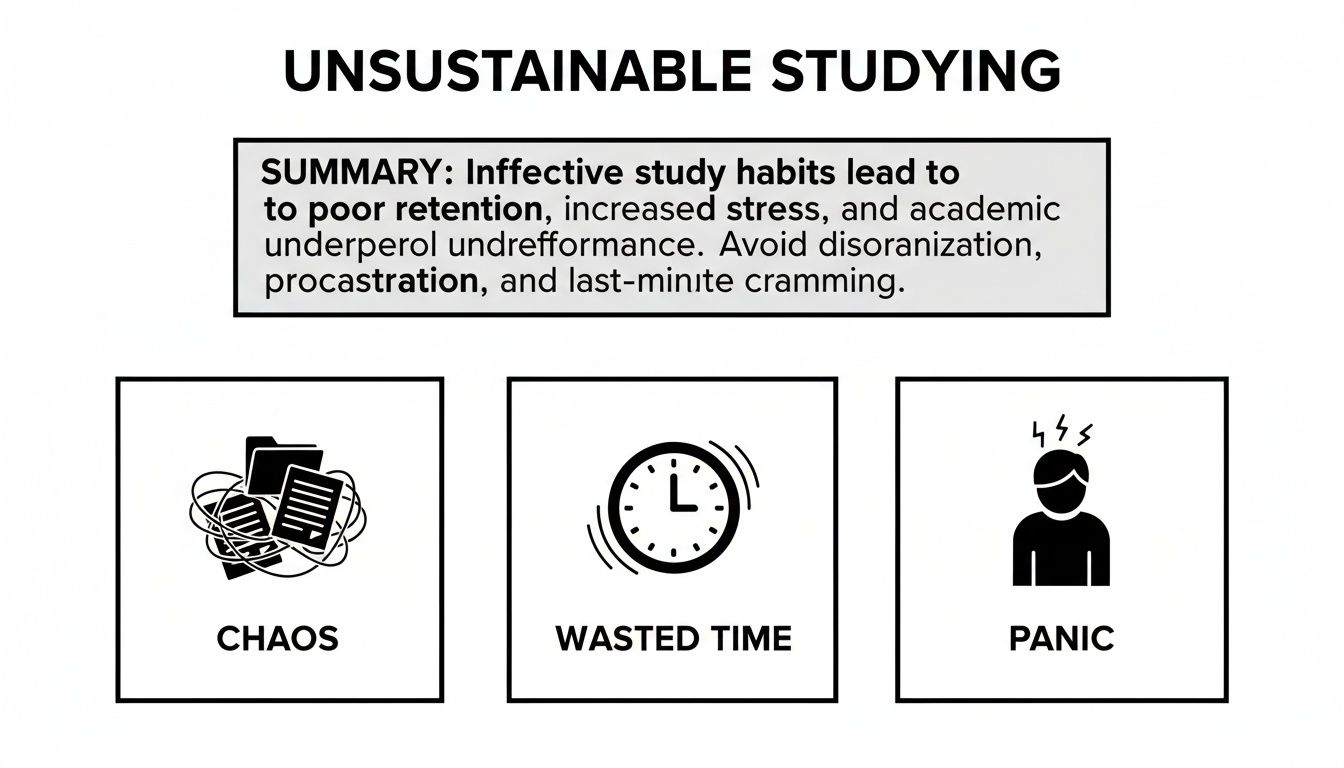
It perfectly captures how scattered files and wasted time lead directly to that pre-exam panic we all know and hate. An AI assistant is your way out of that cycle.
The Tech Behind The Magic
How does it work without being creepy or complicated? It uses a few key technologies that are basically pros at understanding human language and info.
At its heart, an AI study assistant like Vivora uses something called Natural Language Processing (NLP). This is the tech that lets it read and understand your course content, whether it’s a dense PDF about cellular biology or your messy notes on a Shakespeare play. It’s like having a super-fast reader that never gets tired or bored.
After it reads everything, machine learning algorithms kick in. These algorithms are trained to spot patterns and identify the most important information. They figure out which concepts are key, what definitions you absolutely need to know, and how different topics connect.
Think of it like this: The AI is your personal librarian and private tutor rolled into one. The librarian (NLP) takes your messy pile of books and notes and organizes them perfectly. Then, the tutor (machine learning) flips to the exact pages you need to study and highlights the most important sentences for the final exam.
This isn't just some niche trend; it's part of a massive tech shift. The generative AI market, which powers these tools, is expected to grow to $356.10 billion by 2030 and could surpass $1.3 trillion by 2032. This massive growth is what allows student-focused platforms to deliver such a powerful and personalized learning experience. You can discover more about the explosive growth of generative AI and see why these tools are becoming so common.
From Raw Info To Ready-To-Use Study Guides
Once the AI understands your materials, it gets to work creating stuff you can actually use. This is where it really saves you time and brainpower. Instead of you spending hours manually creating study aids, the AI does it in seconds.
The table below breaks down just how much of a difference this makes. It’s a complete glow-up for the old, painful way of doing things.
The Old Way vs The Smart Way to Study
Study Task | The Traditional Grind | The AI Assistant Upgrade |
|---|---|---|
Reviewing a 1-hour lecture | Re-watching the whole thing (60 mins), pausing to take notes (30-45 mins). Total: 90-105 mins | Upload the recording. Get a summary and key points in under 5 minutes. Total: 5 mins |
Creating Flashcards | Manually identifying key terms from a 30-page chapter and writing them out. Total: 60-90 mins | Generate 50+ flashcards from the same chapter in a single click. Total: <1 min |
Making a Practice Quiz | Trying to guess what the professor will ask and writing your own questions. Total: 30-45 mins | Generate a 20-question quiz based on the lecture slides and your notes. Total: <1 min |
Answering a tough question | Getting stuck, texting a friend, or spending an hour on Google and YouTube. Total: 20-60 mins | Ask the AI chatbot for a simple explanation with an example. Total: 2 mins |
Total Time Spent | 3.5 - 5 hours of manual work | ~10 minutes of automated prep |
The difference is staggering, right? That saved time isn't just for doomscrolling—it's time you can now spend on active studying with the high-quality materials the AI just made for you.
Here’s what that looks like in practice:
Automated Summaries: It condenses a 50-page chapter into a few key paragraphs, giving you the main ideas without the fluff.
Instant Flashcards: It pulls out key terms and definitions from your lectures and turns them into digital flashcards you can drill on your phone.
Practice Quizzes: It generates multiple-choice or short-answer questions based on your specific course content, so you can test your knowledge before the real exam.
This whole process turns passive, disorganized content into active learning tools. You go from staring at a pile of files to interacting with a custom study guide built just for you. With an AI study assistant, you're not just organizing—you're preparing. For instance, you can take a deep dive into how an AI quiz generator can change your exam prep to see the practical benefits.
Core Features That Will Upgrade Your Study Life
Okay, so we’ve hyped it up, but what does an ai study assistant actually do that’s so special? This is where the real magic happens. Forget a boring feature list; this is a tour of the tools that will help you reclaim your weekends and absolutely crush your exams.
These aren’t just random bells and whistles. Each feature is designed to solve a specific, painful part of the student grind. Let's break down how a tool like Vivora turns your chaotic mess of files into your secret weapon for success.
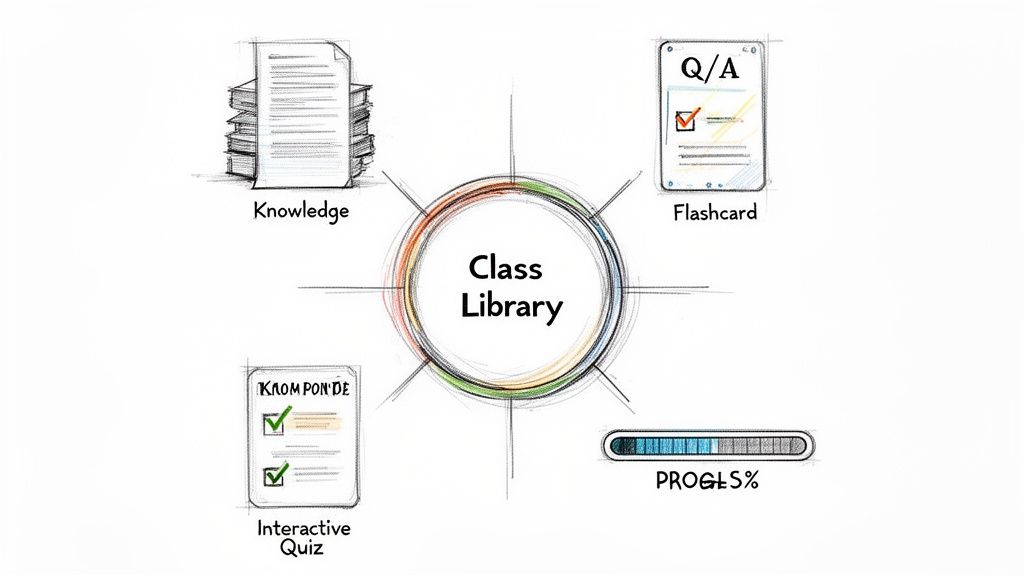
Your Central Knowledge Hub
First up: organization. Think about your bio class right now. You probably have lecture slides in one folder, a textbook PDF somewhere else, your messy notes in a Google Doc, and a few YouTube video links saved who-knows-where. It’s a nightmare to find anything.
An AI study assistant like Vivora fixes this by giving you a central knowledge hub for each class. You can upload everything:
Lecture slides and PDFs
Your typed or handwritten notes
Links to articles and videos
Even audio recordings of lectures
Everything for one class lives in one clean, searchable library. Suddenly, that specific diagram from a lecture three weeks ago isn't lost forever; it’s right where you need it, when you need it. No more frantic searching minutes before a quiz.
Instant Study Material Generation
This is the ultimate time-saver. Once all your content is in your knowledge hub, the AI gets to work. Instead of you spending hours manually creating study materials, Vivora does it for you in seconds.
It reads through all your uploaded files and instantly generates personalized study tools. This means you can turn a 50-slide lecture presentation into a concise summary, a set of key-term flashcards, and a practice quiz—all before you’ve even finished your coffee.
The goal is to get you from collecting information to actively learning as fast as possible. You’re no longer a content manager; you’re a student who’s actually studying.
This ability to organize and synthesize information is why knowledge-focused AI is booming. The market for Knowledge & Research Assistants is expected to grow at a massive 49.3% compound annual rate, much faster than the general AI market. It shows a huge demand for tools that help people make sense of complex information. You can read more about the rapid growth of these AI assistants to see why this tech is becoming so essential.
Active Learning Tools That Actually Work
Let’s be honest, passively re-reading your notes is one of the worst ways to study. You need to actively engage with the material to make it stick. An ai study assistant is built for this.
Vivora doesn't just give you static documents; it creates interactive tools designed to test your knowledge and deepen your understanding. This is where you separate the A-students from everyone else.
Interactive AI Quizzes: Test yourself with questions generated directly from your class materials. You get instant feedback, so you know exactly where your weak spots are.
Smart AI Chatbot: Have a question about a confusing concept? Instead of getting lost on Google, you can ask the AI chatbot. It uses your course content to give you a clear, simple explanation, almost like having a 24/7 tutor.
Digital Flashcards: Forget spending hours writing cards by hand. Generate them instantly and drill them on your phone between classes. For more tips, check out our guide on making the most of AI-generated flashcards.
Real-Time Progress Checks
How do you know if you’re actually ready for an exam? Usually, it’s just a gut feeling—and that’s a terrible strategy.
The best AI study assistants give you real data on your progress. As you take practice quizzes and review materials, the platform tracks your performance.
It shows you which topics you've totally mastered and, more importantly, which ones still need more work. This insight is a game-changer. Instead of re-studying stuff you already know, you can focus your limited time and energy on the areas that will make the biggest impact on your grade. It’s the difference between studying hard and studying smart.
How to Use Your AI Assistant in Real Life
Alright, theory is one thing, but how does an AI study assistant actually fit into the beautiful chaos of student life? The best way to think about it isn't as another complicated tool you have to learn. It's more like a secret weapon you pull out during those all-too-familiar moments of academic panic.
Let's walk through a few scenarios that probably feel a little too real. These examples show you exactly how a platform like Vivora becomes your go-to for turning that pre-exam stress into actual success.
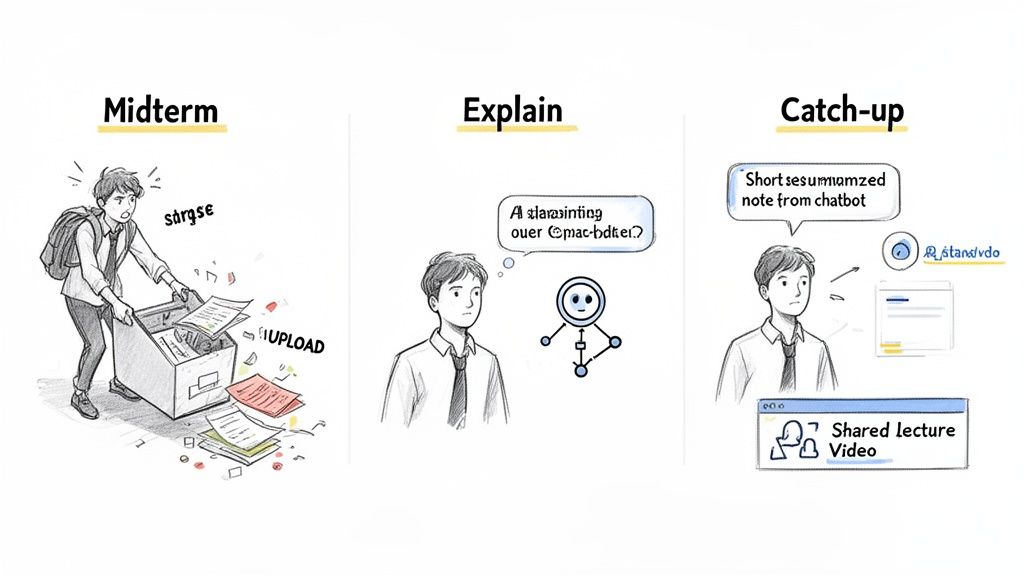
Scenario 1: The Midterm Meltdown
It’s one week until your big History midterm. You’ve been to most of the lectures, but your "notes" are a horrifying mess—a jumble of half-finished Google Docs, 12 different lecture slide PDFs with random file names, and a few textbook chapters you definitely just skimmed.
The panic starts to set in. Where do you even begin?
This is the perfect time to bring in your AI assistant. Instead of burning an entire weekend just trying to organize this digital disaster, you do this:
Create a 'History Midterm' Class: Pop open Vivora and make a new, dedicated space for the exam. Simple.
The Great Content Dump: Drag and drop everything you have—all those slides, every messy doc, the PDF chapters, and even the links to those review videos your professor shared.
Get an Instant Study Guide: Within minutes, the AI digests everything. It automatically pulls out key dates, identifies major themes that pop up across multiple lectures, defines important figures, and arranges it all into a clean, logical study guide.
What would have easily taken you 5-6 hours of frustrating manual work is done in less than five minutes. Now you have a custom-built roadmap for your exam, showing you exactly what to focus on instead of just rereading everything and hoping for the best.
Scenario 2: The Confusing Concept
You’re sitting in a Physics lecture, and the professor is deep into quantum entanglement. They're using a ton of jargon, the slide is just a wall of text, and you are completely lost. The usual move? Nod along, hope it clicks later, and maybe wait three days for office hours.
But with an AI study assistant, you can tackle that confusion right away.
Your AI chatbot is like having a 24/7 tutor who already knows everything about your specific class. It's not giving you a generic Google answer; it’s explaining concepts based on the materials your professor actually provided.
Here’s the new game plan:
Snap a Pic: Take a quick photo of the confusing slide or your handwritten notes.
Upload & Ask: Drop it into your Vivora class library.
Chat It Out: Open the AI chatbot and ask something like, "Can you explain quantum entanglement from slide 27 like I'm five?"
The AI uses the context from that specific lecture to give you a simple, clear explanation, maybe even with an analogy you can actually visualize. No more waiting, no more feeling stuck. You get the clarity you need right then and there, turning a moment of confusion into a moment of real learning. For more on this, check out our guide on how to use AI homework help effectively.
Scenario 3: The Post-Sick-Day Catch-Up
You were knocked out by the flu for two days and missed a critical Marketing lecture. A friend sent you their notes, and the professor posted a recording of the lecture online. The old-school approach would be to spend hours watching the entire video and trying to decipher your friend’s handwriting.
An AI-powered catch-up is so much more efficient.
Upload the Evidence: You upload your friend’s notes (even if it's just a photo of a notebook) and paste the link to the lecture recording into Vivora.
Generate a "Catch-Up" Briefing: The AI synthesizes both sources. It creates a concise summary of the lecture's main points, pulls out key definitions from the notes, and even flags topics that both the professor and your friend seemed to emphasize.
Test Your Knowledge: To make sure you’re truly up to speed, you can ask it to generate a quick 10-question quiz based only on that lecture's content.
In about 15 minutes, you're not just caught up; you actually understand the material as if you were there. You’ve saved yourself hours of passive video-watching and can walk into the next class feeling confident and prepared.
Getting Started With Vivora in Under 5 Minutes
Alright, so the idea of an AI study assistant sounds like a game-changer. But you're probably thinking it’s going to be a whole process to set up, and let's be real—you don't have time for a complicated onboarding when you have a problem set due tomorrow.
The good news? You can go from total chaos to having your first personalized study guide in less time than it takes to pick a show on Netflix. We’re talking under five minutes. Here’s exactly how to do it—no stress, no credit card, just instant results.
Step 1: Sign Up for the Free Trial
First thing's first: head over to the Vivora site and sign up. We made this part as painless as possible. There’s no need to dig out your wallet or commit to anything. Just a quick, simple sign-up to get you in the door.
This is what you'll see on the homepage—a clear path to get started. The design immediately signals that this platform is built for students, all about turning your messy class materials into a simple, organized dashboard.
Step 2: Create Your First Class
Once you’re in, you’ll be prompted to create a ‘Class.’ Think of this as a digital folder where all the materials for one of your courses will live.
Just give it a name—like "Psych 101" or "Calc II"—and you’re set. This simple step is the foundation for getting organized. You can create a new Class for every course on your schedule, keeping everything neat and easy to find when you're in a hurry.
Step 3: Upload Your First File
Now for the fun part. It’s time to give the AI something to work with. You don’t need to upload your entire semester’s worth of content right away. In fact, it's better to start small to see the magic happen instantly.
We suggest uploading just one thing to get a feel for it:
The PDF of your professor’s most recent lecture slides.
A single chapter from your digital textbook.
The messy notes you typed during yesterday’s lecture.
Pick one file and drop it into the Class you just created. This is the raw material your AI study assistant will use to build your study tools.
Think of this first upload as a test drive. You’re giving the AI a small, focused task to show you just how powerful it is. You’ll be amazed at what it can do with a single document.
Step 4: Watch the Magic Happen
This is the moment of truth. As soon as your file hits the server, Vivora gets to work. You don’t have to do anything else. In seconds, it will analyze the content and generate your first custom study guide.
You’ll instantly see a clean summary, a list of key terms transformed into flashcards, and a set of practice quiz questions based only on the material you uploaded. Just like that, you’ve turned a static file into an interactive learning hub.
To get the most out of this first session, try one of these quick actions:
Take a Five-Question Quiz: Immediately see what you actually retained from the lecture.
Ask the Chatbot a Question: Find a concept that’s still fuzzy and ask, “Can you explain [topic] in a simpler way?”
Review the Flashcards: Flip through the key terms on your phone while you’re walking to your next class.
That’s it. In less than five minutes, you’ve gone from a disorganized file to an active study session. You’ve just taken your first step toward a smarter, less stressful way of learning.
So, what’s the big takeaway here?
We've walked through the journey from academic chaos to having a real handle on your studies. You started with files scattered everywhere, those late-night cram sessions fueled by pure panic, and that sinking feeling you were just spinning your wheels. Now, you’ve seen how an AI study assistant completely flips that script, turning your digital mess into a powerful, organized engine for learning.
This isn't about finding a magic shortcut or letting a robot do the work. It’s about making sure the effort you’re already putting in actually pays off. You still have to learn the material, but you get to focus on the part that matters—truly understanding the concepts—instead of wasting hours on the tedious, soul-crushing admin that comes with being a student.
Making Your Effort Count
The old way of studying forces you to spend more time managing information than actually engaging with it. An AI study assistant breaks through that bottleneck, letting you jump straight to the good stuff.
From Passive to Active: Instead of just re-reading slides for the tenth time, you’re interacting with quizzes and asking clarifying questions.
From Guessing to Knowing: Instead of just hoping you’re studying the right things, you have a clear roadmap built from your actual course content.
From Burnout to Balance: Instead of sacrificing your mental health for a grade, you can study more effectively in way less time.
This is the whole reason we built Vivora. We’re students who got fed up with the endless grind and knew there had to be a better way. We created the tool we wished we had—one that turns an overwhelming course load into a clear path forward.
An AI study assistant isn’t about replacing your brain; it’s about giving it a better system to work with. It clears the clutter so you can focus on building real knowledge that actually sticks.
It’s time to stop letting disorganized files dictate your academic success. Take control of your education and start studying in a way that respects your time and your energy. You've got the ambition and the drive; now you have the tool to match it.
Ready to feel the difference? Your first step toward owning your education and hitting your goals with less burnout is just a click away. Start your free Vivora trial today and see for yourself how much easier studying can be.
Common Questions About AI Study Assistants
Got a few questions rolling around in your head? It’s completely normal. When a new way of studying comes along, it's smart to be curious. Let's tackle some of the most common questions students ask before they dive in.
Is This Cheating?
Let's get the big one out of the way first. Plain and simple: no, using an AI study assistant like Vivora is not cheating. It’s a tool designed to help you learn more effectively, not a shortcut to skip the work itself.
Think of it less like someone giving you the answers and more like a super-powered highlighter and personal organizer. You're still the one engaging with the material, putting in the time, and building your understanding. The AI just handles the tedious parts—like organizing your notes or turning a 50-page PDF into a set of practice questions—so you can focus on the concepts that matter.
The goal of an AI study assistant is to help you understand the material on a deeper level, not to do the work for you. You’re using your own course content to create a personalized study guide.
Will It Work for My Specific Major?
Absolutely. Whether you're drowning in anatomical terms for a biology final, trying to connect themes in your literature class, or making sense of dense legal documents, an AI assistant is built for it.
The magic is that tools like Vivora aren't pre-loaded with generic information. They work by analyzing the specific materials you upload. That means they adapt to literally any subject you throw at them.
It's built to make sense of a huge range of content:
STEM Courses: It can pull out key formulas from your physics lecture slides and generate practice problems to test you on them.
Humanities & Social Sciences: It can spot the major themes in your history readings and create flashcards for the key figures, dates, and events you need to know.
Professional Programs: It can summarize those long, complex case studies for your business or law classes into need-to-know bullet points.
Because you provide the source material, the study guide it creates is perfectly matched to what your professor is actually teaching. No fluff.
How Is This Different from Just Using Google or ChatGPT?
This is a huge one, and the difference is everything. When you pop a question into a generic AI like ChatGPT or search on Google, you're getting an answer pulled from the vast, messy, and often unreliable expanse of the internet. You have no way of knowing if that information is accurate, up-to-date, or—most importantly—relevant to what your professor actually wants you to learn.
An AI study assistant like Vivora operates in what you could call a "closed-loop" system. It only uses the lecture slides, notes, and PDFs you've uploaded for a specific class.
This means every single summary, flashcard, and quiz answer is based 100% on your actual course materials. You get help that is completely in context, eliminating the risk of studying irrelevant or incorrect information from the web. Think of it as a private tutor who has read all your textbooks, not a random stranger on the internet.
We get a ton of questions from students trying to figure out if these tools are right for them. Here's a quick rundown of some of the most common ones we hear.
Common Questions About AI Study Assistants
Question | Answer |
|---|---|
How much time does it actually save? | Students report saving anywhere from 3-5 hours per week on organizing notes and creating study materials. The real saving is in study efficiency. |
Can it read my messy handwriting? | Many advanced tools can! They use Optical Character Recognition (OCR) to convert even handwritten notes into searchable, usable text for your study guides. |
Is my data private? | Reputable platforms like Vivora use your uploaded materials only to generate study content for you. Your data isn't used to train public models. |
What if my professor speaks really fast? | You can upload audio recordings of lectures, and the AI will transcribe them, summarize the key points, and even pull out action items or important definitions. |
Does it work for group projects? | Yes! You can create a shared space, upload all your group's resources, and the AI can create a unified study guide or outline to get everyone on the same page. |
Hopefully, that clears a few things up! The main takeaway is that these tools are designed to work with your material to make your study time more focused and productive.
Ready to stop drowning in disorganized notes and start acing your exams? Vivora turns your chaotic class content into a clear, personalized study guide in minutes. See how much time you can save and how much more you can learn.
Start Your Free Vivora Trial and Transform Your Studying Today