How to Make Flashcards Online Without Wasting Your Time
Feb 17, 2026
Making flashcards online is all about working smarter, not harder. It’s ditching the old-school grind and using AI tools to instantly flip your notes, PDFs, or even YouTube videos into study-ready decks. This leap from manual to digital saves hours of prep time, letting you jump straight into what actually matters: learning.
The End of Manual Flashcard Grinding
Let’s be real—spending hours handwriting index cards is a study ritual that needs to die. You know the vibe: it's 1 AM, you're drowning in a sea of messy notes, and you've spent more time writing than actually studying. It’s time to break that cycle for good.
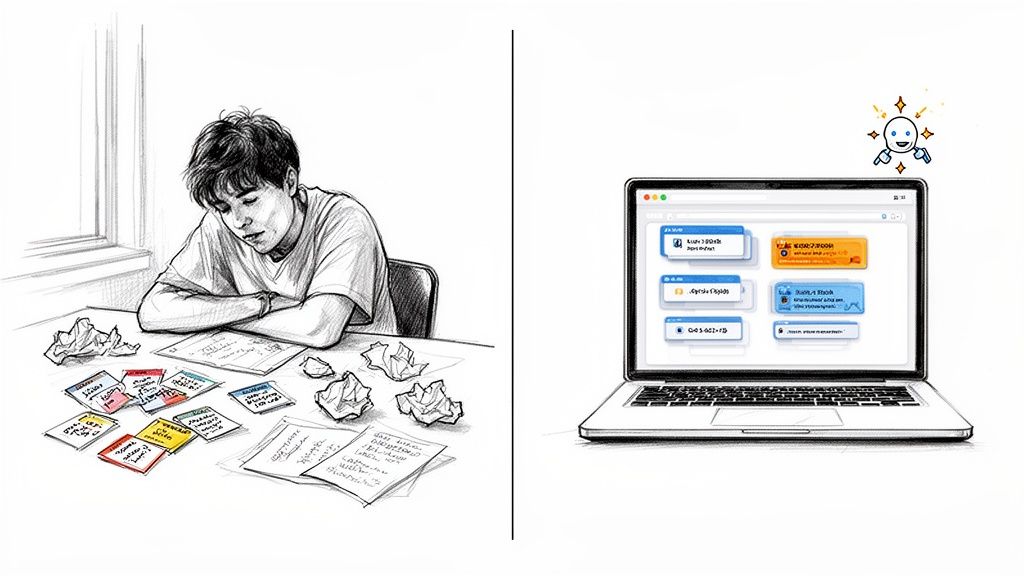
That old-school method is secretly sabotaging your study efficiency. Manually summarizing a dense textbook chapter or a 50-slide lecture is a massive time sink. Your goal is to learn the material, not become a professional transcriptionist.
Why Digital is a Massive Upgrade
Switching to a digital workflow is a huge level-up for your study game. Instead of drowning in paper, you can bring everything together in one organized place. This isn't just about convenience; it’s about pure speed and effectiveness. The right tools can give you back your time and maybe even your sanity.
Imagine a tool that does the heavy lifting for you. That's exactly where AI-powered platforms like Vivora come in. It’s designed for how students actually study today—with materials scattered across different formats and platforms.
The real win is automating the most tedious part of studying. Instead of manually creating each card, Vivora's AI instantly pulls key concepts from your class materials, turning hours of grunt work into minutes.
This shift lets you move directly to the most important part—actually reviewing and mastering the content. Vivora is built on this exact idea, instantly turning chaotic notes from any source into a powerful, organized study guide. Forget the grind; it's time to study smarter.
Turn Your Digital Chaos Into Study Gold
Let's face it: your study material isn't neatly contained in a single textbook anymore. It’s a beautiful, chaotic mix of your professor's lecture slides, dense PDFs, that one YouTube video that finally made a concept click, and maybe even a few surprisingly helpful TikToks.
The first real step in making great flashcards online isn't about opening an app. It's about wrangling all that digital content. This isn't just about dumping files into a folder labeled "Midterm Panic," either. It's about curating your knowledge base so you can feed it to a smart tool that will actually understand it.
Think of it as packing your digital backpack with only the essentials.
Prepping Your Source Material
Before you can automate anything, you need to point the AI in the right direction. A little prep work here will save you a ton of headaches later. The goal is simple: make your content as easy as possible for a tool like Vivora to read and understand.
Here’s my approach for different types of files:
PDFs and Lecture Notes: Don't just upload the whole 80-page document and hope for the best. Be strategic. Go through with a highlighting tool and mark up the key definitions, core concepts, and anything your professor repeated or emphasized in class. This tells the AI exactly what’s likely to be on the exam.
PowerPoint/Google Slides: The text on the slides themselves is a great start, but the real gold is often hiding in the speaker notes. That's where the context and deeper explanations usually live. If you can, consolidate these notes into a separate doc for easy processing.
YouTube or TikTok Videos: These are fantastic, especially for visual learners, but an AI needs text to work with. The good news is that most videos have auto-generated transcripts. Just grab the transcript, paste it into a document, and give it a quick once-over to clean up any weird formatting. Now the AI has scannable text to pull from.
Organizing your material like this is basically like giving your AI a cheat sheet for the class. It’s the difference between asking it to find a needle in a haystack and just handing it the needle.
The key is to shift from being a passive content consumer to an active curator. By highlighting, extracting, and organizing, you’re not just preparing your files—you're doing your first pass of studying and telling the AI exactly what matters.
Once you have your clean, organized sources, you're ready for the magic. With a tool like Vivora, you can simply upload these curated files and links. Its AI instantly processes your prepped content—the highlighted PDFs, the consolidated lecture notes, the video transcripts—and transforms it all into a personalized study guide, complete with accurate and relevant flashcards. You've just turned your digital chaos into a powerful, organized study asset.
Let AI Generate Your Flashcards Instantly
Okay, you've done the legwork. You’ve gathered all your digital materials—the highlighted PDFs, the lecture slides, and transcripts from those clutch YouTube videos.
Now for the best part: you can literally stop working and let the tech take over. This is where you trade hours of tedious typing for a few seconds of AI magic.
Forget making flashcards by hand. The whole point of learning how to make flashcards online effectively is to automate the grind. With a tool like Vivora, you just upload your organized files or paste in a link. That’s it. The AI gets to work instantly.
This process is a genuine game-changer. Vivora’s AI doesn't just pull random sentences. It scans everything, figures out the core concepts, key terms, and crucial data points, and then generates a comprehensive deck of flashcards perfectly tailored to your materials. It’s like having a study assistant who already knows what’s going to be on the test.
Here’s a simple look at the process of getting your materials ready for an AI to turn into flashcards.
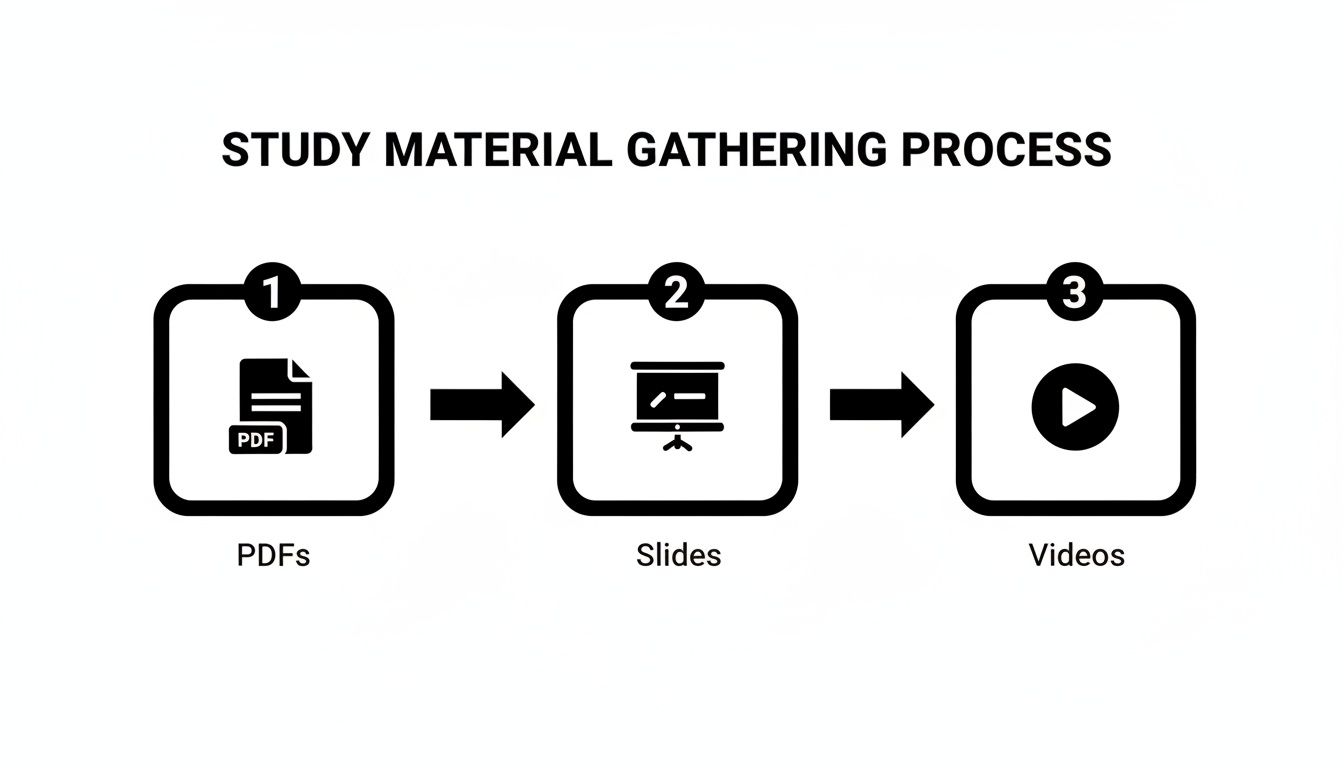
This visual breaks down how you can pull from documents, presentations, and even video content to create a solid foundation for your study deck.
Beyond Simple Questions and Answers
The best AI tools don't just stop at basic Q&A cards. They understand that different types of information need to be tested in different ways to really stick in your brain.
This is where you can get more strategic with your studying. For example, Vivora can generate multiple card formats from the same source material:
Fill-in-the-Blank (Cloze): These are amazing for forcing your brain to actively recall specific terms rather than just recognizing them. Instead of "What is the powerhouse of the cell?" you get "The ___________ is the powerhouse of the cell." It feels harder because it is—and that’s why it works so well.
Definition Matching: Perfect for vocabulary-heavy subjects like biology or a foreign language. The AI pulls all the key terms and definitions and sets them up for you to master.
The real power here is speed plus quality. You’re not just saving time; you’re getting a smarter, more effective study tool created in seconds that’s designed to challenge your recall in multiple ways.
Manual vs AI Flashcard Creation Time Breakdown
Here’s a realistic look at how much time you save using an AI tool like Vivora for a standard one-hour lecture's worth of material.
Task | Manual Method (Estimated Time) | AI-Powered Method (Estimated Time) |
|---|---|---|
Reviewing/Identifying Key Concepts | 30-45 minutes | 1-2 minutes (AI analysis) |
Typing/Formatting Questions | 45-60 minutes | < 1 minute (automated generation) |
Creating Card Variations (e.g., Cloze) | 15-20 minutes | < 1 minute (automated generation) |
Total Time | ~90-125 minutes | ~2-4 minutes |
The numbers don't lie. Shifting from manual prep to instant generation means you can spend your limited study time on what actually matters—practicing and mastering the content.
The flashcard app market has exploded, with active user bases now exceeding 100 million globally, largely because AI integration has become a key feature. By using an AI study assistant, you move straight from having course materials to having a powerful study deck, skipping the most boring part of studying entirely.
Customize Your Deck to Fit Your Brain
An AI-generated deck is a massive head start, but let's be real—the best study tools are the ones that feel like yours. This is where you go from having a good deck to a great one. The goal isn't to second-guess the AI, but to refine the flashcards so they match how you actually learn and think.
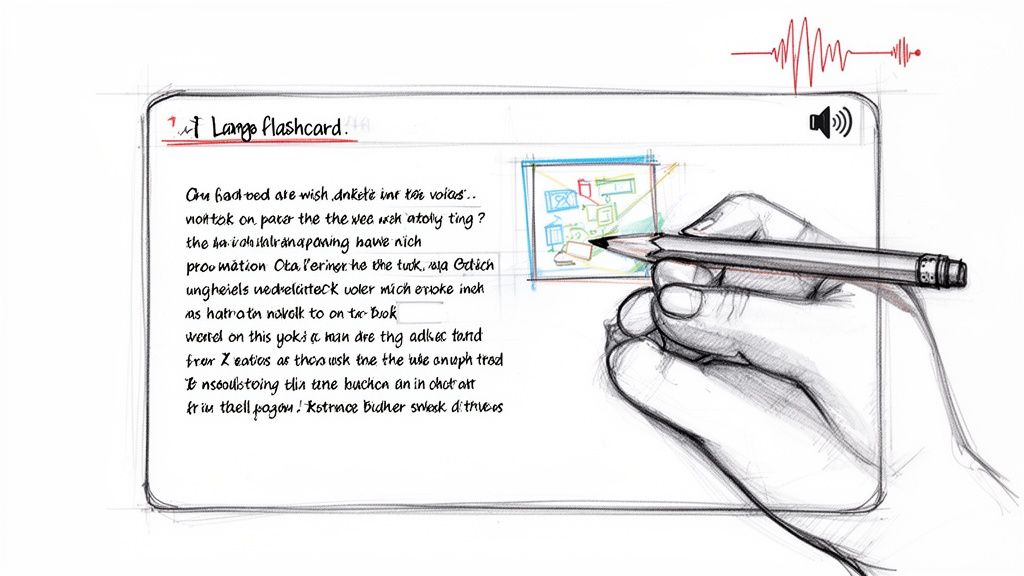
Don't worry, this isn't about spending hours on tedious edits. Think of it as a quick personalization pass. Start by just scanning the cards the AI created. You’ll probably be surprised by how on-point they are, but there's always room for your own touch.
A quick tweak to the wording so it sounds more like your professor can make a huge difference in recall. Or, maybe you can add a personal mnemonic or an inside joke that connects a tough concept to something you'll never forget. This is what makes the information actually stick.
Make Your Cards Multi-Sensory
To really lock in information, you have to go beyond just boring walls of text. Your brain craves variety, so give it what it wants by making your study sessions a multi-sensory experience. This is way easier than it sounds with today's digital tools.
Here’s how you can level up your cards:
Add Visuals: See a helpful diagram in your lecture slides? Screenshot it and drop it directly onto the relevant flashcard. Find a great visual explanation online? Add that image. Research shows that pairing text with relevant images can significantly boost retention.
Use Your Voice: For concepts you struggle to explain, try recording a short audio note of yourself talking it through. The act of explaining it out loud is a powerful study technique in itself, and having the recording on the card helps solidify it later.
Color-Code Everything: Assign different colors to different topics, chapters, or difficulty levels. This simple visual cue helps your brain start organizing the information before you even begin studying.
This isn't just about making your deck look pretty. It's about creating multiple pathways in your brain to the same information. When you can recall not just the text but also the diagram, the color, or the sound of your own voice explaining it, you've basically built a mental web around the concept. It becomes much harder to forget come exam day.
The best tools for making flashcards online, like Vivora, make this whole process ridiculously simple. You can easily drag and drop images, attach audio files, and customize the look of your cards without any hassle. You can explore how easy it is to make your own powerful and personalized Vivora flashcards.
Personalizing your deck is the final step in taking real ownership of your study material. By investing just a few extra minutes to add these layers, you’re creating a tool that’s perfectly tuned to your brain—making your study sessions more engaging and way more effective for long-term memory.
Actually Learn the Material with Smart Study Methods
Having a perfect, AI-generated set of flashcards is a massive win, but it’s only half the battle. If you just flip through them randomly the night before an exam, you’re not really learning—you’re just cramming. To actually lock that information into your long-term memory, you need a smart study strategy.
This is where the real magic happens. By pairing your digital flashcards with proven learning techniques, you can stop wasting time and start remembering what you study for good.
Master Your Memory with Spaced Repetition
Ever notice how you can remember something for an hour, but it’s gone by the next day? That’s called the forgetting curve, and it’s a totally normal, albeit frustrating, part of being human. Spaced Repetition System (SRS) is the scientifically-backed cheat code to beat it.
Instead of showing you every card a million times, an SRS algorithm figures out the perfect moment to show you a card—right before you’re about to forget it. Concepts you struggle with pop up more often, while the ones you’ve already mastered get pushed further into the future. This whole process actively strengthens the neural pathways in your brain, moving information from short-term to long-term memory.
The best part? You don't have to manage this yourself. Smart study tools like Vivora have this system built-in. You just focus on answering the questions, and the platform handles all the scheduling, making your study sessions incredibly efficient.
Go Deeper Than Rote Memorization
Think of your flashcards as prompts, not just facts. Use them as launchpads for more active learning techniques that force your brain to actually engage with the material on a deeper level.
Try weaving these methods into your next review session:
The Feynman Technique: When a card pops up, don’t just spit out the answer. Try to explain the concept out loud as if you were teaching it to a friend who has no idea what you’re talking about. If you get stuck or have to use a bunch of complicated jargon, you’ve just found a weak spot in your understanding.
Mix Your Decks: Studying one chapter at a time is fine at first, but your exam won’t be so neatly organized. Before a big test, combine your flashcard decks from different chapters or even different subjects. This technique, known as interleaving, forces your brain to switch contexts and truly recall information, rather than just remembering what comes next in a predictable sequence.
Forget passively flipping through cards. The goal is to make your brain work a little. By actively explaining concepts and mixing up topics, you’re simulating the mental effort required on an actual exam, which is the best prep you can do.
The growth in digital learning tools reflects this shift toward smarter study methods. In fact, the global flashcard app market is projected to hit USD 31.28 billion by 2035, with developers increasingly adding features like AI-powered personalization to make studying more effective. You can discover more insights about the flashcard app market growth and its trends.
Turn Flashcards Into Practice Exams
One of the biggest causes of exam anxiety is the fear of the unknown. You can dial down that pressure by simulating the test environment long before you ever walk into the classroom.
This is another area where a platform like Vivora really shines. It can instantly transform your entire flashcard library into a practice quiz. You can set a timer, answer multiple-choice or fill-in-the-blank questions generated from your own material, and get immediate feedback on your performance.
This not only tests your knowledge under pressure but also clearly highlights your weak spots. You'll know exactly what to review next, turning random studying into a targeted, effective strategy.
Common Questions About Online Flashcards
Switching up your study routine always brings up a few questions. We get it. Here are some straight answers to the things we hear most often from students who are ready to ditch the paper index cards for good.
It's totally normal to wonder if a digital tool can really replace the old-school methods you've relied on for years. The short answer? Yes, and they can make your study sessions way more effective than you might think.
Are Online Flashcards Actually Better Than Paper Ones?
The debate between digital and paper is a classic, but the benefits of online flashcards are pretty hard to ignore. While there's definitely something to be said for writing things out by hand to help with memory, digital platforms offer some serious advantages that paper just can't touch.
Think about it: with online flashcards, you can drop in images, audio clips, and even video links right onto a card. This multi-sensory approach can be a game-changer for retention, especially if you're a visual or auditory learner. Plus, you’re not limited by the tiny space on an index card or how messy your handwriting gets when you're in a rush.
The biggest advantage, though, is efficiency. Smart study systems like Spaced Repetition are baked right into platforms like Vivora, which automatically serves up the exact cards you need to see just before you're about to forget them. That’s a level of personalized review you simply can't replicate with a physical stack of cards.
How Long Does It Take to Make a Deck?
Okay, this is where the difference becomes massive. If you were to manually create a detailed flashcard deck for a single textbook chapter, you could easily spend over an hour—from re-reading your notes to typing out every single question and answer.
With an AI-powered tool, that time shrinks down to just a few minutes. You upload your lecture slides or paste in a YouTube link, and the AI generates a comprehensive deck in seconds. This isn't just about saving time; it’s a complete shift in strategy that lets you spend 95% less time on tedious prep and way more time actually learning the material.
Can I Use Flashcards for More Than Just Vocab?
Absolutely. While they're the go-to for memorizing definitions and key terms, that’s really just scratching the surface. The real power of online flashcards comes from their incredible flexibility.
You can use them for all sorts of things:
Understanding complex processes: Create a sequence of cards that walks you through the steps of a chemical reaction or the timeline of a historical event.
Memorizing formulas: Use one side for the formula itself and the other for a real-world example of how to apply it.
Learning visual information: Add diagrams from your textbook, charts from a lecture, or maps to master subjects like anatomy or geography where visual recall is everything.
The key is to think of them less as simple Q&A prompts and more as dynamic building blocks for your knowledge.
What if the AI Makes a Mistake?
AI is incredibly powerful, but it’s not infallible. Every now and then, it might get tripped up by a complex sentence or create a card that isn't quite right for your needs. That’s exactly why the best platforms are built to let you easily edit and customize your deck.
If you spot a card that’s a little off, you can tweak the wording, add some extra context, or just delete it with a couple of clicks. Think of the AI as your personal study assistant who does the first 99% of the heavy lifting. Your job is to do that final 1% review to make sure everything is perfectly tailored to how you learn best.
Still have questions? You can dive deeper into the world of smart studying by checking out our full Vivora FAQ for more answers.
Ready to stop wasting time on manual prep and start acing your exams? Vivora turns your chaotic class materials into organized, AI-powered study guides in seconds. Try Vivora for free and see the difference.