Master Your Classes with AI for Note Taking
Feb 16, 2026
Let's be real: trying to study from a chaotic mix of lecture slides, random PDFs, and your own scribbled notes is a nightmare. It’s like trying to solve a puzzle with half the pieces missing, and you spend more time hunting for info than actually learning.
This whole mess becomes a full-blown crisis the night before a big exam, when the pressure is on and every single minute counts.
Why Your Current Study Method Is Broken
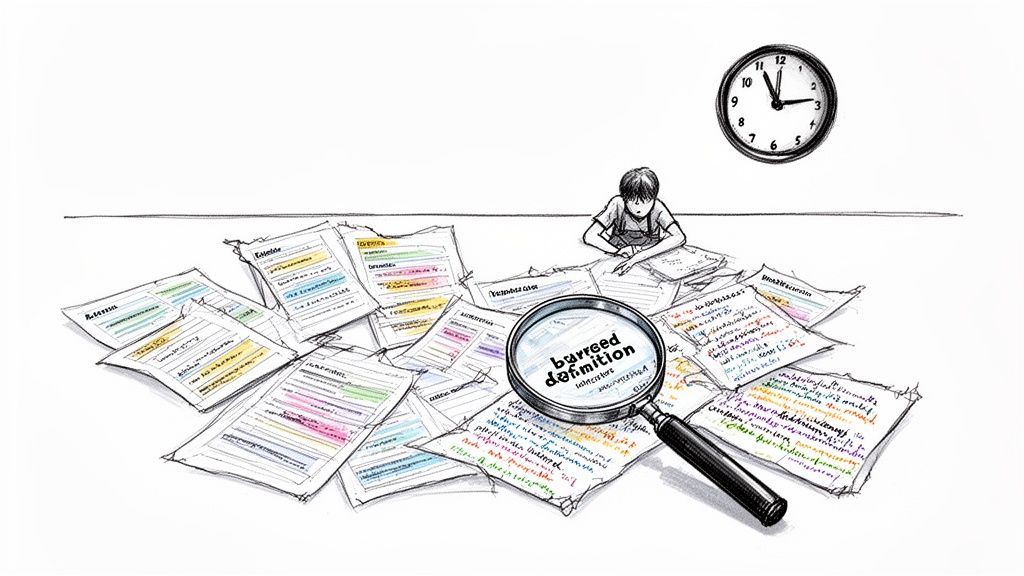
If you've ever found yourself frantically searching for one specific definition buried across three different documents at 2 AM, you know this struggle all too well. The old-school approach to note-taking just wasn't built for the way we learn today.
Think about a typical week. You’ve got hours of lectures, supplemental readings, a few YouTube videos your prof recommended, and your own notes from class. When it’s time to study for a midterm, all that crucial info is scattered across different apps, folders, and notebooks. It’s basically a recipe for disaster.
The Information Overload Is Real
Your brain is already working overtime just to absorb new concepts. The last thing it needs is the extra cognitive load of playing detective, piecing together information from all those different sources. This disorganization leads directly to wasted time and seriously ineffective cram sessions.
You’re not just studying course material; you’re managing a messy database of files. This admin work eats up valuable hours that could be spent actually understanding the content.
This constant juggling act makes it nearly impossible to see the bigger picture. You might memorize a few isolated facts, but connecting them to broader themes becomes a massive challenge. The result? You feel overwhelmed, exhausted, and nowhere near as prepped as you should be.
Why Traditional Notes Fall Short
The fundamental problem is that your notes are static. A page in your notebook or a typed doc can't adapt, summarize itself, or quiz you on its contents. This old method creates way more problems than it solves:
It’s incredibly time-consuming: Manually transcribing lectures or re-typing notes is a slow, tedious process that doesn't always lead to better retention.
It’s a disorganized mess: Without a central hub, important info gets lost. That one key insight from week two? Good luck finding it during finals week.
It’s painfully passive: Simply reading over your notes isn't an effective way to learn. True understanding comes from engaging with the material, which is tough to do with a flat wall of text.
Ultimately, this broken system forces you into a reactive cycle of always trying to catch up instead of staying ahead. But what if you could change that?
What if your notes could organize themselves, pull out the most important ideas, and create study tools for you automatically? That's where AI for note taking comes in, offering a modern solution to an age-old problem. With a tool like Vivora, you can finally bring order to the chaos and transform your scattered class content into a powerful, personalized study guide.
What Is AI for Note Taking Anyway?
So, what's the deal with AI for note taking? Let's cut through the tech jargon. Imagine having a personal assistant for every single one of your classes—one that listens perfectly, organizes everything on the fly, and then hands you a ready-made study guide. That's pretty much it.
Think of all your scattered class materials—lecture recordings, slides, PDFs, and random notes—as a jumbled box of LEGOs. An AI note-taking tool is like a master builder. It sorts every single piece, figures out which ones are most important, and builds a perfect model of exactly what you need to learn. No more frantic searching for that one definition you vaguely remember from three weeks ago.
The Core Features That Actually Matter
At its heart, an AI note-taking platform isn't magic. It's just really smart tech designed to handle the grunt work of studying, freeing you up to focus on what matters: actually understanding the material.
It all comes down to a few key features that completely change your study routine:
Automatic Transcription: This is a total game-changer. The AI listens to your recorded lectures (or even a YouTube video) and turns all that spoken audio into searchable text. Suddenly, a two-hour lecture becomes a doc you can skim in minutes.
Smart Summarization: Instead of re-reading a 50-page textbook chapter, the AI pulls out the main ideas, key arguments, and critical definitions for you. It's like getting the CliffsNotes for your own course material.
Concept Generation: This is where the real learning kicks in. Tools like Vivora don't just organize notes; they create active study tools like flashcards and practice quizzes directly from your class content.
This shift from passively re-reading to actively recalling information is what helps you lock it in for the long term. You're not just consuming information anymore; you're interacting with it.
An AI study tool isn't about replacing your effort. It's about redirecting it from tedious, low-value tasks like organizing files to high-impact activities like testing your knowledge and connecting ideas.
More Than Just Notes—It's a Study Hub
The real power of AI for note taking is that it creates a single, central hub for each class. All your materials live in one place, perfectly organized and ready to go. This isn't just a convenience; it’s a fundamental change in how you approach your schoolwork.
Here’s a quick comparison of how traditional study methods stack up against a modern AI-powered approach.
Old School Studying vs AI-Powered Learning
Study Task | The Traditional Struggle | The AI Solution |
|---|---|---|
Taking Lecture Notes | Frantically trying to type or write everything the professor says, missing key details. | Record the lecture, get a full, searchable transcript automatically. Focus on listening, not typing. |
Reviewing for a Test | Re-reading pages of messy notes and textbook chapters, hoping the important stuff sticks. | Get instant summaries of key concepts. The AI highlights what you absolutely need to know. |
Creating Study Aids | Spending hours manually creating flashcards or quizzes, often the night before the exam. | Generate flashcards and practice questions with a single click, directly from your lecture notes. |
Finding Specific Info | "I know the professor mentioned this... where is it?" Wasting time digging through files. | Search across all your class materials—audio, text, PDFs—instantly. Find exactly what you need in seconds. |
The difference is clear. One path is filled with manual, time-consuming tasks, while the other lets you focus your energy on actual learning.
This modern approach is quickly becoming the new standard. In fact, the note-taking app market is seeing explosive growth, projected to soar from $1.2 billion in 2026 to over $7.2 billion by 2035. This shows a massive shift toward smarter, more integrated ways of managing learning. You can read more about this growing market on globalgrowthinsights.com.
Instead of feeling overwhelmed by a mess of disconnected files, you get a clear, streamlined path to mastering your subjects. You can finally stop managing documents and start focusing on getting the grades you want. By using an AI-powered tool, you can organize your notes and study materials in a way that actually adapts to your needs.
How AI Turns Lectures into Study Gold
So, how does this all actually work? It’s one thing to hear about getting perfect study guides, but it’s another to understand how an AI for note taking tool like Vivora transforms a rambling two-hour lecture or a dense textbook chapter into something you can use to ace your exams.
Let's pull back the curtain. Think of it like this: you’re the director of a movie (your education), and the AI is your expert editing crew. Your job is to hand over the raw footage—every lecture, reading, and video. The AI’s job is to cut, edit, and assemble it into a blockbuster study guide.
Step 1: Feed the Machine Your Class Content
First things first, you have to give the AI your materials. This is the "upload" phase, and it’s designed to be dead simple. If you can attach a file to an email, you’ve already got this down.
Modern AI study tools are built to handle pretty much any format you can throw at them. This isn't just about typing notes anymore; it's about bringing everything together in one place.
You can typically upload:
Audio Recordings: Just hit record on your phone during a lecture, then upload the file. The AI will listen to the whole thing for you, so you don't have to.
Class Documents: Got a folder overflowing with PDFs, lecture slides (PPTs), or Word docs? Just drag and drop the whole batch.
YouTube Links: If your professor assigns a video to watch, just copy and paste the link. The AI can pull the transcript and key ideas right from the source.
This initial step is all about gathering your scattered materials into one central hub. It's the end of that frantic search through five different folders the night before a test.
Step 2: The AI Gets to Work
Once your content is uploaded, the AI brain kicks into gear. This is the "processing" phase, where all that raw information gets analyzed, sorted, and structured. It’s like having a hyper-focused classmate who can read or listen to everything for you, but without ever getting tired or distracted.
During this stage, the AI performs a few crucial tasks:
Transcription: For any audio or video, it creates a full, word-for-word text transcript. This simple step makes every spoken word completely searchable.
Contextual Understanding: Here’s where it gets smart. The AI doesn’t just see words; it understands them. Using Natural Language Processing (NLP), it pinpoints key terms, definitions, and the main arguments your professor is making.
Concept Mapping: This is the really clever part. The AI connects related ideas across different materials. It can see that a concept mentioned in your Week 2 lecture is directly related to a topic in your Week 7 reading—and link them together for you.
This process turns a messy pile of information into a structured, interconnected web of knowledge. It’s no surprise that students are catching on, driving massive growth in this space. The AI note-taking market was valued at $450.7 million in 2023 and is projected to hit a staggering $2,545.1 million by 2033. You can dig deeper into these findings on the AI note-taking market.
The infographic below gives you a simplified look at this three-step workflow.
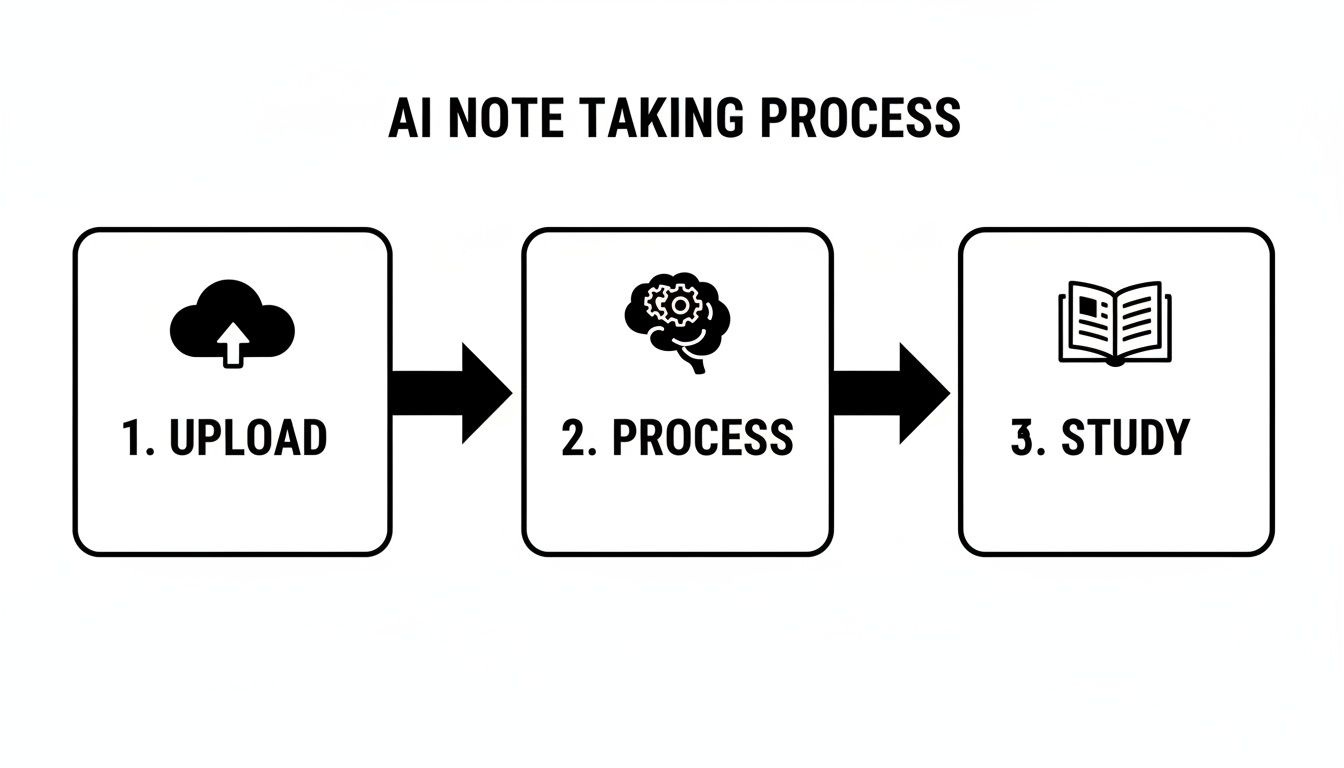
This visual shows the simple yet powerful journey from raw class materials to a polished, ready-to-use study asset.
Step 3: Your Personalized Study Guide Is Ready
This is the final and most exciting part: the "output." After the AI has done its heavy lifting, it presents you with a whole suite of powerful study tools, all generated from your original materials. This is where you get your time back.
Instead of spending hours organizing, summarizing, and creating flashcards by hand, you get it all in minutes. The focus shifts from tedious preparation to active, effective learning.
So what does this "study gold" actually look like?
Perfectly Structured Notes: Say goodbye to messy, incomplete scribbles. You get clean, organized notes with clear headings and bullet points that make sense.
Concise Summaries: The AI pulls out the most important information, giving you a high-level summary that’s perfect for a quick review before class or an exam.
Automated Flashcards: Key terms and definitions are automatically turned into digital flashcards, ready for you to start practicing right away.
Practice Quizzes: The system can generate multiple-choice or short-answer questions based on the content, letting you test your knowledge and find your weak spots before the actual exam.
Let's make this real. Imagine you upload the audio from your biology lecture on cell division. Within minutes, Vivora could hand you a full transcript, a neat summary comparing mitosis and meiosis, a deck of flashcards for terms like "prophase" and "cytokinesis," and a practice quiz to see if you can actually tell the difference.
That’s the power of AI for note taking. It turns passive listening into an active, personalized study session, giving you the tools to walk into your next exam with total confidence.
Real Student Workflows That Save Hours
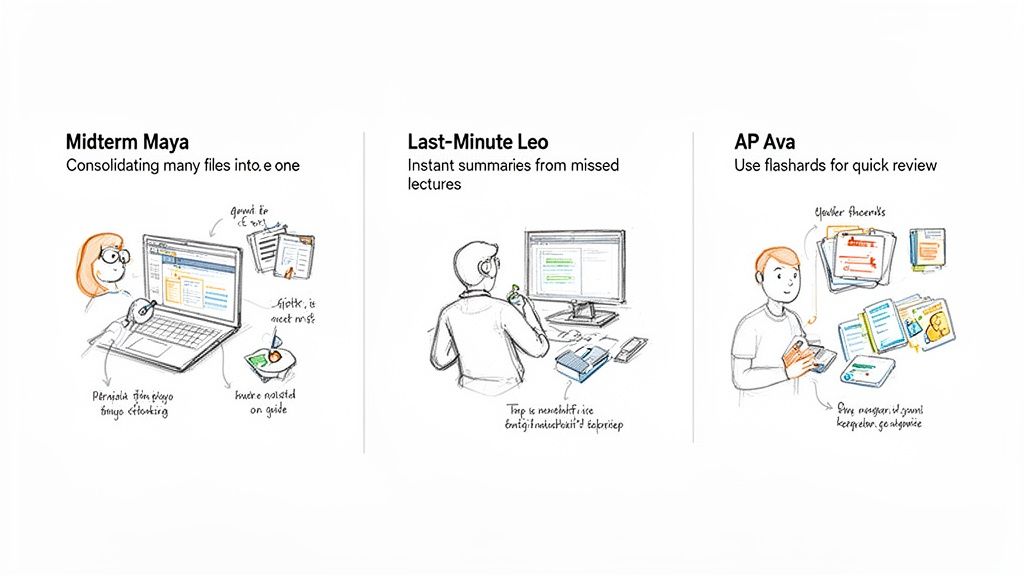
Alright, the theory is one thing, but what does AI for note taking look like in the middle of a chaotic semester? It’s all about tackling those specific, high-stress moments we’ve all been through.
Instead of just listing features, let's walk through how actual students are using these tools to get their time back and nail their exams. Think of these as blueprints for a smarter way to study.
The Midterm Crunch: From Chaos to Clarity
Meet Maya, a sophomore staring down two midterms in the same weekend. She’s got a month's worth of lecture slides, a dozen PDF readings, and a handful of audio recordings for her history class. It’s a digital mess. Her challenge is huge: how does she review all of it without pulling three all-nighters in a row?
The old way would have been a disaster. Maya would burn her first full day just trying to organize everything into a master document, probably giving up halfway through. She’d be exhausted before she even started studying.
The AI Workflow with Vivora:
Maya drags her entire history folder—slides, PDFs, audio files, the works—straight into Vivora.
In just a few minutes, the AI gets to work. It transcribes her lectures, pulls key info from every document, and creates a single, unified workspace.
She then types a simple request into the AI chat: "Create a master study guide covering the main themes from the last four weeks."
The Result: Vivora instantly generates a structured guide, connecting ideas from her lectures and readings in ways she never would have spotted on her own. A full day of painful admin work is done in minutes, letting her spend the weekend actually engaging with the material.
That’s the difference. She’s not just reviewing; she’s seeing the big picture. That’s how you turn a weekend of panic into a focused, productive win.
The "I Missed Class" Emergency
We've all been there. Leo slept through his 8 AM psychology lecture—the one right before the quiz. He’s panicking, with no idea what was covered. Sure, he could ask a friend for notes, but they’re usually incomplete scribbles that are tough to decipher.
The old way was a gamble. Leo would text a friend, squint at their notes for an hour, and walk into the quiz guessing on half the questions, hoping for the best.
The AI Workflow with Vivora:
Step 1: His friend, who recorded the lecture, sends him the audio file.
Step 2: Leo uploads it to Vivora. While he makes a coffee, the AI transcribes the entire thing.
Step 3: He asks for an "instant summary with key takeaways and definitions."
In less than 15 minutes, Leo has a clean, accurate summary of the whole lecture. He reviews the main points and walks into his quiz feeling confident, not clueless. He just turned a potential disaster into a solid grade before his next class even started.
Mastering Memorization for AP Exams
Ava is a high school junior drowning in five AP classes. The sheer volume of vocabulary is overwhelming. For AP Biology alone, she has hundreds of complex terms to memorize. Manually creating flashcards for every class would eat up her entire Sunday—time she simply doesn’t have.
The old way was pure drudgery. Ava would spend hours writing out stacks of index cards, a mind-numbing task that feels more like busy work than real learning.
The AI Workflow with Vivora:
Ava uploads a PDF of her textbook chapter on cellular respiration.
She clicks one button: "Generate Flashcards."
Instantly, Vivora creates a digital deck with all the key terms and their definitions, like "glycolysis" and "ATP synthase."
Now she can practice her flashcards anywhere—on the bus, waiting in the lunch line, or for a quick five-minute review before class. This isn't just a minor convenience; it's a massive advantage. It's why the market for AI for note taking tools is set to grow by an incredible $821 million between 2025 and 2029, as shown in recent industry analysis on technavio.com. More and more students are adopting these smarter workflows.
For Ava, this adds up to hours of reclaimed time every single week. She can now focus on practice problems and essays instead of tedious prep work. You can check out how Vivora’s AI flashcards work and see for yourself how simple it is.
These workflows prove that AI isn't about replacing your brain; it’s about giving you superpowers to be a more efficient, less-stressed student.
Choosing the Right AI Study Buddy
Okay, you're sold on the idea of an AI for note taking. Smart move. A quick search, though, will show you a ton of options out there, and they are definitely not all created equal. Picking the wrong one can be just as frustrating as sticking with your old, messy methods.
Think of it like choosing a partner for a group project. You don't want the one who just shows up; you want the one who does the heavy lifting, organizes the work, and actually helps you get an A. Your AI study buddy should do the same.
The Non-Negotiable Features
When you're looking for the right tool, some features are absolute must-haves. These are the core functions that separate a truly useful study assistant from a glorified text editor. Don't settle for less.
Your checklist should include:
Handles All Your Content: The app needs to be a "yes" tool. Can it handle your lecture audio? Yes. That 80-page PDF textbook chapter? Yes. The random YouTube link your professor dropped in the chat? Yes. A great tool centralizes everything without forcing you to waste time converting files.
Summaries That Actually Make Sense: A bad summary is just a jumbled mess of sentences. A good one, like Vivora’s, pulls out the main themes, key definitions, and critical arguments, giving you a perfect high-level review you can trust.
Turns Notes into Action: Your notes shouldn't just sit there gathering digital dust. The best platforms turn your content into interactive study tools. Look for things like automatic flashcard generation and practice quizzes to actively test what you know.
Without these basics, you're just getting a slightly smarter version of your current notes app. The whole point is to find a platform that works as hard as you do.
Go Beyond Basic Note Taking
Now for the next-level features that really save your grade. Having your notes organized is one thing, but the real magic happens when you can interact with them. This is where a tool designed specifically for students pulls away from the pack.
Look for an app with a built-in AI chat function. Imagine being able to "talk" to your class materials. Stuck on a concept from a lecture? Instead of re-watching the whole thing, you can just ask the AI: "Can you explain the difference between mitosis and meiosis based on my lecture notes?"
This is the game-changer. An AI chat turns your passive notes into an on-demand tutor that’s available 24/7. It has the full context of your course and can give you instant, personalized answers.
This is where a tool like Vivora really shines. It's not just an AI for note taking; it's a complete study ecosystem. You can learn more about how Vivora functions as an AI study assistant that answers your specific questions.
Why "For Students, By Students" Matters
Here's something you won't find on a feature list: the perspective behind the tool. A lot of AI apps are built for corporate meetings and business professionals. They're good at what they do, but they aren't designed to solve the unique chaos of being a student.
Vivora was built by students who were tired of that exact chaos. They knew the pain of juggling PDFs, lecture slides, and last-minute cram sessions. Every single feature was designed to solve a real problem that students face every day.
This means the workflow just makes sense. The platform is built to handle the last-minute panic, the midterm crunch, and the need for quick, effective study tools. It’s a subtle but powerful difference that you’ll feel immediately.
Ready to see it in action? The best way to choose your AI study buddy is to take it for a test drive. Upload one of your recent lectures or a textbook chapter and see how it transforms your material instantly. Stop managing your notes and start mastering your classes.
Your AI Note Taking Questions, Answered
Got questions about using AI for note taking? Maybe you're curious, maybe a little skeptical. That’s completely normal. This is a big change from the study methods we all grew up with, and it’s smart to ask questions before jumping in.
We put this list together to tackle the biggest questions and concerns we hear from students. No fluff, just straightforward answers to show you how these tools can seriously upgrade your study game.
Is Using AI for Note Taking Considered Cheating?
This is the big one, so let's get right to it. The short answer is no, it's not cheating. Think of an AI study tool like Vivora as a super-advanced calculator for math class or a grammar checker for your essays. It's a tool to help you work smarter, not a shortcut to skip the learning.
These platforms are designed to help you organize and make sense of your own class materials. You're still the one showing up to lectures, doing the reading, and putting in the work to learn the content. The AI just takes over the tedious admin stuff—like transcribing, summarizing, and organizing—so your brain is free to focus on what actually matters.
It’s about enhancing your study process, not replacing it. You’re using tech to spend less time on busywork and more time actually engaging with core concepts.
That said, every school has its own academic integrity policy. It's always a good idea to give it a quick scan, but using a tool to make better notes from your own course materials is pretty universally seen as a smart study strategy.
How Accurate Are the AI Summaries and Transcriptions?
It’s smart to be skeptical about accuracy. A tool is only helpful if you can actually trust what it puts out. The good news is, the tech behind AI for note taking has gotten shockingly good.
Top-tier AI tools, especially ones built for students, can hit over 95% accuracy on clear audio recordings. That means the transcriptions are fantastic for creating searchable notes and pulling out specific details you might have missed when a professor was talking a mile a minute. Nothing's perfect—a mumbling prof or a noisy lecture hall can still trip it up—but it’s way more reliable than trying to scribble down every single word by hand.
As for summaries, their job isn't to capture every last detail. They’re built to pull out the main ideas, key arguments, and critical definitions. They give you that high-level overview that's perfect for guiding your study sessions and helping you see the forest for the trees.
Can AI Help with STEM Subjects like Math or Chemistry?
Absolutely. It’s easy to see how AI can crush it in text-heavy subjects like history or literature, but it’s a powerhouse for STEM classes, too. The trick is to think beyond just lecture notes.
You can upload just about anything to a platform like Vivora:
Lecture Recordings: The AI can transcribe those complex explanations of formulas or chemical processes, making them way easier to review later.
Textbook Chapters: Got a dense PDF chapter on organic chemistry? Upload it. The AI can pull out key formulas and even build flashcards for them.
Problem Sets: You can use the AI chat to ask for step-by-step breakdowns of concepts from your materials, like, "Explain the Krebs cycle using my uploaded textbook chapter."
This turns your static STEM materials into an interactive study zone. It’s kind of like having an on-demand TA who can help you unpack the toughest topics whenever you get stuck.
Will I Become Too Dependent on AI and Forget How to Study?
This is a totally valid concern. The whole point of a good tool is to build you up, not create a crutch. And honestly, it all comes down to how you use it. Using AI for note taking isn’t a passive activity; it’s a way to supercharge your active learning.
Think of it this way: the tool handles the low-level, repetitive tasks. That frees up your mental energy for the high-level thinking that actually cements information in your brain.
Here’s how to use it right without getting lazy:
Use summaries for review, not replacement: Read the AI summary first to get the lay of the land, then dive into the full notes for a deeper understanding.
Get your hands dirty with the study tools: Don't just glance at the flashcards—actually practice with them. Take the quizzes to test yourself and find your weak spots.
Engage the AI chat: When you're stuck, ask the AI for clarification. Just forcing yourself to formulate a good question is an active learning process in itself.
It's a tool to make you more efficient and effective, not less active. Used the right way, it actually helps you build better study habits that will stick with you long after your exams are over.
Ready to stop drowning in disorganized notes and start studying smarter? Vivora turns your chaotic class content into personalized study guides with a single click. Upload your lectures, PDFs, and links to get instant summaries, flashcards, and quizzes. Try it for free and see the difference in minutes.