Level Up Your Study Game: The Ultimate Guide for Visual Learners
Feb 27, 2026
Frantically highlighting textbooks but still blanking on exams? You're not trying to fail, you're just using the wrong settings. The best study methods for visual learners aren't about grinding harder; they're about working smarter with how your brain is already wired. The whole game is turning boring info into something you can actually see.
This means you gotta get hands-on with stuff like diagrams, mind maps, color-coded notes, and educational vids. These aren't just study aids; they're cheat codes that translate abstract concepts into tangible, visual formats your brain can vibe with and actually remember.
So, You Think You're a Visual Learner?
Ever sit through a lecture that goes in one ear and out the other, only to perfectly recall a complex diagram from your textbook weeks later? Or maybe you zone out during long reading assignments, but a quick 10-minute YouTube tutorial makes everything click instantly.
If that's your life story, you’re not alone—and you are definitely not a bad student. Chances are, you’re a visual learner. Your brain is built to thrive on images, patterns, and seeing how all the pieces fit together.
The Signs Are All There
Being a visual learner is more than just liking pretty pictures; it’s about how your mind naturally processes info. You might be a visual thinker if you catch yourself:
Doodling to Stay Focused: Sketching in the margins isn't you being distracted. For you, it's how you engage, translating spoken words into a language you can actually absorb.
Picking Videos Over Manuals: Faced with learning something new, whether it’s a chem concept or how to build IKEA furniture, you probably hit up YouTube instead of wading through a dense instruction manual.
Organizing with Color: Your planner, notes, and Google Cal are basically a rainbow. You use highlighters not just to mark what's important, but to create a visual system that separates themes and shows you connections at a glance.
Remembering Faces, Forgetting Names: Your visual memory is your superpower. You can easily picture where info was on a page—like, "it was in the top right corner next to that blue chart"—even if you can't recall the exact text.
Bet. It’s not that you're bad at listening; it’s that you're brilliant at seeing. Getting this is the first step to unlocking your potential. Your study struggles aren't a you problem—they're just a mismatch between how you're being taught and how your brain actually learns.
Why Your Brain Is Obsessed with Visuals
This isn't just a personal preference; there's some serious science behind it. Research suggests that a huge chunk of the population—somewhere between 65% and 80% of people—are primarily visual learners. Our brains are absolute machines when it comes to processing images.
In fact, visuals are processed an astonishing 60,000 times faster than text. It gets better: we tend to retain nearly 80% of what we see, compared to a mere 25% of what we read. If you want to get into the weeds, you can learn more about how your brain processes visual information.
This explains why staring at a wall of text feels so draining, while a well-designed infographic is a total vibe. Once you accept this about yourself, you can stop fighting your natural learning style and start using it to your advantage. The goal is to turn your visual thinking from a low-key trait into your greatest academic superpower.
Core Visual Study Methods That Actually Work
So, you've had that "aha" moment. You're a visual learner. Great! Now what? It’s time to ditch the passive highlighting sessions and upgrade your playbook with study methods that are actually built for how your brain works. Let's stop just reading the material and start truly seeing it.
The whole game changes when you actively translate information—from dense textbook chapters or rambling lectures—into a visual language you can instantly understand. When you do this, concepts don't just feel memorized for a test; they feel genuinely understood. This active process is what separates acing an exam from just scraping by.
Mind Maps and Concept Maps
Forget about boring, linear notes. Mind mapping is your new secret weapon for brainstorming and connecting those big-picture ideas. You just start with a central topic (like "The American Revolution") in the middle of a page, then branch out with key subtopics, using colors and little icons to make the connections pop. It’s perfect for outlining an essay or finally seeing how all the different chapters in a history course actually link together.
Concept maps are a little more structured, and they are incredible for subjects with complex systems, like biology or econ. Instead of just branching out randomly, you use lines and arrows labeled with connecting words (like "causes," "leads to," or "is a type of") to show the exact relationship between ideas. This forces you to get beyond just knowing that two concepts are related and actually understand how.
This map breaks down why these methods are so effective for visual learners like you.

As you can see, this isn't about making your notes pretty for the aesthetic. These methods directly tap into your brain's preferred ways of recalling information, staying focused, and engaging with new material.
Diagrams and Flowcharts
Have you ever tried to understand a complex process by reading a single, dense paragraph? It’s a nightmare. This is where diagrams and flowcharts come in to save the day. They break down sequential or cyclical information into simple, easy-to-follow steps that your brain can process in seconds.
Flowcharts are your go-to for mapping out anything with a sequence—historical timelines, scientific processes (like the water cycle), or even the plot of a novel. Just use boxes for the steps and diamonds for any decisions.
Diagrams are essential for visualizing anything with a physical structure, from the anatomy of a cell to the components of a computer. You don't need to be an artist; simple shapes and stick figures work just fine.
The goal isn't to create a masterpiece. It's to create clarity. A quick, messy diagram that makes sense to you is a thousand times more valuable than a perfect one you never made.
The impact of switching to these techniques is massive. Given that visual learners make up around 65% of the population, these methods are tailored for the majority. In fact, research highlighted by Videoscribe found that adding visuals can boost learning effectiveness by as much as 400% compared to just using text. You can read the full study to see how visuals supercharge learning.
A Quick Guide To Visual Study Methods
To make it even clearer, here’s a quick breakdown of these core techniques and how you can best apply them.
Study Method | What It Is | Best For These Subjects | Key Benefit |
|---|---|---|---|
Mind Mapping | A free-form diagram for brainstorming and organizing ideas around a central concept. | Humanities, History, Literature, Essay Planning | Excellent for seeing the big picture and making creative connections. |
Concept Mapping | A structured diagram showing the precise relationships between concepts using linking words. | Biology, Chemistry, Economics, Computer Science | Forces you to understand the "how" and "why" behind complex systems. |
Flowcharts | A visual representation of a sequence of steps and decisions in a process. | History, Computer Programming, Math, Business | Simplifies complex processes and makes sequential information easy to follow. |
Diagramming | Creating a simplified drawing to represent the structure or components of something. | Anatomy, Engineering, Physics, Geography | Makes abstract or physical structures tangible and easier to remember. |
Color-Coding | Assigning specific colors to different themes, categories, or types of information. | All subjects, especially those with lots of interconnected details. | Helps your brain categorize and retrieve information almost instantly. |
These methods aren't mutually exclusive—the real power comes from combining them to create a study system that’s perfectly tuned to your brain.
Strategic Color-Coding
This is about so much more than just making your notes look vibrant. Strategic color-coding is about creating a consistent visual system that helps your brain classify information on sight. You assign a specific color to a recurring theme, and you stick with it across all your notes for that class.
Here’s a simple system you could use for a literature class:
Yellow: Main character development
Blue: Key plot points
Pink: Recurring themes or symbols
Green: Important quotes or literary devices
When it’s time to review, you can scan for a specific color to find exactly what you're looking for in seconds. This technique is especially powerful when you're creating other visual aids, like image-based flashcards. In fact, you can learn more about creating effective visual flashcards that make recall feel almost effortless.
By building these methods into your routine, you’re not just studying anymore—you're building a personalized library of visual guides designed specifically for the way you learn best.
Using Digital Tools And Video For Better Studying
Let's be real—your phone is practically your command center. So why not turn it into your most powerful study partner? You’re already living in a digital-first world, so it only makes sense to upgrade your study methods to match.
It’s time to make your screen time actually work for you.
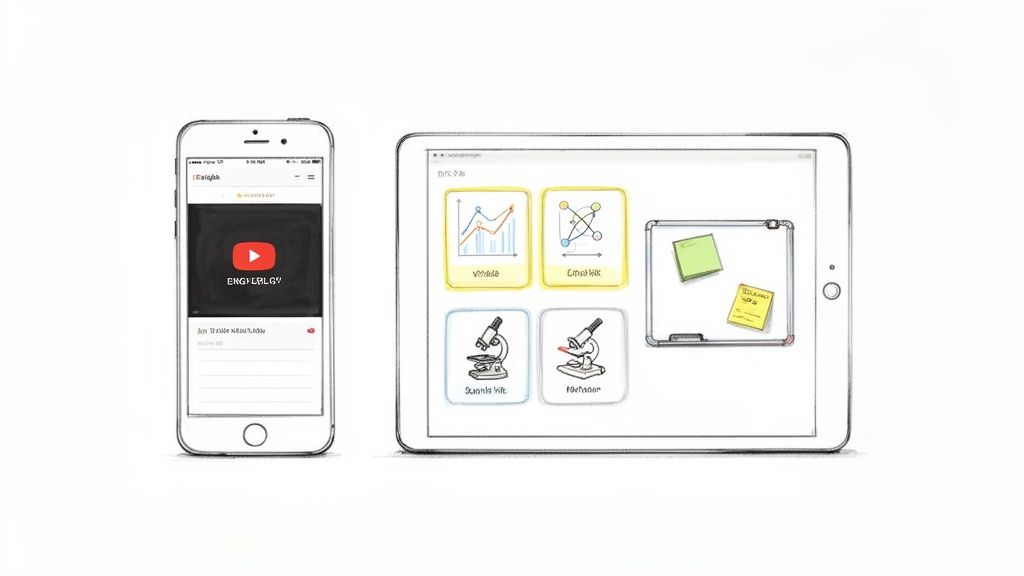
The key is to stop fighting your digital habits and start building a study workflow that feels completely natural. Instead of seeing YouTube or TikTok as distractions, you can reframe them as legit, high-impact study tools.
Turning Scrolling Into Studying
Mindless scrolling doesn't have to be wasted time. Your feed is packed with potential study gold, you just have to know where to look. The trick is to become an intentional viewer.
Start by seeking out credible educational creators in your subject areas. A quick search for "organic chemistry explained" or "World War I timeline" will bring up tons of amazing channels that break down complex topics with animations and crystal-clear visuals.
Once you find a few good ones, create a dedicated "Study" playlist. Anytime a useful video pops up, save it. That way, when it's time to prep for an exam, you have a curated library of visual explanations ready to go, saving you from a last-minute scramble.
Make Watching An Active Sport
Here’s the thing: just watching a video is passive learning, and passive learning isn’t going to get you an A. You have to turn that passive viewing into an active learning session. This is where you connect the digital world with the hands-on study methods we've already covered.
Here are a few ways to level up your video-based learning:
Take Visual Notes: While a video is playing, open a digital whiteboard app on your tablet or computer. Pause the video as it explains a concept and sketch out your own simple diagram or flowchart. This act of "translating" the video into your own visual language is what truly locks the information in.
Create Image-Based Flashcards: Hear a key term or see a critical diagram? Screenshot it immediately. Later, you can use an app to turn these screenshots into digital flashcards. The image becomes the prompt, forcing your brain to recall the definition or process.
Leverage the Transcript: Many educational videos come with transcripts. You can copy and paste the text from a confusing section and use it to build a quick concept map, connecting the main ideas visually.
The goal is to move from being a consumer of content to a creator of your own study materials. Every diagram you sketch and every flashcard you make is another rep for your brain, strengthening your visual recall.
Building Your Digital Study Hub
The biggest downside to using digital tools? Your stuff ends up scattered everywhere. Lecture slides are in one folder, YouTube links are bookmarked in your browser, and screenshots are lost in your photo gallery. It's organized chaos, at best.
This is where a central hub becomes a lifesaver. You need one place to dump everything—think of it as your digital command center for each class.
This is exactly why we built Vivora. It’s designed to be that central hub. You can drop in links to those YouTube videos you saved, upload your professor’s messy lecture slides, and add your own scattered notes. Vivora’s AI then gets to work, automatically transforming all that content into a unified, visual study guide. It can generate flashcards from a video transcript or pull key diagrams from a PDF, putting everything you need in one clean, organized space.
If you're tired of juggling a dozen different apps and folders, an AI study assistant can seriously simplify your workflow. By using digital tools strategically, you’re not just studying harder; you're building an efficient, modern system that aligns perfectly with how your visual brain is wired to learn.
How Vivora Turns Study Chaos Into Clarity
Let's be real—your study materials are probably a mess. You’ve got lecture PDFs stashed in one folder, scratchy notes in a Google Doc, a few essential YouTube links bookmarked somewhere, and a folder of screenshots you swore you’d organize later. When it’s time to prep for a midterm, just finding everything feels like an exam in itself.
This scattered approach is especially brutal for visual learners. Your brain is wired to see connections and build a big-picture understanding, but that's impossible when your content is chopped up and spread across a dozen different apps and browser tabs. You end up burning hours just trying to get organized before you can even start studying.
Your New AI-Powered Command Center
Imagine having a central hub for all your classes—one spot to dump every single piece of material, no matter the format. This is exactly what Vivora was built for. It’s an AI-powered study tool designed to take your chaotic mix of files and links and instantly turn them into a clear, visual, and personalized study guide.
Think about that upcoming biology midterm. Instead of juggling a 50-slide lecture deck, a dense textbook chapter PDF, and a helpful but long YouTube video, you can just upload everything directly into Vivora.
Upload your dense PDFs and lecture slides.
Drop in links to educational videos from YouTube or TikTok.
Add your own messy, typed-up notes.
Once everything is in one place, Vivora's AI gets to work, acting as your personal study assistant. It doesn't just store your files; it reads, understands, and reorganizes them into formats that your visual brain will actually love.
Here’s a quick look at how Vivora helps you organize and visualize your study materials.
This interface isn’t just a file holder. It’s an active learning space where your raw content is transformed into genuinely useful study aids.
Instantly Generate Visual Study Aids
This is where the magic really happens. Vivora automatically transforms that mountain of scattered content into perfectly organized, visual study tools. It does the heavy lifting for you, saving you hours of manual work and letting you focus on what actually matters—learning the material.
The AI analyzes all your content and generates:
Visual Flashcards: It doesn't just pull text. Vivora can grab key diagrams, charts, and images from your slides and turn them into image-based flashcards, perfect for testing your visual recall.
Smart Summaries: It condenses long readings and video transcripts into summary notes with key terms automatically highlighted, so you can see the most important concepts at a glance.
Personalized Quizzes: The platform creates practice quizzes based on your specific materials, helping you test your understanding of visual concepts and pinpoint weak spots before the exam.
Vivora isn't just about organizing your files; it's about translating them. It takes the text-heavy, disconnected information from your professors and converts it into a visual language you can understand and remember.
Get Answers and Save Time
Ever been stuck on a single concept at 1 AM with no one to ask for help? Vivora’s integrated AI chatbot is your 24/7 study buddy. But unlike a generic AI, it’s trained exclusively on your course materials.
This means you can ask it highly specific questions and get instant, context-aware answers. For example, you could ask, "Can you explain the process of mitosis using an analogy?" or "Find the diagram showing the Krebs cycle from the lecture slides." The chatbot will pull the exact information you need in seconds, saving you from scrubbing through a 90-minute lecture recording.
By centralizing and converting all your mixed-media content, Vivora creates a seamless workflow that feels totally intuitive for a visual learner. If you're ready to stop wasting time organizing and start spending more time understanding, you can explore how Vivora works and see how it can transform your study routine. It’s one of the most effective study methods for visual learners who need to turn chaos into clarity.
Building Your Perfect Visual Study Routine
Having the right tools is only half the battle. The real win comes from using them consistently. It's one thing to know about mind maps and flowcharts; it’s another to build them into a routine that actually sticks—especially when you’re juggling classes, a job, and some semblance of a social life.
The goal isn't to study more, but to study smarter. We're aiming to create a predictable rhythm that helps your brain know what's coming, turning abstract advice into a concrete, day-to-day plan that works.
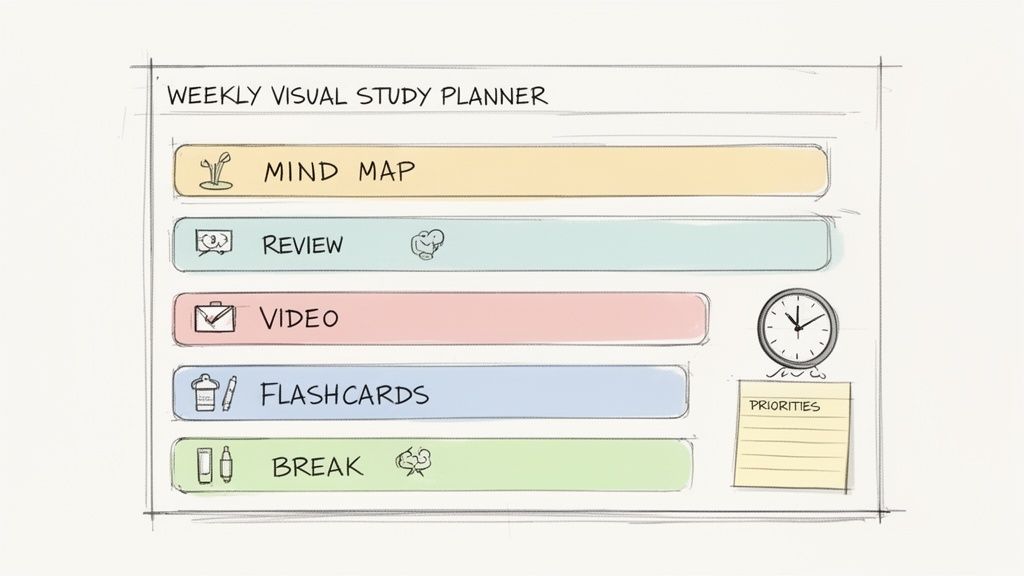
A solid routine is your best weapon against decision fatigue. When you know exactly what to do on a Tuesday afternoon, you don’t waste precious mental energy just figuring out where to start.
The Blueprint For Your Week
Let’s map out what a typical week could look like. Think of this less as a rigid, one-size-fits-all schedule and more as a flexible template. You can—and should—tweak this to fit your own life, whether you're a high school student drowning in AP classes or a college student with a chaotic schedule.
Here are a couple of examples to get you started:
The AP Scholar's Game Plan:
Monday & Wednesday (Post-Class Processing): Right after your toughest classes, spend 30 minutes uploading your notes and any lecture slides into a tool like Vivora. Let its AI generate initial summaries and flashcards while the material is still fresh in your mind.
Tuesday & Thursday (Review & Reinforce): Dedicate a focused hour to creating one core visual aid per subject. This is your time to turn that dense history chapter into a timeline flowchart or map out your biology notes into a sprawling concept map.
Friday (Big Picture Day): Take 45 minutes to run through all the visual flashcards generated during the week. This active recall session helps lock in the information before you switch off for the weekend.
Sunday (Prep for the Week): A quick 30-minute planning session is all you need. Look at your syllabi, anticipate the week's topics, and sketch out the visual study tasks you'll need to tackle.
The Busy College Student's Workflow:
Daily Commute: Use this found time for quick, passive review. Scroll through your AI-generated flashcards on your phone or re-watch a key 5-minute educational video you saved.
Between Classes (30-Minute Gaps): Don't lose this time to social media. Instead, do a quick "visual brain dump." Open up a digital whiteboard app and sketch a messy, no-pressure mind map of the lecture you just left.
Dedicated Study Blocks (Twice a week): Schedule two 90-minute deep-dive sessions. This is when you centralize everything. Upload all your new materials into Vivora, and then use its generated guides to fill in any gaps in your own diagrams and notes.
The key isn't cramming; it's consistency. Short, focused bursts of visual processing are far more effective than one marathon session. Your brain needs time to absorb and connect visual information.
To make this even clearer, here’s a sample weekly schedule that brings these ideas together.
Sample Weekly Visual Study Plan
This table is a template showing how you might structure your week for a challenging course, like Anatomy & Physiology, integrating different visual methods and tools.
Day | Morning (9am-12pm) | Afternoon (1pm-4pm) | Evening (7pm-9pm) |
|---|---|---|---|
Monday | Lecture 1 | Create concept map from lecture notes. Upload notes & slides to Vivora. | Review AI-generated summary. Create 10 visual flashcards. |
Tuesday | Lab Session | Watch supplemental videos on lab topics. Add screenshots to notes. | Review Vivora flashcards for Lecture 1 (15 min). |
Wednesday | Lecture 2 | Convert lecture into a flowchart diagram. Upload new materials to Vivora. | Quick sketch session: Draw key anatomical structures from memory. |
Thursday | Study Group (Visual Brainstorm) | Refine study group diagrams. Create a central mind map linking all week's topics. | Review flashcards for Lecture 2. Watch a summary video. |
Friday | Review Session | Take an AI-generated practice quiz on all weekly topics. | Review weak areas identified by quiz. Create small diagrams for tough concepts. |
Saturday | Rest / Light Review | Rest / Light Review | Rest / Light Review |
Sunday | No studying | No studying | 30-min planning: Outline next week's visual study goals based on syllabus. |
This rhythm helps you process, visualize, and review material in a structured way, preventing the dreaded end-of-week cram session.
Designing Your Ideal Study Space
Your environment matters—a lot. For a visual learner, a cluttered or distracting space can completely derail your focus. You need to engineer a zone that helps your brain do its best work.
Go Big with Your Workspace: If you can, use a large desk or table. You need the physical room to spread out mind maps, notes, and maybe have a tablet running next to your laptop.
Get a Whiteboard: A small, portable whiteboard is one of the best investments a visual learner can make. It’s perfect for sketching out quick diagrams, working through problems, and erasing without a second thought.
Control the Visual Noise: A messy background competes for your brain's attention. Try facing a plain wall or using a simple room divider to create a "focus cocoon" that minimizes distracting visual information.
Don't Forget To Recharge Your Eyes
Staring at screens and detailed notes for hours on end is a fast track to burnout. Since your brain is already working overtime to process all that visual data, you have to schedule dedicated breaks for your eyes.
Remember the 20-20-20 rule: Every 20 minutes, look at something 20 feet away for at least 20 seconds. This simple trick is a lifesaver for reducing eye strain. It gives your brain a micro-reset, keeping you sharp for much longer study sessions. Building these breaks into your routine is non-negotiable for long-term focus.
Answering Your Questions About Visual Studying
Alright, let's get into some real talk. Switching up how you study can feel a little weird at first, and you probably have some questions bubbling up. We’ve got you covered. Here are the most common hang-ups we hear and some practical advice to get you through them.
How Do I Use Visual Methods If My Class Is All Text And Lectures?
This is probably the number one question we get. When your professor just drones on or assigns a textbook dense enough to be a doorstop, it feels impossible.
The key is to start seeing yourself as a translator. Your job is to take that boring, one-dimensional audio or text and convert it into a visual format your brain can actually grab onto and work with.
After a long lecture, just take 15 minutes to sketch out a quick mind map of the main topics. When you're staring down a monster textbook chapter, try drawing a simple flowchart of the key process instead of just dragging a highlighter across every single sentence. The goal isn't to copy the information—it's to actively recreate it in a way that makes sense to you.
I Am Not A Good Artist. Can I Still Use Diagrams?
Absolutely! This is a massive misconception that holds way too many people back. Let's be crystal clear: visual studying is not an art contest. Your diagrams, mind maps, and flowcharts are for your eyes only, so they can be as messy and imperfect as you need them to be.
The goal is to create clarity, not a masterpiece. It’s about organizing information in a way that clicks for you. Use simple shapes, stick figures, and arrows—whatever gets the job done.
If you’re still feeling a bit self-conscious, digital tools are your best friend here. They come with pre-made shapes, icons, and lines, so you don’t have to draw a single thing. It’s all about making connections, not proving your artistic talent.
How Do I Know If I'm Just Wasting Time?
Great question. It’s painfully easy to fall into the trap of “procrastive-studying,” where you spend more time making your notes look pretty than actually learning anything from them. The golden rule here is function over form.
Ask yourself this one simple question: "Is this activity helping me understand and remember the material?"
A good practical tip is to set a timer. Give yourself 25 minutes to process a chunk of information visually. When that timer goes off, move on. If you find yourself spending hours perfecting the color palette on a single page of notes, that's a huge red flag. It’s a sign to simplify your approach and get back to what matters.
Can I Have More Than One Learning Style?
Yes, definitely! Almost everyone is a blend of different learning styles, though you'll likely have one that feels more natural or dominant. For example, you might be a visual-kinesthetic learner, which just means you learn best by seeing and doing.
In that case, you could draw a diagram of a biological process (that's the visual part) and then use your hands to physically act out the steps (the kinesthetic part). The strategies in this guide are a superpower for anyone with a strong visual preference, but you should always feel free to experiment. Mix and match until you find the unique combination that makes concepts click the fastest for you.
Ready to stop translating and start understanding? Vivora is the AI-powered study tool that automatically turns your dense lecture slides, notes, and videos into the visual study guides you need. Spend less time organizing and more time learning. Start your free trial at Vivora.ai.