How to Turn a Video Into Notes and Actually Ace Your Next Exam
Jan 31, 2026
Let's be real: trying to take notes from a video by hand is a whole vibe, and not a good one.
You know the drill. You’re hunched over your laptop, frantically smashing the pause button, rewinding, and replaying a two-hour lecture just to catch one specific concept. It’s not just slow—it’s a draining, inefficient way to study that leaves you with a jumbled mess of text and zero energy to actually learn the material. It's giving burnout.
The Old Way of Taking Video Notes Is Broken
If you’re drowning in video content from online classes, YouTube tutorials, or even those last-minute TikTok explainers, you know the struggle is real. The old method feels like a sprint against the professor's speaking speed, and you almost always miss something important. By the time you’re done, you’re left with a wall of text that’s a nightmare to review and even harder to turn into a useful study guide.
This manual process just creates more problems than it solves. It’s a massive time sink, often taking even longer than the video itself. Plus, that constant context-switching between watching and typing completely kills your focus, making it nearly impossible to absorb complex ideas. You end up with a transcript, not a study guide.
The Real Cost of Manual Note-Taking
Think about all those hours spent just trying to keep up. That's time you could be using to actually understand the concepts, quiz yourself, or, you know, have a life outside of class. This outdated approach is a direct path to:
Burnout: Spending hours on a mind-numbing task instead of effective learning is just exhausting. Big yikes.
Disorganized Notes: When you’re rushing, your notes end up incomplete, messy, and without any clear structure, making them pretty much useless for exam prep.
Poor Retention: Focusing on just transcribing means you're not actively processing the information. This means you remember less and have to re-study everything later.
The point isn't just to write down what was said. It's to create a tool that helps you learn faster and more effectively. The old way is a total fail.
Luckily, there’s a much smarter way to handle your class content. AI-powered tools are completely changing the game, turning this frustrating chore into a simple, effortless process. Imagine just dropping a video link and getting back a perfectly organized, personalized study guide in minutes.
That’s exactly where an AI study tool like Vivora comes in. It’s designed to do all the heavy lifting, so you can stop being a transcriber and start being a learner. It’s all about working smarter, not harder.
So, what does this new world of smart studying actually look like? Ditching the old, frantic pause-and-type routine for an AI-powered workflow is way easier than you might think. It’s all about letting tech handle the grunt work so you can focus on what really matters: understanding the material.
The whole process shifts from tedious transcription to actual learning. It starts with nothing more than a link and ends with a complete, exam-ready study guide in your hands.
From Link to Learning in Minutes
Imagine you're prepping for a big biology midterm. You’ve got a bunch of recorded lectures from your professor and a few YouTube videos explaining tricky concepts like cellular respiration. Instead of rewatching hours of content, your new workflow is as simple as grabbing those video links.
You just drop the video URL into an AI tool like Vivora. The AI immediately gets to work, extracting the audio and turning it into a clean, accurate transcript. Gone are the days of typos from rushing to keep up or missing entire sentences because the professor talks a mile a minute.
This flowchart really brings the difference to life.
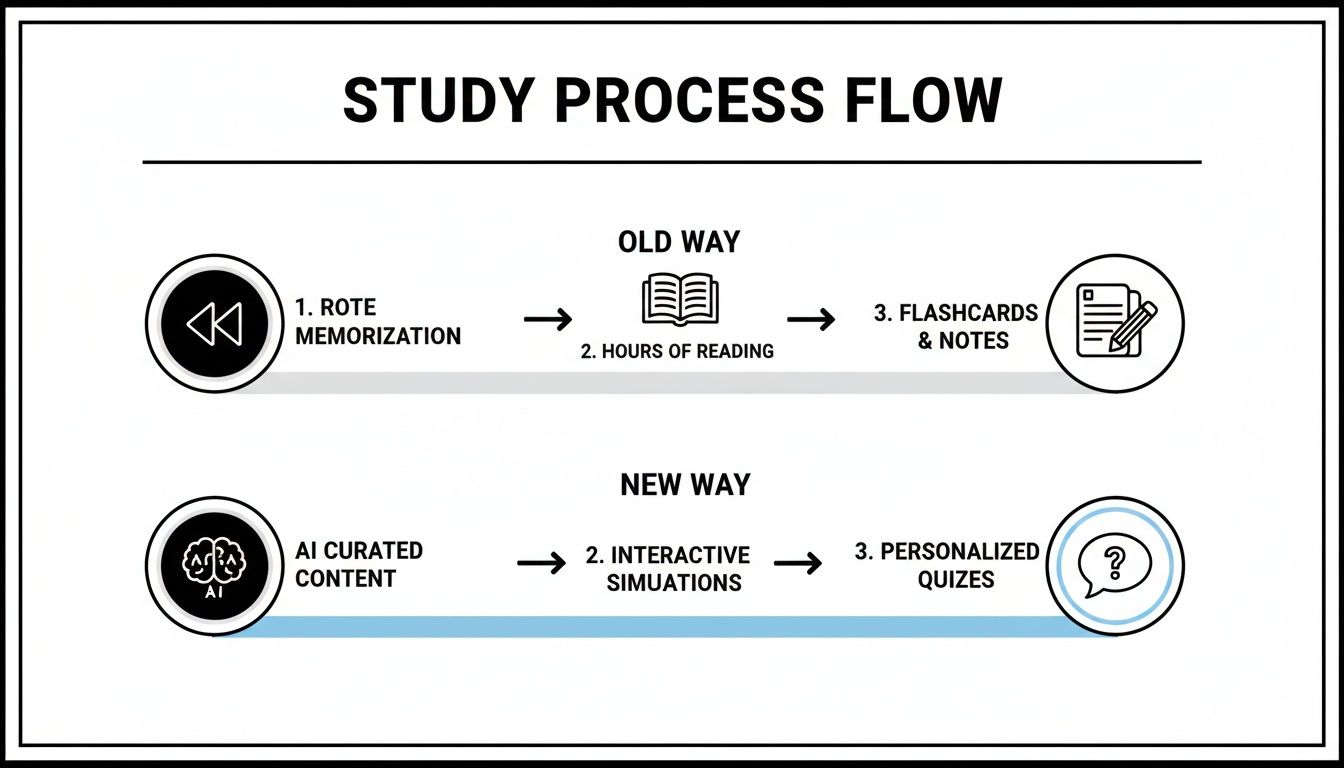
You can see it right there—the old way is a chaotic cycle of rewatching and transcribing. The new, smarter method is a straight shot from content to comprehension.
The AI Does the Heavy Lifting
Getting a transcript is really just the first step. The real magic happens next, when the AI starts making sense of all that raw text. It doesn't just dump a wall of words on you; it intelligently identifies the main topics, summarizes the most critical points, and organizes everything into a logical outline you can actually use.
It’s like having a personal TA who sat through the lecture for you and pulled out every important concept. Vivora even adds timestamps to your notes, so if a concept feels a bit fuzzy, you can click right back to that exact moment in the video for a quick refresh.
This isn't just about saving time; it's about gaining clarity. The AI builds a high-level overview of the entire lecture, showing you how different ideas connect. You finally get the big picture without drowning in the details.
The demand for tools that can turn video into useful notes is exploding. The global AI transcription market is projected to skyrocket from USD 4.5 billion to an incredible USD 19.2 billion by 2034. For students, this means tools that automatically convert video to notes are quickly becoming essential study partners.
A quick look at the old way versus the smart way shows just how much of a game-changer this is.
Manual vs AI Video Note Taking
Task | The Old Way (Manual Notes) | The Smart Way (AI-Powered) |
|---|---|---|
Transcription | Frantically typing while pausing/rewinding; tons of errors and missed points. | Instant, accurate transcript generated from a video link. |
Organization | A messy, linear wall of text that's hard to review later. | Clean, structured outline with topics, summaries, and key points. |
Reviewing | Scrubbing through the video to find a specific concept you missed. | Clickable timestamps that jump you to the exact moment in the video. |
Creating Study Aids | Hours spent manually creating flashcards or quizzes from your notes. | Flashcards and practice quizzes are generated automatically. |
Overall Time | 2-3 hours per 1-hour lecture. | 5-10 minutes per 1-hour lecture. |
This isn’t a small improvement—it's a complete overhaul of the study process, freeing up hours of your time.
Beyond Notes to Active Studying
A truly great study guide is more than just organized text. The best AI tools take it a step further by transforming your lecture notes into active study materials. Imagine your notes on cellular respiration automatically generating a full set of flashcards to test your knowledge.
This is where your study process becomes genuinely effective. Instead of just passively reading over your notes, you can actively engage with the material. For instance, Vivora can create:
Automated Flashcards: Key terms and their definitions are instantly pulled from the transcript and turned into a digital deck you can use to drill yourself.
Practice Quizzes: The AI generates multiple-choice or short-answer questions based on the main topics, helping you pinpoint your weak spots long before the exam.
Actionable Summaries: You get a concise summary right at the top, which is perfect for a last-minute review session the morning of a test.
This entire system is built to make studying less of a grind and more of a strategic, effective process. You can explore how Vivora turns any video into organized notes to see it for yourself. By automating the creation of your study materials, you save countless hours and can finally focus your energy on deep learning and retention—not just busywork.
How This Changes Everything for Students
Let's be real—adopting a smart video to notes workflow isn't just about trimming a few hours off your study time. It's a total glow-up for how you learn, giving you back control of your schedule and your grades. This is how you finally ditch that frantic feeling of always playing catch-up.
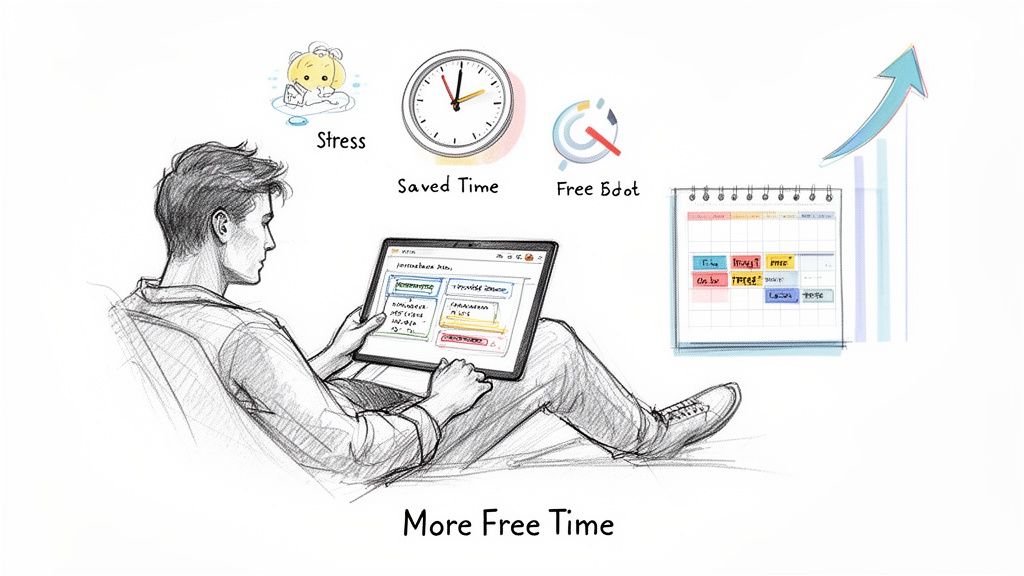
We've all felt that sinking feeling when we miss a class. The old way meant begging a friend for their messy notes or sitting through an entire lecture recording. Now? You just feed the video into an AI tool like Vivora and get a perfect summary of everything you missed. In minutes. The panic just vanishes.
The mental health impact here is huge. It means less anxiety cramming before exams, more confidence that you actually get the material, and—best of all—more free time for your job, friends, or just sleeping in.
The Real-World Impact
Let's make this real. Think about Maya, a community college student juggling a part-time retail job with a full course load. Her chemistry class was notoriously tough, with dense lectures posted online every week. She was constantly behind, rewatching videos late at night after exhausting shifts.
She started using Vivora to turn those two-hour chemistry lectures into organized study guides. Suddenly, she could review an entire week's material on her 30-minute bus ride to work. The AI notes gave her the key concepts, and the automatic flashcards let her drill formulas while waiting in line for coffee. Her grades shot up, and her stress levels plummeted.
Maya's story isn't some rare exception. It’s about taking back your time and energy. Instead of being a passive video-watcher, you become an active learner with a powerful assistant doing all the grunt work for you.
This new reality is exactly why the AI note-taking market is blowing up. It was valued at USD 535.9 million and is on track to hit nearly USD 2,545.1 million by 2033. Students now make up over 40% of this market, which tells you just how essential these tools are becoming. You can learn more about this trend and see why early adopters are studying up to 50% faster.
A System for Every Learning Style
One of the best things about this method is how it adapts to you. We all learn differently, and the traditional way of taking notes rarely gives us that flexibility.
Visual Learners: The timestamped notes are a lifesaver. If a summary point doesn't quite click, you can instantly jump back to that exact moment in the video to see the diagram or demonstration again.
Text-Based Learners: You get clean, perfectly structured text without the distraction of constantly pausing and rewinding. You can just focus on reading and absorbing the key arguments and definitions.
Active Learners: This is where the real power is. You’re turning passive content into active study tools. You're not just reading; you're quizzing yourself and genuinely engaging with the material.
This flexibility means you can finally study in a way that actually syncs with your brain. By creating materials like summaries and quizzes, you're hitting the information from multiple angles and reinforcing what you know. You can see this in action by exploring how Vivora automatically creates digital flashcards from your course content.
In the end, this is about more than just convenience. It’s about building a sustainable, less stressful, and far more effective way to be a student.
Pro Tips for Your AI Study Buddy
Alright, so you’ve seen how turning a video into notes can seriously level up your study game. But just having the tool isn't the finish line. Let's get into the pro-level strategies that transform a cool AI feature into your personal, unstoppable study system.
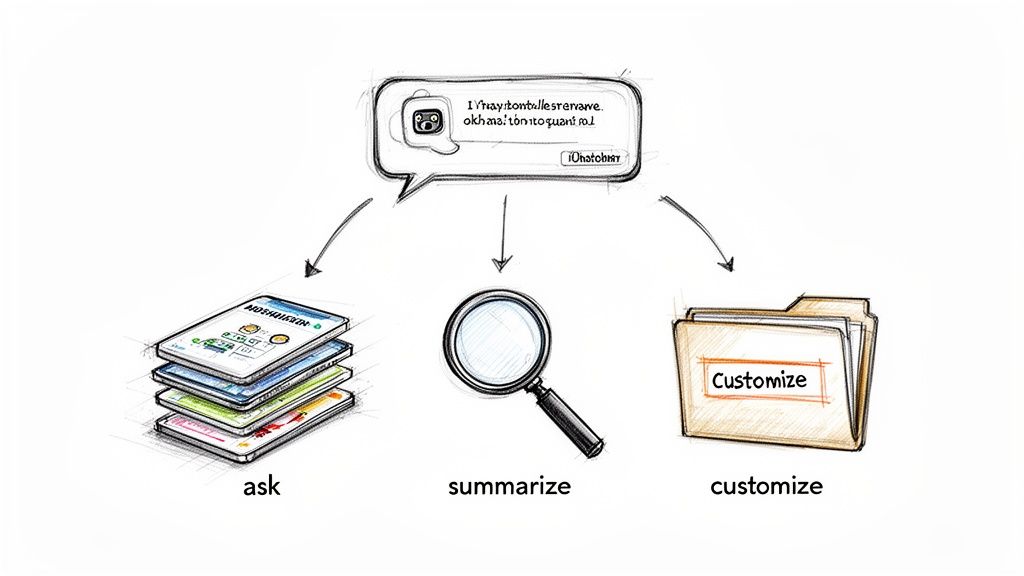
This is about moving beyond just hitting "generate" and actually making the AI work for you. With a few smart moves, you can create study materials so personalized they feel like they were made just for your brain.
Chat With Your Notes
Ever read a line in your notes and think, "Wait, what did the professor actually mean by that?" Instead of scrubbing through the video again, what if you could just ask your notes directly? That's exactly what an integrated AI chatbot, like the one inside Vivora, lets you do.
Stuck on a tricky concept from your organic chemistry lecture? You can just highlight that part of the notes and fire away with questions like: "Explain this like I'm five," or "Give me a real-world example of this reaction."
The bot uses the context from the lecture to give you a clear, instant answer without you ever having to leave the page. It's basically like having a 24/7 TA who never gets tired of your questions.
Create the Ultimate Study Guide
Your classes are never just one video, right? You’ve got lecture recordings, YouTube explainers, and maybe even a PDF of the professor’s slides. Juggling all those sources is a pain, but with the right tool, you can merge them into one master study guide.
Here's how you could pull everything together for that looming midterm:
Generate notes for each video. Run every lecture and supplemental YouTube clip through the AI to create individual sets of notes.
Upload your slides. Drop the PDF of your lecture slides into the platform. A tool like Vivora can pull text and context from documents, too.
Combine and conquer. Now you can merge these different sources. The AI helps you organize all the key concepts into one cohesive document, filling in gaps and showing you how the different materials connect.
This method transforms a scattered pile of digital files into a single, killer resource.
This isn't just about combining text. It's about building a complete picture of the topic. You get the professor's formal explanation, a YouTuber's practical example, and the slide's key diagrams all in one place.
Customize Your Practice Sessions
Generic flashcards are okay, but personalized ones are where the real learning happens. After your AI generates quizzes and flashcards, don't just stop there. Go in and tweak them to target your specific weak spots.
Struggling with certain dates in history or formulas in physics? Create extra flashcards for just those topics. If an AI quiz shows you're weak on a particular chapter, ask it to generate more questions focused on that area.
This turns your study sessions from a passive review into an active, adaptive process. You're constantly reinforcing the ideas you struggle with most, which is honestly the fastest path to mastering the material. For more ideas on this, check out our deep dive on using an AI study assistant to its full potential.
By taking control of your AI-generated materials, you’re not just studying—you're building a system that's perfectly tuned to you.
Common Mistakes When Converting Videos to Notes
Jumping into a new video to notes workflow is exciting, but it's easy to stumble if you're not careful. Think of your AI tool like a really smart assistant—it does the heavy lifting, but it still needs your direction to get things right.
Steering clear of a few common mistakes will ensure you’re actually studying smarter, not just creating a new kind of digital mess.
The biggest trap? Treating the AI like a magic wand. You drop in a video, get your notes, and then… just let them sit there. That’s a huge mistake.
Forgetting to Actually Review and Engage
The whole point of this isn't just to have the notes; it's to learn from them. The AI gives you an incredible head start, but your brain still needs to do the final lap. Don't fall into the "convert and forget" cycle.
Your generated notes are the raw material. You still need to:
Actively read through the summaries to make sure you actually get the key concepts.
Use the generated flashcards and quizzes to test yourself and find your weak spots.
Ask the AI clarifying questions on anything that still feels a bit fuzzy.
Think of it this way: AI handles the tedious transcription and organization, but active recall is where the real learning kicks in. Without that last step, you're just hoarding digital documents.
Feeding It Low-Quality Content
Here’s a classic mistake: expecting perfect results from a terrible source. If your professor’s lecture was recorded from the back of a huge hall with tons of background chatter, the AI transcription is going to be a hot mess.
Garbage in, garbage out. It’s an old saying for a reason.
The tech behind these tools is powerful and getting better every day. In fact, the market for AI video processing is exploding, expected to reach a combined value of over $11 billion. This massive investment shows just how capable the technology is, but it still relies on clear input. For more on the scale of this tech, you can explore the research on AI video translation.
So, to get the best results, always try to use videos with crisp, clear audio. It makes all the difference.
Creating a Digital Disaster Zone
You ditched messy handwritten notes to get organized, right? So don't create a new chaotic system on your laptop. Dumping dozens of generated study guides into a random folder named "School Stuff" is a recipe for disaster when finals week hits.
A great tool helps you organize, but you still need a system. Without one, you’re just trading a physical pile of paper for a digital one.
This is where a dedicated platform like Vivora makes a huge difference. Instead of having files scattered everywhere, it keeps everything in one place. You can tag your notes by class (like #BIO101 or #HIST204), sort them into folders for each exam, and easily search across all your materials. This keeps your study life clean, focused, and ready for action.
Your Questions About Video to Notes Answered
Alright, you're probably thinking this whole AI video to notes thing sounds like a game-changer, but you've still got a few questions. That’s completely fair. Let's tackle some of the most common ones so you can feel confident making AI your new study partner.
Can I Use This for Any Video?
Pretty much, yeah! If it has a link and the audio is clear, you’re good to go.
That means you can turn that two-hour recorded lecture from your university portal, a ten-minute YouTube explainer, or even a super-fast TikTok breaking down a historical event into organized notes. It finally gives you a way to make sense of those random video clips your professor sends or create a real study guide from that one influencer who actually explains calculus in a way that clicks.
It's all about making any video content work for you.
How Accurate Are the AI Summaries?
This is a big one. You need to trust that the notes are actually pulling out the important stuff. Modern AI, like the kind powering Vivora, is built to zero in on key concepts, definitions, and the main arguments. It's gotten incredibly good at understanding context, so it won’t just spit out random sentences.
Of course, no AI is 100% perfect. Think of it as a study assistant, not a replacement for your own brain. The summaries provide a solid foundation and save you hours of manual work, but you should always give them a quick read-through. Make sure they align with what you know. It’s your study guide, after all.
The point of AI-generated notes isn't to replace your thinking. It's to kill the tedious work of transcribing and organizing so you can spend your brainpower on what really matters: learning the material.
Is This Considered Cheating?
Let's clear this up right now: using an AI tool to generate notes from a video is not cheating. It's a study tool, plain and simple. It's no different from using a calculator for a complex math problem or Grammarly to polish your essay.
Cheating involves submitting work that isn’t yours or gaining an unfair advantage. This is a different ballpark. You’re just using technology to make your own study process more efficient.
You’re still the one who has to:
Review and understand the concepts.
Test your knowledge with the flashcards and quizzes.
Ultimately, learn the material for the exam.
These tools just help you get there faster by handling the grunt work. They support your learning; they don’t do it for you. So you can use them with a clear conscience and focus on acing your next test.
Ready to stop rewatching lectures and start studying smarter? Vivora transforms any video into a personalized study guide with notes, flashcards, and quizzes in minutes. Start your free trial today and see the difference.