The Best App for Recording Lectures and Actually Acing Your Exams
Mar 3, 2026
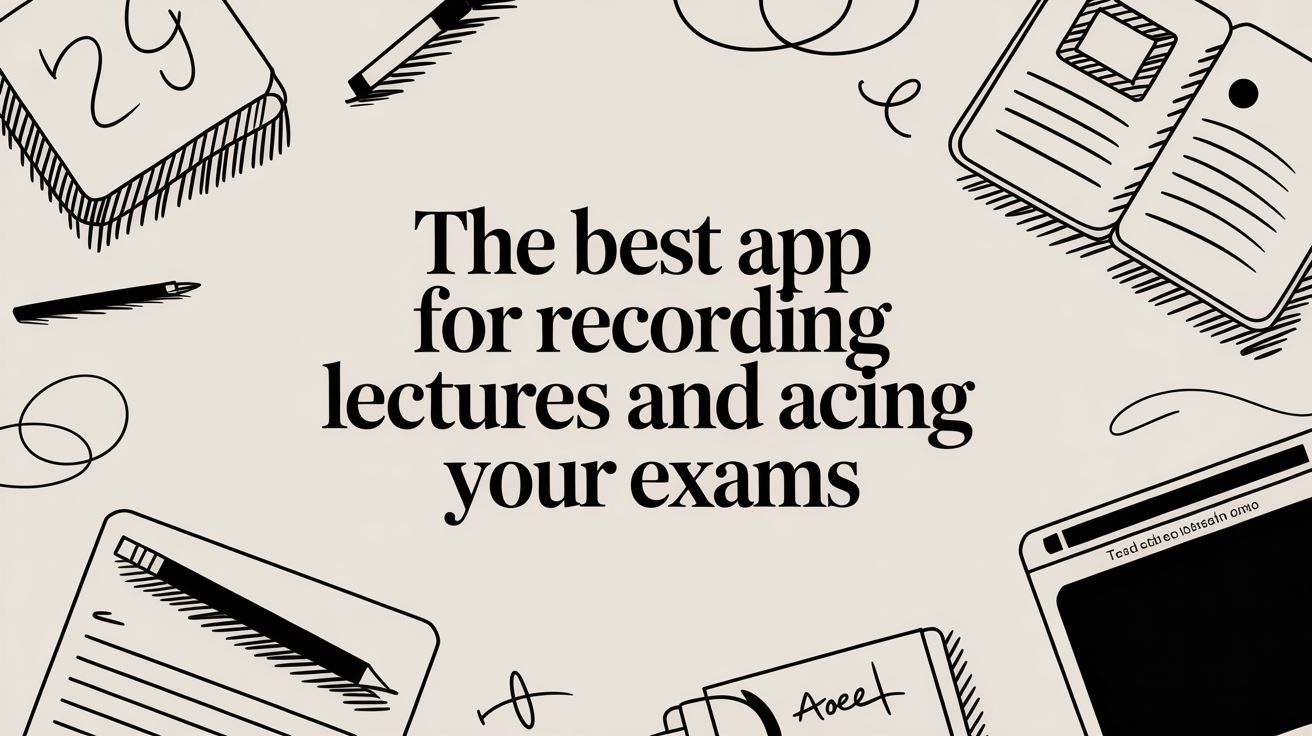
Let's be real, trying to catch every single word in a 90-minute lecture is a recipe for an anxiety spiral. You're either furiously typing and missing the main point, or your mind just completely checks out halfway through. A good app for recording lectures is your secret weapon—it lets you actually listen in class, knowing you’ll have a perfect copy to work with later.
Stop Drowning in Lectures and Start Studying Smarter
Trying to keep up with a fast-talking prof feels like a losing battle. You’re constantly switching between listening, typing notes, and trying to psychically guess what’s actually going to be on the exam. By the end of class, your brain is fried and your notes are a chaotic mess. It’s an exhausting and seriously inefficient way to learn.
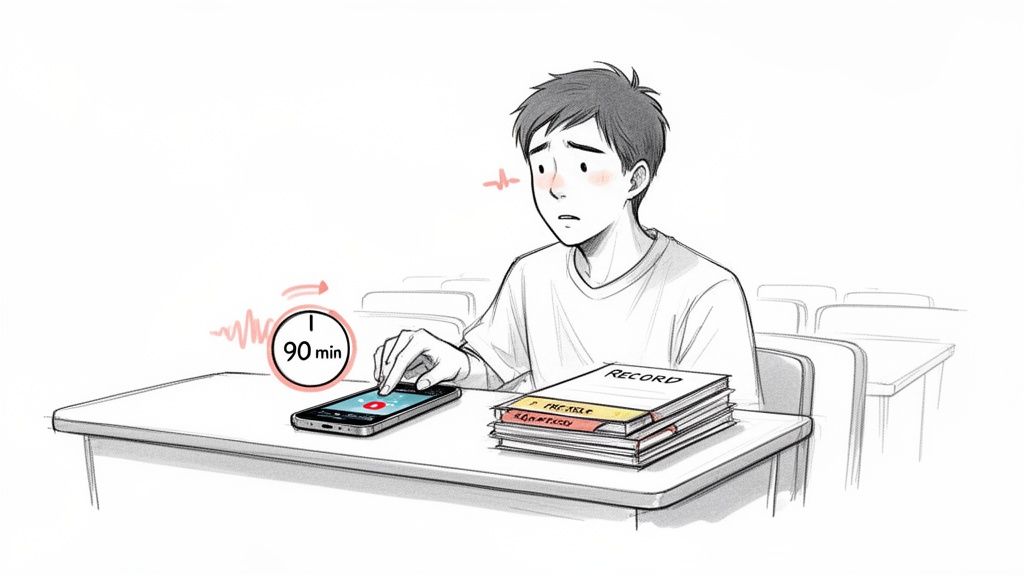
But the solution isn't just re-watching hours of boring lecture videos. The real hack is using a dedicated app to capture everything perfectly, then transforming that raw recording into a personalized study guide.
Your New Study Workflow
Imagine this: you hit record on your phone, put it down, and just focus on what your professor is saying. Later, you take that audio file and upload it to an AI-powered tool like Vivora. Almost instantly, it turns that long, rambling lecture into:
A clean, organized transcript so you can quickly search for key terms and definitions.
AI-generated notes that pull out the main ideas, saving you the headache of summarizing everything yourself.
Custom flashcards and practice quizzes built directly from the lecture content to get you ready for exams.
This is the modern way to study. It's not about working harder; it's about using smart tools to reclaim your time and energy. You stop being a passive listener and start actively creating materials that help you learn faster and remember more.
This shift toward recording and reviewing lectures isn't just some niche student hack; it's a massive trend in education. The market for lecture capture systems is projected to explode, reaching nearly $60 billion by 2031.
This huge growth shows just how essential these tools are becoming. It's not about convenience anymore; it’s a core part of how schools and students approach learning. The massive investment in this area proves that turning class content into accessible, reviewable material is the future of studying. You can find out more about this growing trend and its market projections on mordorintelligence.com.
This guide is going to skip the boring tech specs and get straight to what you actually need: finding the right app, getting crystal-clear recordings, and turning them into study gold with AI. Let's dive in.
How to Choose Your Go-To Lecture Recording App
Okay, so you're sold on the idea of recording lectures. But the second you open the app store, it's a total jungle. How are you supposed to pick the right app for recording lectures without spending an entire afternoon downloading and deleting a dozen of them?
Let's cut through the noise. This isn't about finding an app with a million features you'll never use. It’s about finding the one that actually makes studying easier. Trust me, your phone’s built-in voice memo app just isn’t going to cut it when you’re trying to capture usable audio from the back of a huge lecture hall.
Focus on Audio Quality First
The absolute number one, non-negotiable feature is crystal-clear audio. If you can't understand what your prof is saying, the recording is completely useless. A great lecture recording app will have features specifically designed for challenging environments.
Look for apps with:
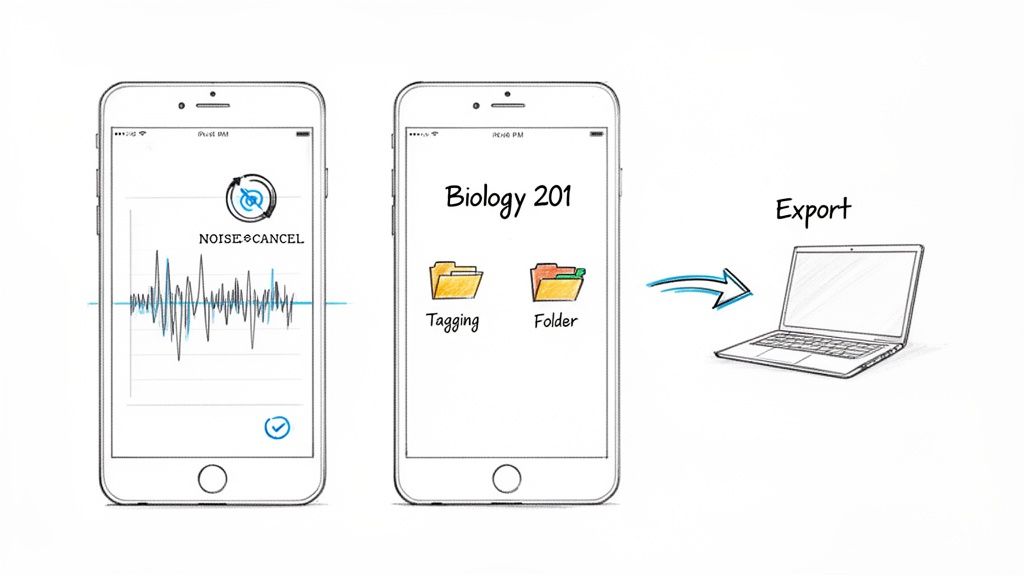
Noise Cancellation: This is a lifesaver. It filters out background chatter, coughs, and the person two rows back who decided class was the perfect time to eat a bag of chips.
Audio Presets: Some apps offer settings like "Lecture Hall" or "Interview," which automatically adjust the mic's sensitivity and other settings for you. It's a simple feature that makes a huge difference.
External Mic Support: If you're really serious about audio quality, being able to plug in a small external microphone is a game-changer.
A good app cleans up the sound as it records, which saves you the massive headache of trying to decipher muffled audio later.
Organization and Export Are Your Best Friends
A messy, untitled list of recordings is a recipe for a study nightmare. Your future self will thank you for picking an app with solid organizational tools. You need to find the recording from your BIO 101 midterm review instantly, not scroll through "New Recording 37" and "New Recording 38."
The goal is to create a seamless workflow. You record, you organize, and then you export it to a tool that can transform it into actual study material. A clunky app breaks that flow and just adds more work to your plate.
Finally, check the export options. How easily can you get that audio file off your phone and onto your computer? The best apps offer multiple sharing options—like AirDrop, Google Drive, or email—in common formats like MP3 or M4A. This makes it incredibly easy to upload your recordings into a study hub. For instance, a powerful AI tool like Vivora can take that simple audio file and automatically generate organized notes, flashcards, and quizzes for you.
This whole ecosystem of lecture capture is exploding, especially in the US and Canada. In fact, North America now makes up nearly 47% of the entire lecture capture solutions market, a trend driven by universities adopting this tech campus-wide. It just shows how massive the demand is for tools that help students actually use their recorded content. You can see more on the institutional adoption of these tools at theinsightpartners.com.
Practical Tips for Crystal-Clear Lecture Recordings
We’ve all been there. You diligently record a 90-minute lecture, only to play it back and hear a muffled mess of coughs, shuffling papers, and the prof sounding like they’re speaking from the bottom of a well. A bad recording is more than just frustrating—it's a complete waste of your time.
Getting clean audio isn't about having fancy equipment; it's about being a little strategic. Think of it this way: a high-quality audio file is the essential raw ingredient for an AI study tool like Vivora. Garbage in, garbage out. Let's make sure you're starting with gold.
Master Your Device Placement
First things first: your pocket is the absolute worst place to record a lecture. Seriously. It’s a one-way ticket to audio that sounds like it was recorded inside a running washing machine, and it's completely unusable.
Your main goal is simple: get your phone’s microphone as close to your professor as possible. This means showing up a few minutes early to grab a seat in the first few rows. The closer you are, the more your mic will pick up their voice instead of the person next to you unwrapping a candy bar. It’s that simple.
Once you’re seated, place your phone on the desk with the bottom of it (where the mic usually is) pointing toward the front of the room. This tiny adjustment can make a world of difference.
Pro Tip: Before class starts, swipe down and turn on 'Do Not Disturb' or 'Focus' mode. Nothing torpedoes a great recording faster than your group chat notifications buzzing every 30 seconds.
The 30-Second Pre-Flight Check
You wouldn't head out on a road trip without glancing at the gas gauge, right? The same logic applies here. Before your prof even begins, pop open your chosen app for recording lectures and run a quick test.
Just hit record for about 30 seconds. Say a few words, capture the ambient room noise, then stop and listen back with headphones. Is the air conditioner roaring? Is your own breathing the loudest thing on the track? This quick check helps you spot audio issues before you’ve wasted an hour recording something useless.
It might feel a little extra at first, but making this a habit will save you a massive headache later. It’s the best way to guarantee the file you upload to Vivora is clean, clear, and ready to be turned into perfect study materials.
It's All About the Mic
Let's be real: your phone’s built-in microphone is pretty impressive, but it’s designed to capture your voice from a foot away, not your professor’s from 30 feet away in a giant lecture hall. If you consistently find your audio is faint or full of background noise, an external mic is a total game-changer.
You don't need a professional podcasting rig. A small, affordable microphone can elevate your audio quality from "okay" to "crystal clear."
Lavalier Mics: These are the tiny clip-on mics you see on TV. They’re super discreet. You can clip one to your collar to ensure your own questions are recorded clearly, or even ask your professor if you can place it on their lectern.
Small USB Mics: A compact desk mic, like a budget-friendly option from a brand like ZealSound, can sit on your desk and do a much better job of isolating your professor's voice than your phone ever could.
Dropping $20-$40 on a decent external mic is genuinely one of the smartest study investments you can make. It ensures every lecture is perfectly captured, giving your AI study assistant the best possible material to work with.
Turn Your Recordings Into Study Gold With AI
So you’ve done the hard work of capturing a clean, crisp lecture recording. What now? A perfect audio file is fantastic, but it's just the raw material. The real magic happens when you use a tool like Vivora to transform that raw audio into something you can actually study from.
Think of it like this: a great recording is the flour, sugar, and eggs. An AI tool is the oven that bakes it into a cake.
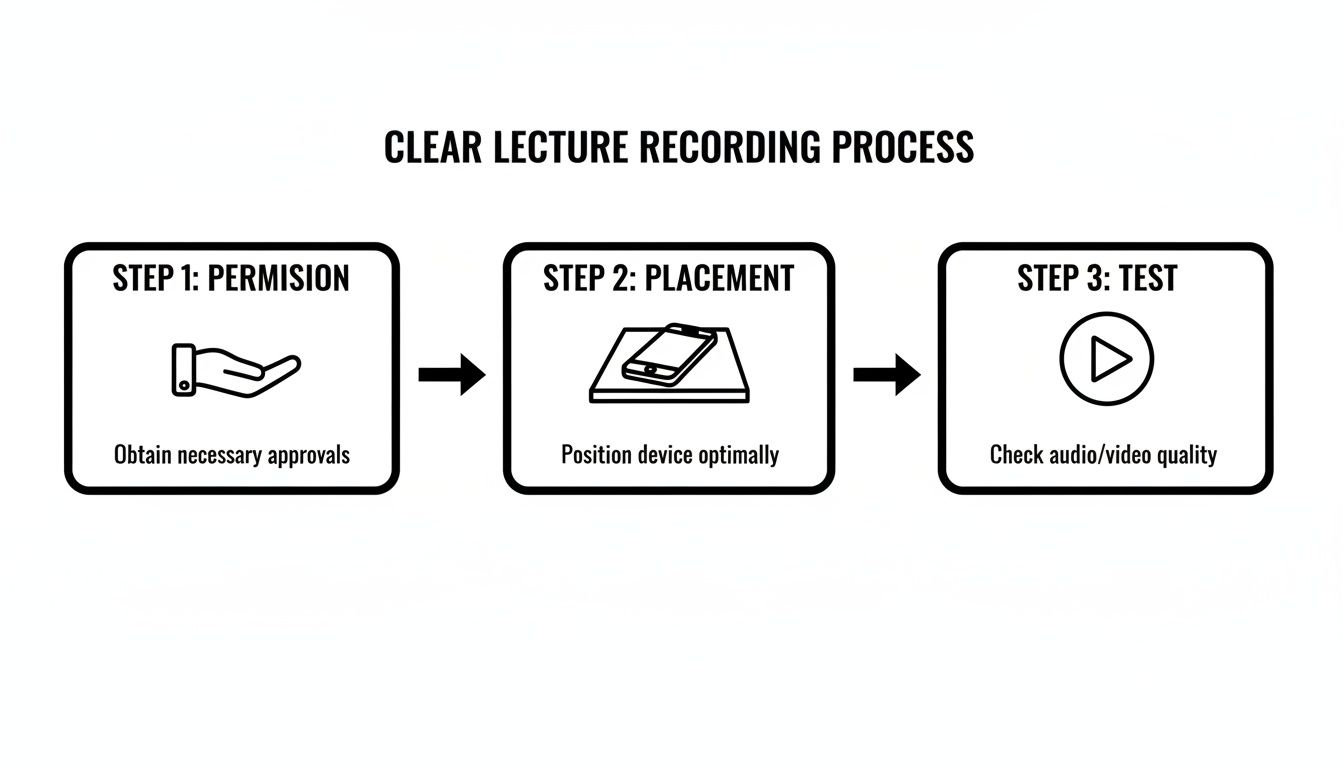
Nailing those three basic steps—getting permission, finding the right spot, and doing a quick test—is what gives you a high-quality file. Now, let's walk through exactly how to turn that file into a powerful study guide that will save you hours.
From Audio File to AI Study Guide
First things first, you need to get your lecture recording into Vivora. The whole platform is built to make this part as painless as possible. You literally just drag and drop your audio file right into the interface.
Once your file is uploaded, Vivora’s AI gets straight to work, automatically transcribing the entire lecture for you. This is a massive time-saver. No more endlessly scrubbing through an audio file trying to find that one specific definition your prof mentioned thirty minutes in.
Having a full transcript is a game-changer on its own. Studies show most people can read about 2-3 times faster than they can listen. That means you can scan an entire hour-long lecture in a fraction of the time.
But the real power move is letting the AI do the heavy lifting. Instead of spending hours re-listening and typing up your own notes, the AI analyzes the content and instantly organizes it. This is all about working smarter, not harder.
Unlocking Your Personalized Study Materials
Vivora doesn't just stop at the transcript. Once it's done transcribing, the AI analyzes the content, cross-references it with any slides or readings you’ve uploaded for that class, and then automatically generates some incredible study assets.
This is where you really see the payoff. Your single audio file instantly becomes:
Organized Notes: The AI identifies the main topics, sub-points, and key definitions, structuring them into a clean, easy-to-read set of notes.
Custom Flashcards: It pulls out important terms and concepts to create a deck of digital flashcards, so you can start drilling the material right away.
Practice Quizzes: Vivora even generates practice questions based on the lecture content, letting you test your understanding and pinpoint weak spots immediately.
This process transforms a passive recording into a complete, active study ecosystem. Instead of just having an audio file you might listen to again someday, you suddenly have a full set of study tools perfectly tailored to that specific lecture. You can see exactly how it all comes together by learning more about Vivora's AI study assistant.
Suddenly, you’re not just a student who records lectures. You’re a student with an efficient, repeatable system for turning every single class into a productive study session.
Level Up Your Study Workflow With AI-Powered Features
So, you’ve got a perfect recording of your lecture and Vivora has turned it into a clean, organized transcript. Awesome. But that's just step one. Now for the fun part: turning those raw materials into a study system that actually saves you time and cuts down on stress.
Vivora isn't just a digital notebook—it’s a tool designed to make you actively engage with your course content. It’s not about just having a record of what your professor said. It’s about understanding it, questioning it, and locking it into your memory for exam day. This is where you’ll see the real payoff.
Ask the AI Anything
Ever have a question pop into your head while reviewing your notes, only to get lost in a 30-minute YouTube rabbit hole trying to find an answer? We've all been there. Instead, just ask the Vivora chatbot. Since the AI has already processed your lecture transcript and slides, it knows the exact context of your specific class.
You can ask things like:
"Can you explain the main themes from today’s history lecture?"
"What was the formula for calculating torque from my physics class?"
"Summarize the key differences between the two court cases we discussed."
You’ll get instant, accurate answers pulled directly from your class materials. No more guessing games or flipping through pages of notes.
This isn't just a search bar. Think of it like a 24/7 TA who’s an expert in your class. It understands the nuances of the lecture you just uploaded, making it a seriously powerful tool for clarifying confusing topics on the fly.
Create the Ultimate "Master Guide"
Here’s a workflow that will make you feel like a study genius. You can combine notes from your recorded lecture, your professor's slide deck, and even a related YouTube video all inside Vivora. The platform will then synthesize everything into one comprehensive "master guide" on that topic.
Imagine you're building a study guide for your marketing midterm. You upload your lecture recording on the "Four Ps of Marketing," add your professor’s PDF slides, and drop in a link to a YouTube video explaining a relevant case study. Vivora merges it all, creating a single, streamlined resource that covers the topic from every angle.
This completely eliminates the chaos of bouncing between a dozen different tabs and files. Everything you need is in one place, organized and ready for you to review.
From there, you can turn the automatically generated flashcards into a quick study session or take practice quizzes to lock in the information. You can learn more about how Vivora creates these personalized tests with its AI quiz generator.
This integrated approach is what turns a simple lecture recording into your most valuable study asset. It’s how you stop drowning in disorganized materials and start studying smarter.
Answering Your Top Questions About Recording Lectures
Thinking about using an app for recording lectures? It's a smart move, but you probably have a few questions swirling around. We get it. You want to make sure you're doing it the right way. Let's tackle some of the most common things students ask before they dive in.
Is It Even Legal to Record My Lectures?
This is the big one, and the short answer is: it depends. The rules about recording can get a little tricky, but the first and most important thing to do is check your school’s academic policy and your professor’s syllabus.
Many professors are totally fine with it, especially if you just ask. Don't make it a big deal. Frame it around your learning process.
Try something like, "Would you mind if I recorded your lectures? I find it really helpful to listen back and make sure my notes are accurate." Being upfront and respectful is always the way to go. Most of the time, they’ll appreciate you asking.
What If the Audio Quality Is Bad?
We’ve all been there—you listen back to a recording and all you hear is coughing, chair squeaks, and muffled nonsense. A recording like that is pretty much useless.
If your audio is consistently terrible, here are a few things to try:
Get closer. The #1 killer of good audio is distance. Sitting in the first few rows makes a world of difference.
Grab an external mic. You don't need a professional studio setup. A small, budget-friendly mic that clips onto your phone or laptop can dramatically improve clarity by focusing on your professor's voice.
Find an app with noise cancellation. Many dedicated recording apps have features built specifically to filter out that background chatter and hum.
Your whole goal here is to get audio that an AI tool like Vivora can easily understand. Clean audio is the foundation for creating accurate AI notes, flashcards, and quizzes. Remember the golden rule: garbage in, garbage out.
Can I Just Use My Phone’s Built-In Voice Memo App?
You can, but you probably shouldn't. Your phone's basic voice memo app is great for a quick thought or a reminder, but it just wasn't built to capture clear, high-quality audio in a massive, noisy lecture hall.
Dedicated recording apps are total game-changers for students. They offer things like better ways to organize your files (think tagging recordings by class), much better noise reduction, and simple export options. These features might seem small, but they save you a ton of time and make sure the files you create are actually usable for studying later.
Think of it as the difference between a basic notepad and a full-featured word processor. Both let you write, but one makes your life a whole lot easier.
Ready to stop drowning in lecture notes and start studying smarter? Vivora is the AI-powered study platform that turns your lecture recordings, slides, and readings into organized notes, flashcards, and practice quizzes. Upload your first class and get a personalized study guide in minutes. Start your free trial at https://vivora.ai.