The Ultimate Study Guide Generator to Ace Your Exams
Feb 11, 2026
A good study guide generator isn't just another app. It's your secret weapon for finals. This AI-powered tool takes all your messy class materials—lecture slides, scribbled notes, videos, you name it—and magically transforms them into organized study guides, flashcards, and quizzes.
Basically, it’s a bot that turns your chaotic content into clean, exam-ready resources, saving you hours of painful manual work. No more late-night cramming fueled by energy drinks.
Why Your Old Study Method Isn't Working
Let's be real: midterms and finals season is a total nightmare. You’re drowning in a sea of lecture slides, random PDFs, textbook chapters, and way too many YouTube explainers saved in a forgotten bookmark folder.
The classic study method—spending hours rewriting notes and trying to piece everything together—is a massive time sink. You waste precious energy just organizing materials instead of actually learning them. It's a frustrating cycle of information overload that hits every student, especially when you're juggling multiple classes with conflicting deadlines. This burnout-inducing process doesn’t just drain your motivation; it leads to less effective learning.
The Chaos of Scattered Resources
The struggle is universal. One minute you're trying to decipher a professor's cryptic PowerPoint, the next you're scrolling through TikTok for a 60-second summary of a complex topic. Each resource exists in its own bubble, making it nearly impossible to see the big picture.
This fragmented approach forces you to become an archivist, constantly searching for that one specific detail you vaguely remember. This isn't studying; it's a frantic scavenger hunt.
The biggest lie we tell ourselves is, "I'll just quickly organize my notes before I start." Three hours later, you have a color-coded masterpiece but have learned absolutely nothing. A study guide generator flips that script, doing the organizing for you.
Upgrading Your Study Game
Think of it like this: you wouldn't use a flip phone when you could have the latest smartphone. So why are you applying outdated methods to your education? Manually creating study guides is the academic equivalent of a dial-up connection—slow, inefficient, and guaranteed to cause frustration.
An AI-powered study guide generator like Vivora is the essential upgrade. It’s a tool that works as smart and as hard as you do, transforming that digital mess into a powerful advantage. Instead of wrestling with scattered files, you can focus on mastering the concepts that will actually be on the exam.
The global edtech market is rapidly growing for a reason—with a projected increase of $24.37 billion by 2029, as more students demand smarter tools that offer a real edge. You can learn more about how this trend is shaping education by reading up on the growth of smart educational technology.
How to Turn Class Content Into a Perfect Study Guide
Alright, let’s get into the good stuff. You’ve got that chaotic folder on your desktop, the one overflowing with lecture slides, half-finished notes, and a random assortment of links. It's time to transform that digital mess into a clean, powerful study guide you can actually use.
Using an AI study guide generator like Vivora isn’t just about uploading a single file and hoping for the best. It’s about being strategic—feeding the AI the right materials so it can hand you back gold.
The old way of studying was a one-way street from chaos straight to burnout. You'd burn hours just trying to organize everything before you even started learning. It’s a broken process, and it’s time for a change.
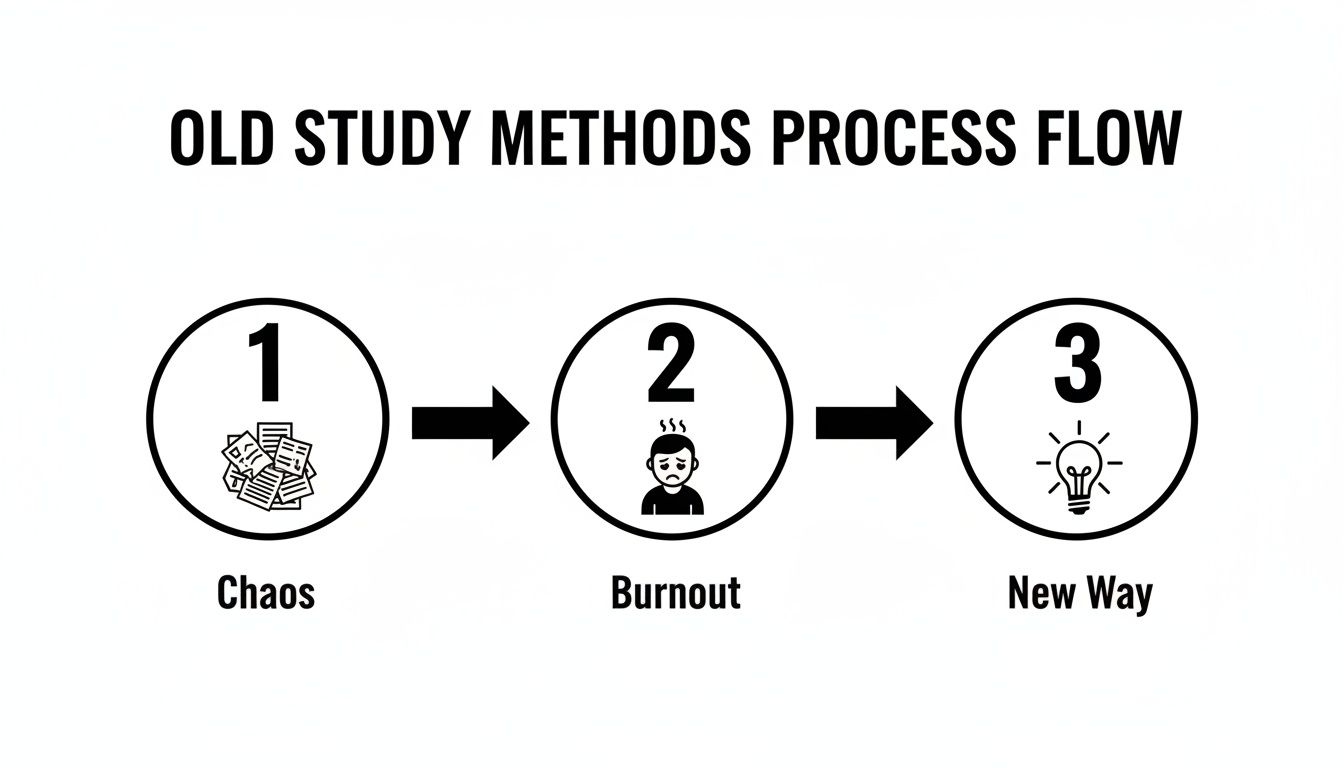
This frustrating loop of disorganization and exhaustion is exactly what we’re trying to fix with a smarter, AI-driven approach.
What to Feed Your Study Guide Generator
The quality of your study guide hinges entirely on the quality of the materials you give the AI. Think of it as a super-fast, hyper-organized student who needs the right textbooks and notes to ace the class. The more context you provide, the richer and more accurate your study materials will be.
Here's a quick breakdown of what you can upload and what it's best for.
What to Upload to Your Study Guide Generator
Content Type | Best For Generating | Pro Tip |
|---|---|---|
Lecture Slides (PPTs, PDFs) | Foundational outlines, key concept summaries, and visual aid explanations. | These are the skeleton of your course. Start here to get the basic structure right. |
Your Personal Notes (DOCX, TXT) | Detailed summaries, flashcards on emphasized points, and quizzes on nuanced topics. | Your notes capture what the professor stressed in class—details that slides often miss. |
Online Videos (YouTube, TikTok) | Transcripts, key takeaways, and simplified explanations for complex ideas. | Drop the link in. The AI pulls the transcript and folds it into your guide. |
Audio Recordings (MP3, M4A) | Full transcripts, summaries of discussions, and flashcards for specific examples. | A goldmine for pulling out key points you might've missed while typing. |
The real magic happens when you combine these different resources to create a complete picture of the topic for the AI.
Organizing Your Uploads for the Best Results
Hold on—don't just dump everything into the generator at once. A little bit of organization upfront makes a world of difference and stops the AI from getting confused. Think of it like you're putting together a mini-curriculum for each study session.
First, group your files by topic or lecture week. For instance, make a folder for "Week 4 - Cellular Respiration" and toss in the lecture PDF, your personal notes, and a couple of relevant YouTube links. When you upload that batch together, the AI immediately understands how all the pieces connect.
This single step ensures your study guide is focused and cohesive, preventing the AI from mashing up concepts from different weeks.
The goal isn't just to make a study guide; it's to make a study guide that understands the context of your course. Grouping materials by topic is the single best way to achieve this.
Next, give your files clear names. Ditch lecture_notes_final_v2.docx for something like BIO101_Week4_Cell_Resp_Notes.docx. This isn't just for your own sanity; it gives the AI extra clues about the content's subject and its place in the course. It's a tiny tweak that has a surprisingly big impact on the output.
A Real-World Scenario: From Chaos to Clarity
Let's say you've got a Psychology 101 midterm looming. The topic is "Cognitive Biases," and you’re feeling completely swamped.
Your desktop is a mess:
An 80-slide lecture presentation called
Lecture_5.pdf.A scattered document of your own notes, complete with typos and half-formed sentences.
A link to a 15-minute YouTube deep-dive on "Confirmation Bias."
Instead of panicking, you open your study guide generator. You upload the massive PDF, your messy notes, and paste in the YouTube link all at the same time.
Vivora gets to work. It tears through the slides, transcribes the video, and makes perfect sense of your jumbled notes. Within minutes, it spits out a beautifully structured guide. Suddenly, you have a concise summary of all the key cognitive biases, a deck of flashcards for memorizing definitions, and a practice quiz to check your understanding.
Those 80 dense slides have been distilled into the essential, exam-ready information you actually need. You’ve just collapsed a three-hour manual task into about five minutes. To see this in action with your own files, you can explore Vivora’s tools for generating organized AI study notes from any content.
Get Unstuck in Seconds with the AI Chatbot
You’ve done the hard work—you’ve turned a chaotic mess of lecture notes and textbook chapters into a clean, focused study guide. Awesome. But what about when you’re grinding at 1 AM, staring at a single concept that just refuses to make sense?
That’s when you turn to your study guide’s secret weapon: the integrated AI chatbot.
Don’t think of this like Google. Think of it as a 24/7 tutor who has already memorized every single file you uploaded. This isn't about getting generic answers; it's about getting instant, personalized homework help that’s directly tied to the material on your upcoming exam.
Ask Smarter Questions, Get Better Answers
The single biggest mistake students make with AI is asking lazy questions. A generic question will always get a generic, textbook-like answer. The real magic happens when you get specific and point the AI toward the exact materials you've already given it.
Let's look at the difference between a rookie prompt and a pro-level one.
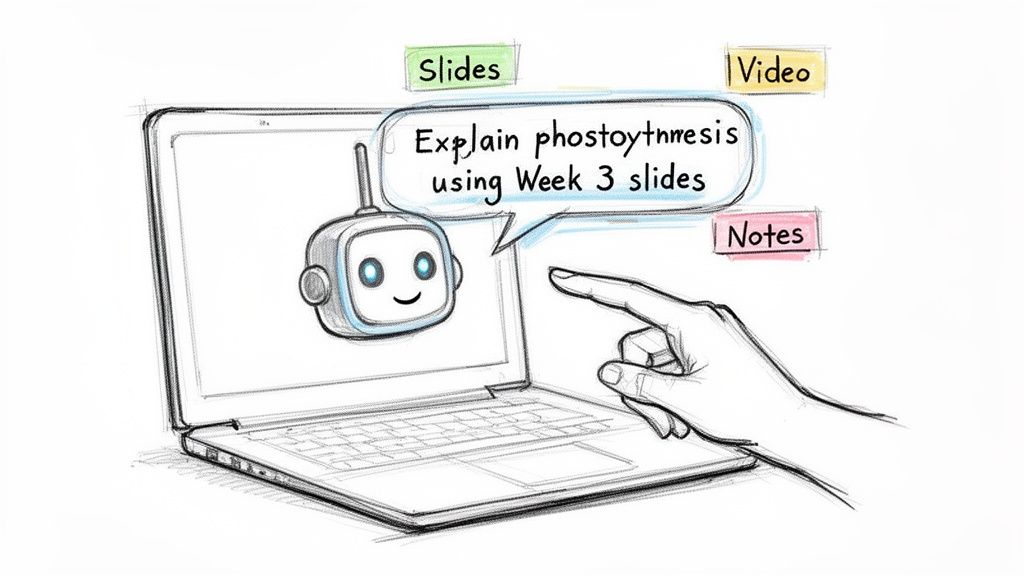
Rookie Prompt: "What is photosynthesis?"
Pro Prompt: "Explain photosynthesis using only the key terms from my Week 3 lecture slides. Act like you're explaining it to someone who has never taken a biology class before."
Night and day, right? The second prompt forces the AI to use your course content, so the answer is 100% relevant to your test. It also adjusts the tone, making a complex topic way easier to digest.
Prompt Templates to Get You Unstuck, Fast
Wasting time trying to think of the perfect prompt is a drag. Keep a few of these formulas in your back pocket for those all-too-common study roadblocks.
1. When a Concept Just Isn't Clicking
"I'm really struggling to get the concept of 'cognitive dissonance' from my PSY101 notes. Can you explain it in a completely different way and give me three new, real-world examples that weren't in the lecture?"
This does two crucial things. It names the exact term and source, and it specifically asks for new examples. Seeing an idea from a few different angles is often all it takes for the lightbulb to go on.
2. When You Desperately Need Practice Problems
"Using the formulas from my 'CHEM205_Chapter_8.pdf', create five practice problems about molarity. Put the answers and a full step-by-step breakdown for each one on a separate page."
This instantly turns a dense textbook chapter into a hands-on quiz. And by demanding that step-by-step breakdown, you're not just checking your answers—you're learning the exact process to solve the ones you get wrong.
3. When You Have to Connect the Dots
"Compare and contrast the economic policies of Hamilton and Jefferson, based only on my 'US_History_Part1.docx' file. Organize the information in a simple table."
This is an absolute game-changer for humanities courses. It makes the AI pull together information from all over your notes and present it visually, which makes remembering complex comparisons a whole lot easier.
What to Do When the AI Gets It Wrong
Look, AI isn't flawless. It can misunderstand you or give an answer that's almost right but misses the mark. Don't just close the tab in frustration. You can easily steer it back on track.
If an answer feels off, try one of these follow-ups:
"Can you rephrase that using much simpler language?" Perfect for when the AI spits out a dense, academic-sounding explanation.
"That's not quite what I meant. Let's focus only on the section about the Calvin Cycle in my biology slides." This is a gentle way to correct the AI and get it to zero in on what you actually need.
"Is that information directly from the source materials I uploaded?" This is a critical check to make sure the AI isn't pulling in outside info that won't be on your test.
Mastering these little conversational tricks turns the chatbot from a neat feature into your most dependable study partner. This kind of interactive learning is at the heart of what makes an AI homework helper such a powerful tool for truly understanding your material.
Building a Study Workflow That Prevents Cramming
Alright, you’ve used a study guide generator to turn a mountain of chaotic class files into a beautiful, organized guide. High five. But let's be real—even the world's best study guide is useless if it just sits in a folder while you scroll TikTok.
The real win isn't just making the guide; it's building a smart routine around it. This is how you actually ditch the all-night cram sessions that leave you feeling like a zombie. It’s about studying smarter, not just harder, and building sustainable habits that actually stick.
Embrace Spaced Repetition (It's Not as Boring as It Sounds)
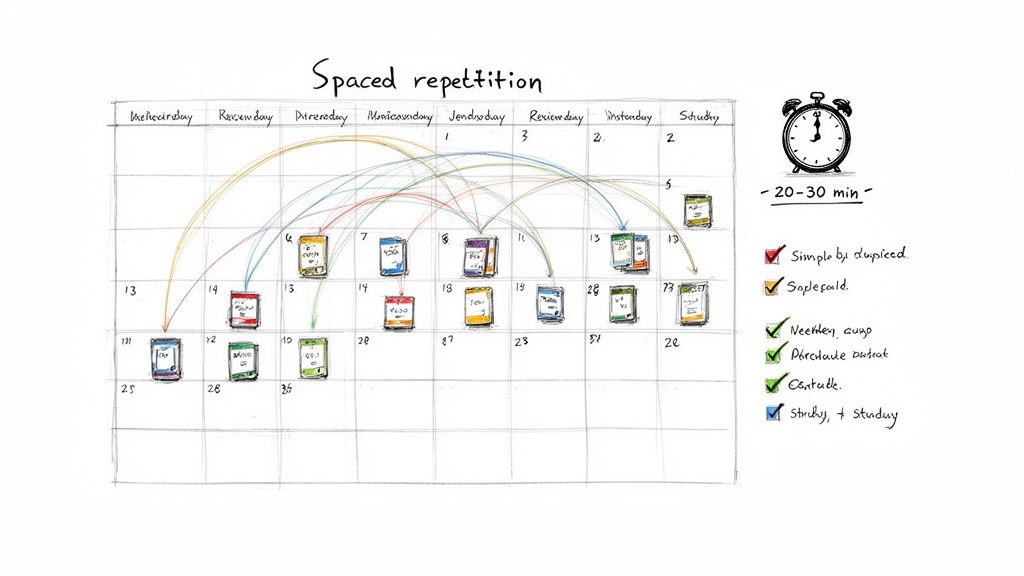
Ever crammed for a test, aced it, then forgotten everything two days later? Of course, you have. We all have. That’s because your brain needs to see information multiple times, over spaced-out intervals, to move it from short-term to long-term memory.
This is called spaced repetition, and it’s the ultimate anti-cramming technique.
Instead of a single, brutal six-hour marathon session, you review your material in short, focused bursts. Vivora’s AI-generated flashcards and quizzes are literally built for this.
Here’s a simple schedule you can steal:
Day 1: Generate your study guide and do a quick 15-minute flashcard review.
Day 2: Rest. Seriously. Let your brain do its thing.
Day 3: Another 15-minute flashcard session. You'll be surprised how much you remember.
Day 5: Take one of the AI-generated practice quizzes to test yourself.
Day 7: One final 20-minute review before the next week’s content drops.
This consistent, low-effort approach feels way less overwhelming and is scientifically proven to improve how much you remember.
Get Aggressive with Active Recall
The single most common study mistake is passive reviewing—just rereading your notes over and over again. Your brain goes into autopilot, and you absorb almost nothing.
Active recall, on the other hand, forces your brain to retrieve information. This is what actually strengthens the neural connections you need for an exam.
Don't just read your study guide; force yourself to explain it. Cover up the answers on your AI-generated quiz and say the answer out loud. This simple act of retrieval is where the real learning happens.
Vivora makes this easy. Instead of just flipping through the summary notes, jump straight to the practice questions the AI created. Every single time you answer a question without looking at the notes first, you’re practicing active recall. It feels harder in the moment, but the payoff on exam day is huge.
Use Progress Tracking to Find Your Weak Spots
You can't fix what you don't know is broken. A good study guide generator doesn't just hand you materials; it helps you see where you're struggling. When you take those practice quizzes in Vivora, pay close attention to the results.
Which topics are you consistently getting wrong? That's your brain telling you exactly where to focus your energy.
Once you’ve identified a weak spot—say, the "Calvin Cycle" in biology—go back to the AI chatbot. Ask it to generate more practice questions specifically on that topic or to explain it in a totally different way. This targeted approach stops you from wasting time reviewing concepts you’ve already mastered.
The demand for reliable, on-demand learning tools is exploding, much like the generator market, which is projected to hit USD 63 billion by 2032. Tools like Vivora provide that reliability, ensuring students can catch up and master concepts on their own time. You can discover more insights about the growth of on-demand solutions if you're curious.
This workflow transforms studying from a guessing game into a precise, data-driven strategy. You spend less time on fluff and more time on the material that will actually boost your grade.
Level Up Your Study Game with These AI Hacks
You've gotten the hang of using a study guide generator, and it’s already saving you a boatload of time. Awesome. But are you ready to go from casual user to a straight-up power user? Let’s push past the basic workflow and dive into the strategies that will make you wonder how you ever survived finals season without an AI study partner.
This is where the real magic happens. It’s the difference between using a cool app and making it your secret weapon for acing exams with way less stress. These are the insider tips that turn the tool into an indispensable part of your academic life.
Create a 'Master Study Guide' for Finals
Finals week is a beast. You're trying to pull up information from months ago while still keeping up with the last few lectures. Instead of starting from scratch and feeling completely overwhelmed, you can create a 'master study guide' by merging all your weekly content.
It’s actually way easier than it sounds. If you’ve been generating individual guides for each unit throughout the semester, you can use Vivora’s AI chatbot to connect all the dots for you.
Give this prompt a try:
"Using my study guides from Week 1 through Week 7, create a comprehensive review that identifies the five most important recurring themes in my 'Intro to Sociology' class. For each theme, provide three key examples, one from the beginning, middle, and end of the semester."
Boom. An entire semester's worth of material is instantly synthesized into a high-level review. This helps you see the big-picture connections that professors absolutely love to test on their final exams.
The Ultimate Catch-Up Hack After a Missed Class
Okay, let's be real—sometimes you miss a class. It happens to everyone. Instead of frantically trying to decipher a friend’s messy notes, you can build a complete, high-quality study guide from the ground up, even if you weren't in the room.
Here’s the game plan:
First, ask a classmate if they have an audio recording of the lecture.
Next, grab the lecture slides (usually a PPT or PDF) from your course portal.
Finally, upload both the audio file and the slides directly into Vivora.
The AI will transcribe the entire lecture and intelligently combine that info with the context from the slides. You’ll end up with a detailed set of notes that's often cleaner and more comprehensive than what you would have typed yourself. It's the perfect way to get caught up without missing a single key concept.
Customize Your Outputs for Your Learning Style
Not everyone’s brain works the same. A wall of text might be perfect for one person, while another needs visuals, tables, or quick bullet points to really make things click. Don't just settle for the default output—command the AI to reformat the information to match how you actually learn best.
After you’ve generated a guide, jump into the AI chatbot and try some follow-up prompts like these:
For the Visual Learner: "Take the section on 'The Krebs Cycle' and turn it into a step-by-step list. Use emojis to represent the key molecules."
For the Big-Picture Thinker: "Summarize my entire study guide on 'American History 1865-1920' as a mind map, with the main eras as the central nodes."
For the Comparison Pro: "Reformat the notes on 'Freud vs. Jung' into a two-column table that directly compares their core theories."
This kind of personalization is what separates a basic tool from a true study partner. You’re not just getting information dumped on you; you’re getting it in the exact format your brain needs to make it stick.
Bridge the Gap Between Different Courses
Some of the trickiest exam questions are the ones that force you to connect ideas from different classes, especially in interdisciplinary fields. You can actually use your study guide generator to prepare for these exact scenarios.
Let's say you're taking "Environmental Policy" and "Microeconomics." You have a hunch the final exam will ask about carbon taxes, a topic that sits right at the intersection of both subjects.
All you have to do is upload the relevant lecture slides and notes from both courses into a single study guide session in Vivora. Then, hit the AI with a prompt like this:
"Using the materials from my policy and economics classes, explain the concept of a carbon tax. First, define it from an economic perspective, then explain the policy implementation challenges."
The AI will synthesize information from both sources, giving you a uniquely comprehensive answer that prepares you for those tough, cross-disciplinary questions. For even more ideas on blending your course materials, check out our guide on advanced AI study guide strategies.
To really get the most out of your study tool, you have to think beyond just uploading a single file and getting a summary. The real value comes from treating it like a strategic partner. Here’s a quick breakdown of how to shift from a standard approach to a power-user mindset.
Study Guide Generator Power Moves
Standard Approach | Power Move | Why It Works |
|---|---|---|
Uploading one file at a time for one class. | Uploading files from two different but related classes into one session. | This forces the AI to find connections and overlaps, preparing you for complex, interdisciplinary exam questions. |
Accepting the default study guide format. | Using follow-up prompts to reformat content into tables, mind maps, or lists. | Tailoring the output to your specific learning style (visual, sequential, etc.) makes the information stick better. |
Generating guides for each new topic. | Merging all weekly guides at the end of the semester to create a 'master guide' for finals. | It synthesizes an entire semester's worth of knowledge, revealing big-picture themes you might have missed. |
Asking a friend for notes from a missed class. | Uploading both the lecture audio and the presentation slides to generate a complete guide. | The AI creates a comprehensive set of notes that's often more detailed and accurate than what you'd get from a classmate. |
Adopting these power moves won't just save you more time—it will fundamentally change how you study. You'll start building a deeper, more connected understanding of your subjects in a way that just reading over your notes could never achieve.
Got Questions About Study Guide Generators?
Jumping into a new study tool can feel a bit weird, and it's smart to have questions. You want to know if a study guide generator is actually going to fit into your workflow before you commit. Let's tackle some of the most common things students ask.
Can I Trust the Info From an AI Study Guide Generator?
This is a big one, and thankfully, the answer is pretty straightforward. An AI tool like Vivora isn’t just scouring the internet for random facts. It builds study materials based only on the files and links you give it.
That means the accuracy of your study guide is a direct reflection of your professor's lecture slides or the textbook chapters you uploaded. The AI is basically a super-fast, incredibly organized assistant that only works with your specific course content. If you feed it good material, you'll get good material back.
Pro Tip: I always recommend doing a quick scan of the finished guide against your original notes. This just makes sure any little nuances your professor dropped in class—the stuff that doesn't always make it to the PowerPoint—are perfectly captured.
What’s the Best Way to Upload a Whole Semester of Material?
Okay, resist the urge to just dump your entire semester's worth of files in at once. Trust me, that’s a one-way ticket to a jumbled, confusing mess that won't help you study.
The smarter move is to create separate, focused study guides for each topic or week.
For example, pull together everything for "Week 4: Cellular Respiration"—the lecture slides, your typed notes, and that helpful YouTube link—and generate a single guide for it. This keeps everything clean and hyper-relevant to that specific unit.
Then, when midterms or finals sneak up on you, you can just ask the AI chatbot to create a master quiz or a summary that pulls from all those individual weekly guides. It’s a much more targeted and manageable way to prep for big exams.
Is Using a Study Guide Generator Cheating?
This is a really important question, and the answer is a clear no. Using a study guide generator isn't about skipping the learning process; it's about making it a hell of a lot more efficient. You’re still the one who has to actually engage with and learn the material.
All the tool does is automate the tedious, time-sucking tasks of organizing and summarizing your notes. This frees up your brainpower to focus on what actually matters:
Understanding the tricky concepts.
Practicing problems or applying formulas.
Active recall to make sure the information actually sticks.
Honestly, tools like Vivora are built to encourage active learning by turning your notes into flashcards and quizzes. Think of it as upgrading your study toolkit from a rusty wrench to a power drill, not finding a loophole to avoid doing the work.
Ready to stop wasting time organizing notes and start spending more time actually learning? Vivora transforms your messy class content into perfect study guides, flashcards, and quizzes in minutes. Try it for free and see how much faster you can prep for your next exam.