How to Turn Any YouTube Video to Notes Instantly (Without Wasting Your Life)
Mar 6, 2026
Let's be real. It’s 1 AM, you’ve got a midterm tomorrow, and you’re stuck rewatching a two-hour lecture video on 2x speed, desperately trying to find that one concept the prof mumbled. The endless cycle of pausing, rewinding, and frantically typing? A total vibe killer. And honestly, it’s exhausting.
This old-school method of taking notes from YouTube is a major time suck. It feels like you're studying, but you're really just transcribing, not learning. You're so focused on catching every word that your brain never actually processes the info.
Think about the mental drain. Every time you stop and start the video, you shatter your focus. This constant context-switching makes it impossible to connect ideas and see the big picture.
It's not just about losing time; it's about losing focus. Studies on learning show that active engagement is key. Passively rewatching a lecture is legit one of the least effective ways to study.
This is especially true when you're juggling multiple classes. The hours you spend trying to manually turn a YouTube video to notes could be put to way better use. You could be spending that time on study methods that actually work, like:
Active Recall: Quizzing yourself on the key concepts (the real MVP for exams).
Spaced Repetition: Reviewing stuff at the right times so it sticks in your long-term memory.
Practice Problems: Actually applying what you've learned to see if you get it.
The goal isn't just to consume content—it's to master it. Whether you're cramming for finals or trying to ace that AP exam, your time is everything. The traditional note-taking method forces you to trade precious hours for a pile of disorganized, mid-quality notes.
That's why a smarter workflow is ditching the rewind button for good. Instead of getting bogged down in the manual labor of note-taking, you can use AI to do the grunt work. This frees you up to focus on what really matters: understanding the material and walking into your exams with confidence. With an AI-powered study tool like Vivora, you can transform entire lectures into personalized study guides automatically, giving you back your time and your sanity.
The Quickest Way to Get Notes From a YouTube Video
Okay, let's cut to the chase—you need notes from a YouTube video, and you need them, like, yesterday. Forget about fancy software for a sec. The absolute fastest way to get started is to grab the video's transcript. It's the hidden cheat code for turning a lecture into something you can actually study.
Just go to the YouTube video, click the "..." button below the player, and hit "Show transcript." You now have the entire script of the video, complete with timestamps. Copy and paste that whole block of text into a Google Doc or your notes app.
Cleaning Up the Raw Transcript
Now for the real talk: raw transcripts are a hot mess. They're often full of "ums," "uhs," random tangents, and repeated phrases. No one wants to study that. Your next move is to do a quick cleanup.
The simplest trick is using "Find and Replace" (Ctrl+F or Cmd+F) to instantly delete all those filler words. Search for things like "um," "uh," "like," and "you know," and replace them with a single space. This one move makes the text instantly more readable. From there, you can do a quick scan to fix any weird punctuation and combine broken sentences.
Most students don't realize how much time they lose just passively watching and rewinding videos. When you're not actively engaged, a huge chunk of your study session gets wasted.
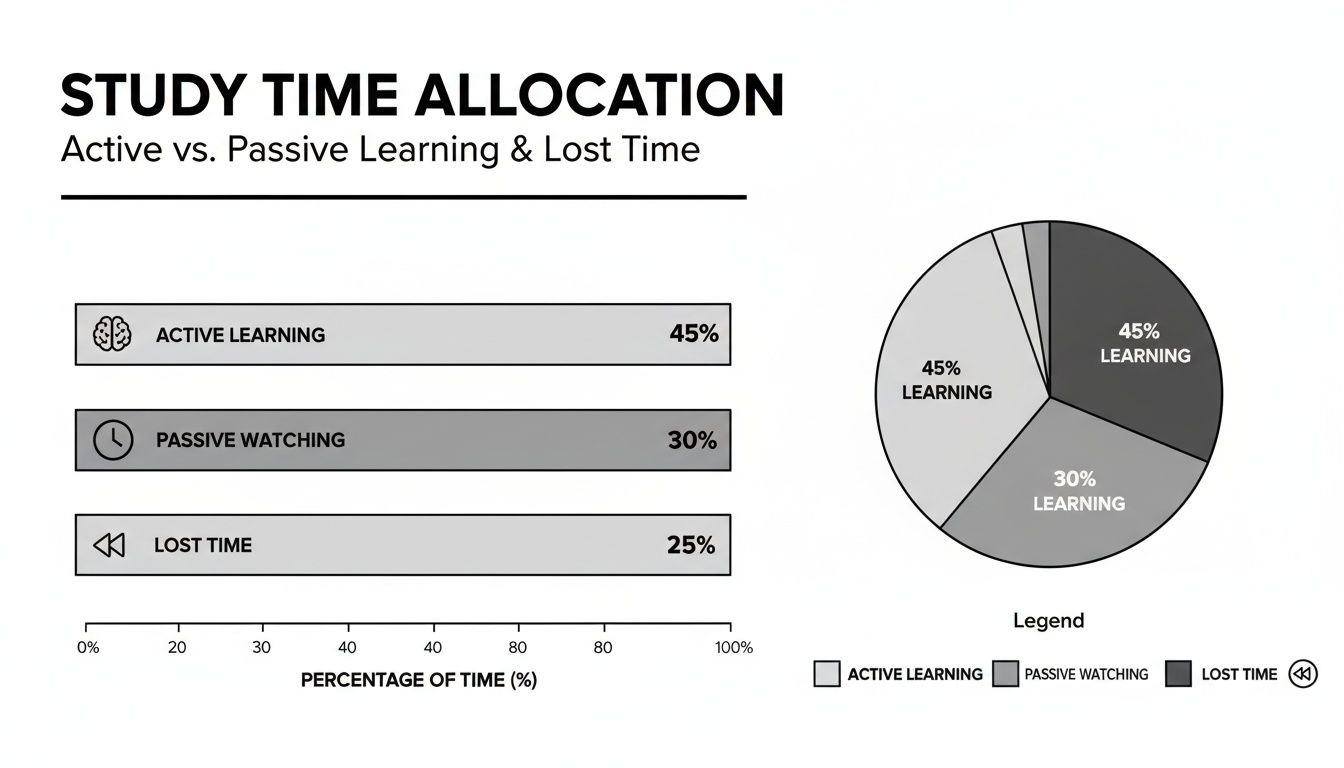
As you can see, a significant portion of study time is often lost to rewinding and just zoning out. This is time that could be spent on actual learning if your notes were more efficient.
Turning Text Into Actionable Notes
With a cleaner transcript, you're ready to make it useful. Those timestamps are your best friend here. Keep them next to key paragraphs so you can quickly jump back to that exact moment in the video if you need a refresher.
From there, start pulling out the most important stuff:
Bold key terms and their definitions.
Use bullet points to list out main ideas and supporting examples.
Don't be afraid to delete entire paragraphs that are just fluff or off-topic stories.
You’re basically creating a highlight reel of the lecture. While this manual method is a huge step up from just watching, it still takes a ton of time. A one-hour lecture can easily take 2-3 hours to process into good notes. For students juggling multiple online classes, this is a massive time sink.
This is where AI tools really start to shine. Some AI summarizers can process long videos in seconds, generating summaries, mind maps, and timestamped notes instantly. You can get a sense of how these tools are changing study habits for students on ekamoira.com.
Pro Tip: Drop your cleaned-up transcript into a free AI like ChatGPT and use this prompt: "Summarize this lecture transcript into a bulleted list of the main concepts, key terms with definitions, and important examples. Keep the timestamps."
This simple prompt can instantly transform that wall of text into a structured outline. While this manual-plus-AI approach is a solid hack, a dedicated tool like Vivora automates this entire workflow, turning a YouTube link directly into a polished study guide without the copy-paste-clean-up hassle.
Manual vs AI Note-Taking Time Savings
Here's a quick comparison of the time it takes to process a 60-minute YouTube lecture using different methods. The differences add up fast, especially when you have multiple lectures to get through each week.
Task | Traditional Manual Method | AI-Assisted Method (Transcript + AI Summary) | Fully Automated Tool (like Vivora) |
|---|---|---|---|
Watch/Rewind Video | 60-90 minutes | 10-20 minutes (for context checks) | 0 minutes |
Extract & Clean Transcript | 20-30 minutes | 20-30 minutes | 0 minutes (automated) |
Summarize & Organize Notes | 45-60 minutes | 5-10 minutes (review & edit AI output) | 1-2 minutes (review & edit) |
Create Flashcards/Quizzes | 30-45 minutes | 10-15 minutes (with AI assistance) | 1-2 minutes (auto-generated) |
Total Time Investment | 2.5 - 3.75 hours | 45 - 75 minutes | 2 - 4 minutes |
As you can see, even a basic AI-assisted workflow is a huge improvement. But for students looking to maximize their study efficiency, a fully automated tool really changes the game, freeing up hours of valuable time for active learning and practice.
Level Up Your Study Game With AI Note-Taking Tools
Okay, so manually cleaning up a transcript is definitely better than rewatching a two-hour lecture five times. But let's be real—it's still a ton of work. If you're tired of the copy-paste-cleanup hustle and just want to get to the good stuff, it’s time to let AI do the heavy lifting.
Dedicated tools that turn a YouTube video to notes are a total game-changer for your study flow. These aren't just basic summarizers. We're talking about smart platforms designed specifically for students that go way beyond just grabbing text.
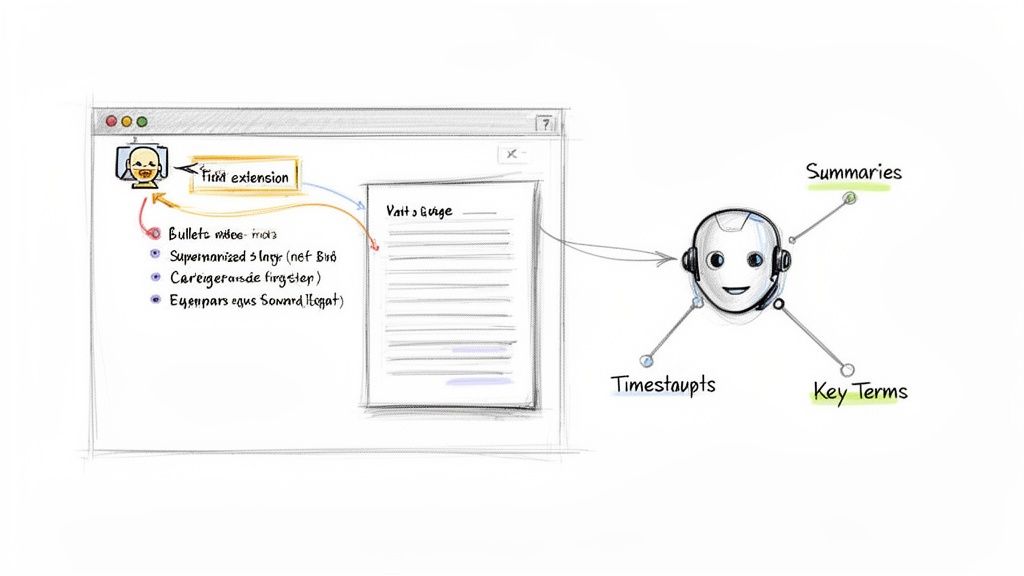
What to Look For in an AI Note Taker
Not all AI tools are created equal. Some are simple browser extensions, while others are powerful, all-in-one platforms. For studying, you want features that actually save you time and help you learn, not just create more digital clutter.
Here’s what you should be looking for:
Automatic Timestamps: This is non-negotiable. The tool should link key points in the notes directly back to the exact moment in the video, letting you quickly review confusing sections.
Key Term Identification: A great tool will automatically pull out important vocabulary and definitions. It's like getting a pre-made study guide for your exam.
Intelligent Summaries: You don't want a generic summary. You need one that zeros in on the core concepts, main arguments, and important examples relevant to a student.
Mind Maps & Outlines: Visual learners, this one's for you. Some tools can generate mind maps or structured outlines that help you see how all the concepts connect at a glance.
For test-prep and distance learning students, time is everything. The speed of these tools is wild—some can process a massive 3-hour lecture into clean, organized notes in just 2-3 minutes. Standard videos? Often done in 30-60 seconds. That’s a potential 95% time reduction compared to doing it by hand. You can find out more about how these tools are slashing study hours at screenapp.io.
Finding the Right Tool for You
Choosing a tool really comes down to your needs and budget. A simple Chrome extension might be perfect if you just need a quick summary now and then. But if you’re a high school student prepping for APs or a college student trying to synthesize complex research lectures, you’ll want something more robust.
The best tools don't just give you notes; they create a starting point for active studying. They handle the boring transcription and summarization so you can spend your brainpower on understanding and memorizing the material.
Many of these tools operate on a "freemium" model. The free tier might limit the length of the video or the number you can process per month, while paid tiers unlock unlimited use and advanced features. It’s all about weighing the cost against the hours you'll save. Is spending a few bucks worth getting back 5-10 hours of study time a week? For most students, that’s an easy yes.
While many tools handle just one part of the process, an all-in-one platform like Vivora is built to be your central study hub. Instead of just getting notes from one video, you can connect all your course materials—videos, PDFs, lecture slides—into one place. With an AI study assistant, you can instantly get organized study guides without jumping between a dozen different apps. It’s about building a smarter, more connected system for all your classes.
Automate Everything With the Vivora Workflow
Okay, let's bring it all together. If you've tried the manual method, you know the drill: one tab for YouTube, another for a transcript, a third for an AI summarizer, and finally, your notes app. It’s a digital juggling act that absolutely kills your focus.
Sure, it beats rewatching a two-hour lecture. But let’s be real—it’s still a clunky, time-consuming process.
This is where everything clicks. The smartest way to turn a YouTube video to notes is to use a single, dedicated tool that handles the entire workflow for you. We’re talking about a seamless process built by students who get the struggle.
One Link to Rule Them All
With Vivora, the whole thing becomes almost laughably simple. You find the YouTube lecture you need, copy the URL, and paste it straight into the platform. That's it.
No transcript to hunt down, no messy text to clean up, and no prompts to engineer.
Vivora takes over from there, grabbing the content and instantly turning it into a structured, personalized study guide. You literally go from a YouTube link to a complete set of notes in seconds.
This isn't just about saving a few minutes; it's about removing the friction that stops you from doing it in the first place. When the process is this easy, you're more likely to stay on top of your classes instead of letting lectures pile up.
Beyond Just One Video
But here’s the real game-changer. Getting notes from a single video is useful, but your courses are more than just one-off lectures. You've got lecture slides, textbook PDFs, and a dozen other readings from your professor.
Vivora doesn't treat your videos like they exist in a vacuum. It integrates these new YouTube video to notes with all your other course materials.
Imagine having one central space for your biology class where notes from a Khan Academy video sit right next to the summary of your professor's lecture slides.
Upload Everything: Just drop in your PDFs, PowerPoints, and Word documents.
Sync Your LMS: Connect directly to Canvas to pull in all your course files automatically the moment your professor posts them.
Centralize Your Knowledge: Every set of notes, from every source, is organized by class in one clean, easy-to-navigate dashboard.
This is how you move from having notes scattered across your desktop to building a single, intelligent study system. Instead of digging through five different folders before an exam, everything you need is in one spot. You can learn more about how Vivora creates these smart AI study notes from all your content.
Alright, you've got your perfectly summarized, timestamped notes from that YouTube lecture. High-five! But let’s be real, having great notes is only half the battle. If they just sit in a folder, they’re not doing you any good.
Now it’s time to turn that raw material into A+ exam prep. This is where you move from passively collecting information to actively engaging with it. The goal is to lock those concepts into your long-term memory so you can actually recall them under pressure.
Go Beyond Passive Rereading
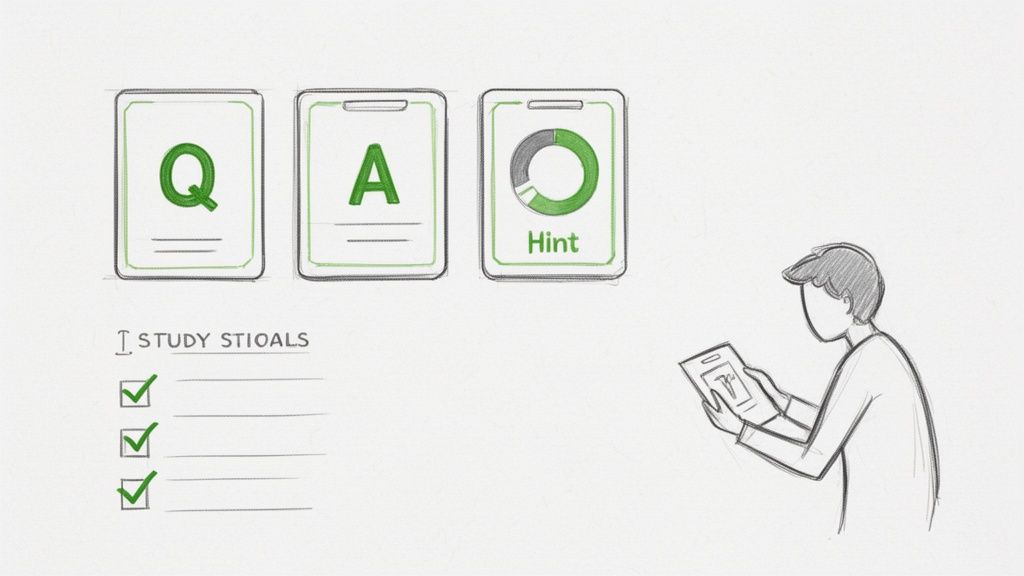
Simply rereading your notes is one of the least effective ways to study. It’s a trap. Instead, you need to force your brain to retrieve the information. This study method is called active recall, and it’s a total game-changer.
With your AI-generated notes, this is super easy. Here’s how you can level up:
Turn Points into Questions: Take a key concept from your summary and flip it into a question. For example, if a note says "Photosynthesis uses sunlight, water, and CO2 to create glucose," turn it into "What are the three essential inputs for photosynthesis?"
Use Timestamps Strategically: See a concept in your notes that’s still a little fuzzy? That timestamp is your best friend. Instead of scrubbing through the whole video, you can click right back to that exact moment for a quick 30-second re-watch. It’s incredibly efficient.
Create Mini-Summaries: This is a great test. Cover up your notes and try to explain a major topic in your own words. Then, compare your explanation to the notes to see what you missed.
This shift in how you use your notes is crucial. It’s what separates students who just review from those who actually learn.
Let Your AI Tutor Quiz You
This is where having an integrated tool like Vivora really pays off. It doesn't just give you notes; it gives you an AI-powered tutor that understands the content of your YouTube video. You can ask it to quiz you on demand.
Prompt Vivora’s AI chat with: "Ask me five questions based on the key concepts in these notes." It will instantly generate a practice quiz to test your knowledge, helping you find your weak spots.
You can also ask it to create practice problems based on the lecture or explain a complicated idea in a simpler way. This is your personal study assistant, ready 24/7. Even better, you can automatically generate digital study materials. With Vivora, you can get ready-to-use AI flashcards from your video notes in a single click, making active recall effortless.
The rise of YouTube as a study powerhouse is undeniable. In 2024, the platform drew 2.491 billion users, with a staggering 82% of people using it for learning-based entertainment. This makes a fast youtube video to notes tool essential for exam-focused students everywhere. You can explore more about how AI is capitalizing on this trend by reading these insights on audionotes.app.
By actively using your AI-generated notes, you’re not just studying smarter—you’re setting yourself up for a better grade.
Common Questions About YouTube Note Takers
Whenever you start using a new study method, a few questions are bound to pop up. When it comes to using AI to turn a YouTube video to notes, it's no different. Let's tackle some of the big ones I hear from students all the time.
Is It Legal to Do This for Study Notes?
This is a big one, and the short answer is yes, you're good. Grabbing a transcript or summarizing a lecture for your personal study notes almost always falls under the "fair use" doctrine.
You aren't trying to sell the content or pass it off as your own work. You're just putting it into a format that helps you study better and ace your exams. As long as those notes stay in your personal study folder, you're in the clear.
How Accurate Are These AI Note Takers?
The best AI tools are shockingly good, but it's smart to know their limits. They’re fantastic at pulling out the main arguments, key definitions, and the overall flow of a lecture. Think of it as having a B+ draft of your notes done in seconds.
Where they can stumble is with really niche jargon, speakers with thick accents, or moments where someone talks super fast. They might miss a subtle point here and there.
The best way to use AI-generated notes is as a powerful first draft. Give them a quick once-over to check key facts and make small tweaks. This approach still saves you about 95% of the work compared to starting from scratch.
Can I Use This for Videos in Other Languages?
Yes, and this is where things get really exciting. Most modern AI platforms, including Vivora, have solid multilingual support. They can usually auto-detect the language and generate an accurate transcript and summary in that same language.
This is a massive advantage if you’re studying a foreign language or you’re an international student trying to keep up with educational content from back home. Just double-check the language support on whatever tool you decide to use, as some are definitely more advanced than others.
Ready to stop wasting time and start studying smarter? Vivora transforms any YouTube video, lecture slide, or PDF into a personalized study guide instantly. Try it free and see how much time you can save.
Get started at https://vivora.ai